




Here's how it works



How to use or fill out ub 108 with our platform

- Click ‘Get Form’ to open the ub 108 in the editor.
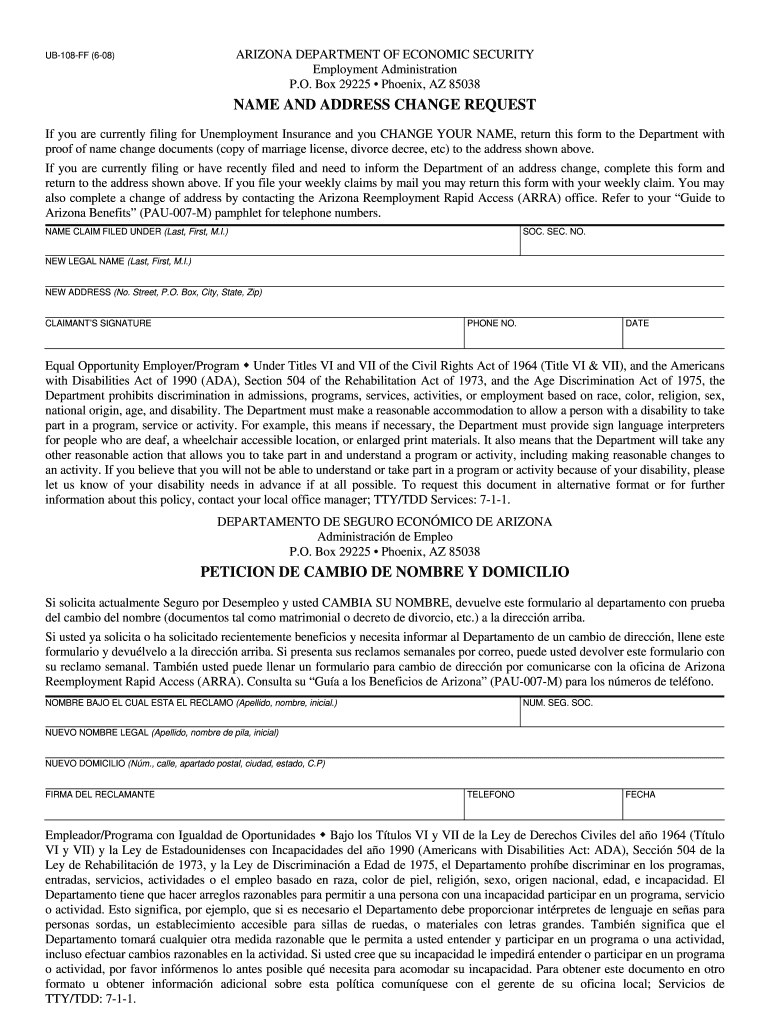
- Begin by entering your name as it appears on your unemployment claim in the 'NAME CLAIM FILED UNDER' field. Ensure accuracy to avoid processing delays.
- Input your Social Security Number in the designated field. This is crucial for identification purposes.
- In the 'NEW LEGAL NAME' section, enter your new name if you have changed it. Include your last name, first name, and middle initial.
- Fill out your new address in the 'NEW ADDRESS' field. Provide complete details including street number, city, state, and zip code.
- Sign the form in the 'CLAIMANT’S SIGNATURE' area and include your phone number and date of submission.
- Review all entered information for accuracy before submitting. You can easily modify any fields if needed using our editor.
Start filling out your ub 108 form online for free today!
It's free
Got questions?
How can I eSign my ub 108 in Word?
Microsoft Word doesn’t have signing tools to create legitimate electronic signatures and enforceable paperwork. Luckily, DocHub is an online eSignature-compliant editor that works with different document formats, including .doc files. Sign in to your account and upload the Word edition of your ub 108 from your device and cloud, or URL - our editor will automatically turn it into an editable PDF. Make all necessary modifications in your document and click Sign to create your own legally-binding electronic signature. There are four signing options from which to choose.
How do you create an e-signature for the ub 108 on iOS?
In addition to a comprehensive toolset for editing PDFs on mobile phones, DocHub allows you to sign your ub 108 along the way. Open our editor in your browser, make changes using DocHub’s toolset, and finish your editing by eSigning the finished form.
Security and compliance
At DocHub, your data security is our priority. We follow HIPAA, SOC2, GDPR, and other standards, so you can work on your documents with confidence.
Learn more


