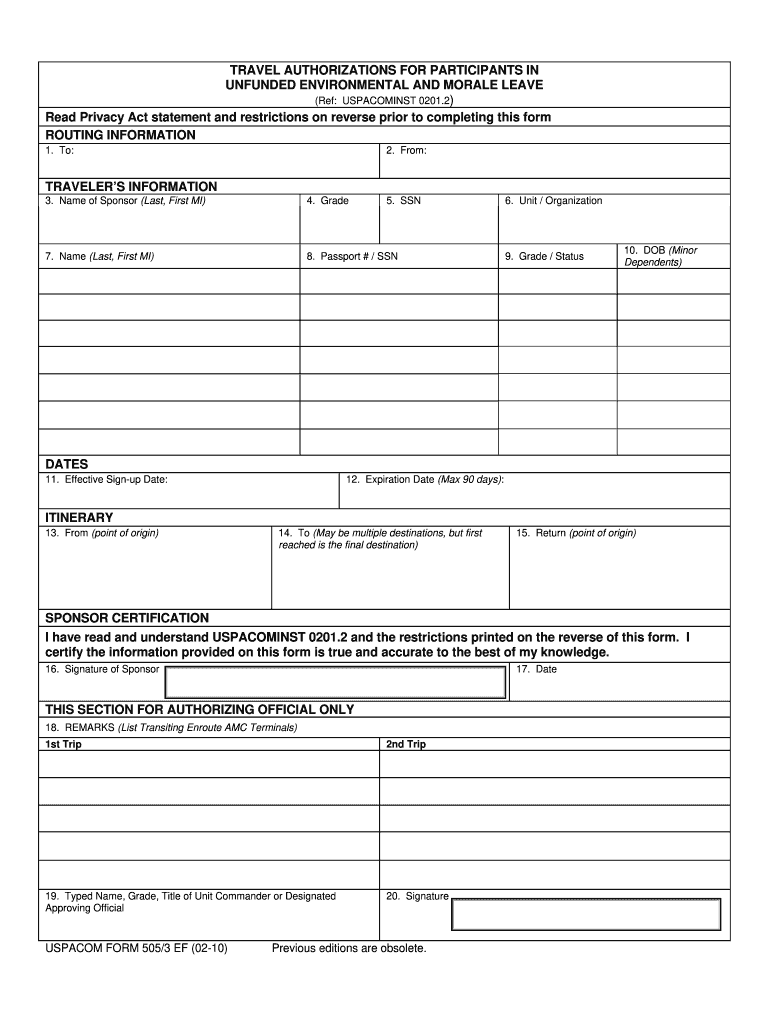
Environmental morale leave form 2010-2026

Get Form
environmental morale leave army Preview on Page 1

Here's how it works

01. Edit your environmental morale leave army online
Type text, add images, blackout confidential details, add comments, highlights and more.
02. Sign it in a few clicks
Draw your signature, type it, upload its image, or use your mobile device as a signature pad.
03. Share your form with others
Send environmental morale leave form via email, link, or fax. You can also download it, export it or print it out.

How to use or fill out environmental morale leave form 2010 with our platform

Form edit decoration
9.5
Ease of Setup
DocHub User Ratings on G2
9.0
Ease of Use
DocHub User Ratings on G2
  1. Click ‘Get Form’ to open the environmental morale leave form 2010 in the editor.
  2. Begin by filling out the Routing Information section. Enter the 'To' and 'From' details accurately to ensure proper routing of your request.
  3. In the Traveler’s Information section, provide your name, grade, SSN, unit/organization, and other required personal details. Ensure all information is correct for verification purposes.
  4. Specify the Effective Sign-up Date and Expiration Date in the DATES section. Remember that the expiration date cannot exceed 90 days from the sign-up date.
  5. Complete the ITINERARY section by detailing your travel points: From (origin), To (final destination), and Return (origin). If there are multiple destinations, list them accordingly.
  6. In the Sponsor Certification area, read through USPACOMINST 0201.2 carefully. Then, sign and date to certify that all provided information is accurate.
  7. Finally, if applicable, fill out the Authorizing Official section with remarks and signatures as required for approval.

Start using our platform today to easily complete your environmental morale leave form for free!

See more environmental morale leave form 2010 versions

We've got more versions of the environmental morale leave form 2010 form. Select the right environmental morale leave form 2010 version from the list and start editing it straight away!
Versions Form popularity Fillable & printable
2010 4.9 Satisfied (422 Votes)
2010 4.4 Satisfied (52 Votes)
be ready to get more

Complete this form in 5 minutes or less

Get form

Got questions?

We have answers to the most popular questions from our customers. If you can't find an answer to your question, please contact us.
Contact us
Environmental Morale Leave (EML) Program. The Environmental Morale Leave (EML) Program is offered to all active duty military personnel, all DOD civilians with travel agreements and their sponsored dependents. Authorized EML destinations are designated by appropriate authority and subject to change.
FEML is used to provide government funded transportation for a service member and his/her command-sponsored dependents from an OUTCONUS FEML duty location to a designated FEML destination.
Environmental and Morale Leave (EML): Leave granted at overseas installations where environmental conditions require special arrangement for leave in more desirable locations at periodic intervals. There are two types of EML, Unfunded EML (UEML) and Funded EML (FEML).
Category IV: Unaccompanied EML. Unaccompanied dependents (18 years or older) of military members deployed for more than 30 consecutive days traveling under the EML program. Family members under 18 must be accompanied by an adult Family member who is traveling EML.
Leave is charged for travel time to and from, and for the period of time at an EML destination site when traveling on a space-available basis.

Security and compliance

At DocHub, your data security is our priority. We follow HIPAA, SOC2, GDPR, and other standards, so you can work on your documents with confidence.

Learn more
ccpa2
pci-dss
gdpr-compliance
hipaa
soc-compliance
be ready to get more

Complete this form in 5 minutes or less

Get form