




Here's how it works

01. Edit your generic special duty assignment application online
Type text, add images, blackout confidential details, add comments, highlights and more.

02. Sign it in a few clicks
Draw your signature, type it, upload its image, or use your mobile device as a signature pad.

03. Share your form with others
Send air force special duty assignment application via email, link, or fax. You can also download it, export it or print it out.
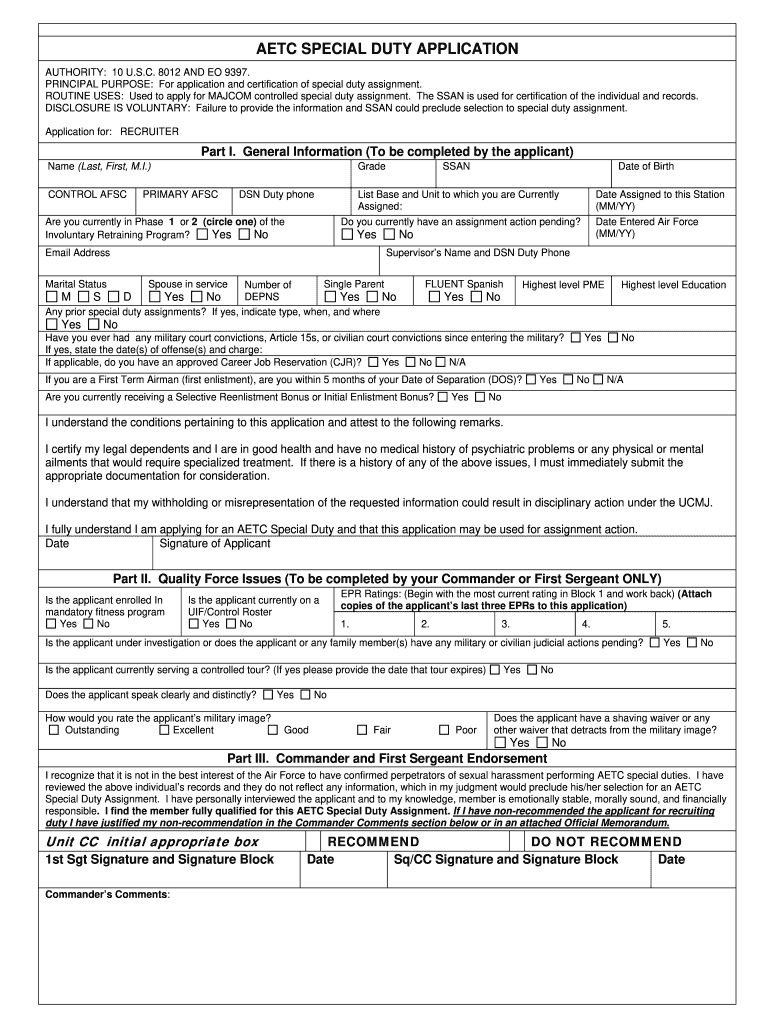
How to use or fill out generic special duty assignment application with our platform

- Click ‘Get Form’ to open the generic special duty assignment application in the editor.
- Begin with Part I: General Information. Fill in your name, control AFSC, grade, and primary AFSC. Ensure you provide your DSN duty phone and email address for communication.
- Continue by indicating your current base and unit assignment. Complete the sections regarding marital status, dependents, and any prior special duty assignments.
- In Part II: Quality Force Issues, have your Commander or First Sergeant complete their section regarding fitness program enrollment and EPR ratings. Attach copies of the last three EPRs as required.
- Proceed to Part III for endorsements from your Commander and First Sergeant. They will assess your qualifications for the special duty assignment.
- Complete Parts IV through VII as necessary, ensuring all medical information is accurately filled out by relevant personnel.
- Review all sections for completeness before submitting the application to avoid delays in processing.
Start using our platform today to streamline your application process for free!
Fill out generic special duty assignment application online
It's free
It's free
See more generic special duty assignment application versions
We've got more versions of the generic special duty assignment application form. Select the right generic special duty assignment application version from the list and start editing it straight away!
| Versions | Form popularity | Fillable & printable |
|---|---|---|
| 2005 | 4.8 Satisfied (120 Votes) |
Security and compliance
At DocHub, your data security is our priority. We follow HIPAA, SOC2, GDPR, and other standards, so you can work on your documents with confidence.
Learn more




