Blank printable ged certificate 2026

Get Form
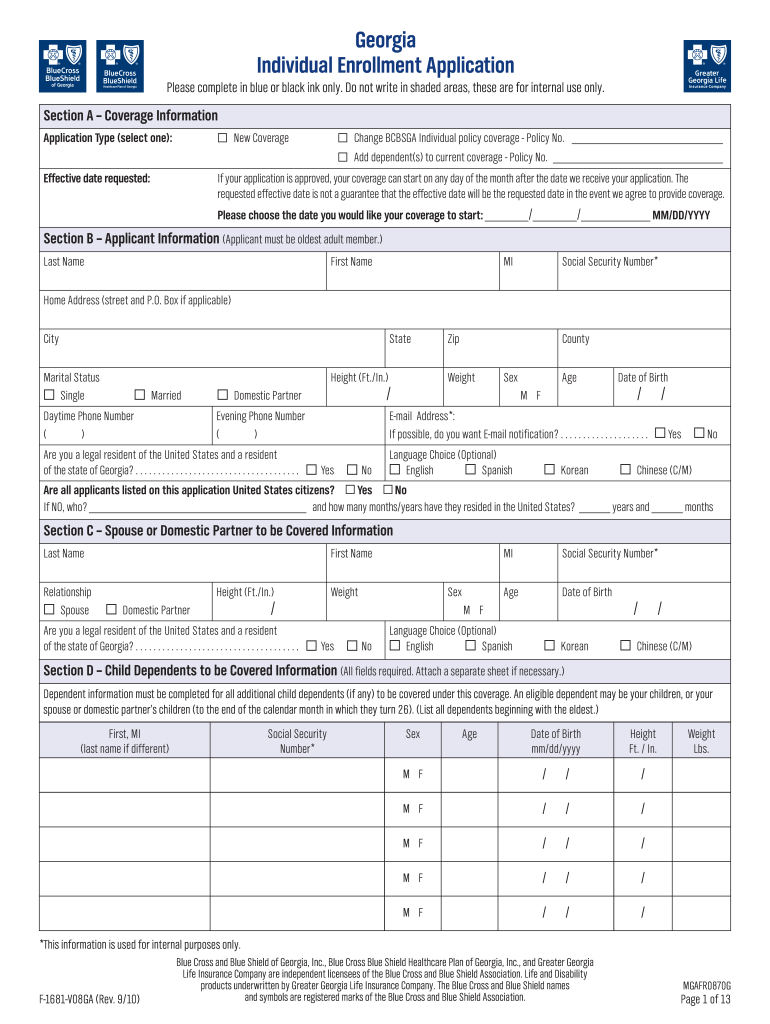
free printable ged certificate Preview on Page 1

Here's how it works

01. Edit your free printable ged certificate online
Type text, add images, blackout confidential details, add comments, highlights and more.
02. Sign it in a few clicks
Draw your signature, type it, upload its image, or use your mobile device as a signature pad.
03. Share your form with others
Send printable ged certificate via email, link, or fax. You can also download it, export it or print it out.

How to use or fill out blank printable ged certificate with our platform

Form edit decoration
9.5
Ease of Setup
DocHub User Ratings on G2
9.0
Ease of Use
DocHub User Ratings on G2
  1. Click ‘Get Form’ to open the blank printable GED certificate in the editor.
  2. Begin by filling out your personal information in Section A. This includes your name, date of birth, and any other required details. Ensure accuracy as this information is crucial.
  3. Move to Section B, where you will provide additional details such as your address and contact information. Use the text fields provided to enter your home address and phone numbers.
  4. In Section C, indicate any relevant coverage information if applicable. Select options that pertain to your situation, ensuring you check all necessary boxes.
  5. Review all sections for completeness before saving or printing the document. Utilize our platform's features to highlight any areas that may need further attention.

Start using our platform today for free to easily fill out your blank printable GED certificate!

See more blank printable ged certificate versions

We've got more versions of the blank printable ged certificate form. Select the right blank printable ged certificate version from the list and start editing it straight away!
Versions Form popularity Fillable & printable
2010 4.8 Satisfied (242 Votes)
be ready to get more

Complete this form in 5 minutes or less

Get form

Got questions?

We have answers to the most popular questions from our customers. If you can't find an answer to your question, please contact us.
Contact us
Many employers utilize online services provided by the GED Testing Service or state education departments to electronically verify an applicants GED credential. These services allow employers to quickly and easily confirm if the GED diploma is legitimate without having to manually contact the issuing authority.
On the back of an authentic document a custom anti-copy artificial watermark (Department of Education seal) can be seen when held at an angle. The authentic Department of Education seal on the back will change from color to clear when rubbed or warmed.
After successfully completing the four GED subtests, you have earned the GED diploma. The electronic diploma and transcript will be sent by email at no cost (including download links) to the email address thats associated with your account at GED.com/My GED.
You may be entitled to a free printed diploma (depending upon when and where you took the GED test). If you are not entitled to one, we will let you know during the process. If you took the GED exam on paper OR before 2014, go to the Transcript Request page and select where you took the GED test.

Security and compliance

At DocHub, your data security is our priority. We follow HIPAA, SOC2, GDPR, and other standards, so you can work on your documents with confidence.

Learn more
ccpa2
pci-dss
gdpr-compliance
hipaa
soc-compliance
be ready to get more

Complete this form in 5 minutes or less

Get form