



01. Edit your form online
Type text, add images, blackout confidential details, add comments, highlights and more.

Type text, add images, blackout confidential details, add comments, highlights and more.

Draw your signature, type it, upload its image, or use your mobile device as a signature pad.

Send it via email, link, or fax. You can also download it, export it or print it out.
Understanding the concept of a "form online" is essential for leveraging modern document workflows. An online form is a web-based document designed to collect data from users electronically. Unlike paper forms, these digital forms can be filled out and submitted without the need for printing, making them a more efficient option for both individuals and businesses.
Online forms typically include fields for inputting various types of information, such as names, addresses, and numerical data. They may also contain drop-down menus, checkboxes, and signature fields that allow for more streamlined data entry. The primary purpose of these forms is to facilitate efficient data collection and processing in a digital-first world.
Using an online form effectively involves several key steps. First, identify the specific type of form needed for your purpose, whether it is a tax form, an application, or a survey. Navigate to the website where the form is hosted, such as DocHub, which offers a wide range of online forms suitable for various needs.
Upon accessing the form, fill out each field carefully, ensuring that all information provided is accurate and up-to-date. Utilize built-in tools to add text, insert images, or digitally sign the form, if applicable. Once completed, review the form for any errors or omissions before submitting it electronically.
Completing an online form involves a series of straightforward steps. Here is a detailed guide:
Access the Form: Visit the website hosting the form online. For DocHub, simply log in to your account and navigate to the form section.
Fill in Required Information: Enter your information in the designated fields. Pay attention to which fields are marked as required to ensure successful submission.
Review the Form: Double-check all entries for accuracy. Use preview options to view the form as it will appear when submitted.
Sign Electronically: If the form requires a signature, use electronic signature tools provided by the platform, such as drawing your signature or uploading an image.
Submit the Form: Once you’re satisfied with all entries, press submit. You may receive a confirmation of submission via email or on-screen notification.
Online forms are versatile tools utilized by a wide range of individuals and organizations. Here are some common users:


Online forms feature several critical elements designed to enhance functionality and user experience:
The legal application of online forms includes a variety of scenarios, crucial for maintaining compliance across different domains:
For forms related to tax purposes, IRS guidelines dictate specific requirements and processes. When completing an online tax form, ensure you:
Online forms used for state-specific purposes may vary significantly. Differences can include:
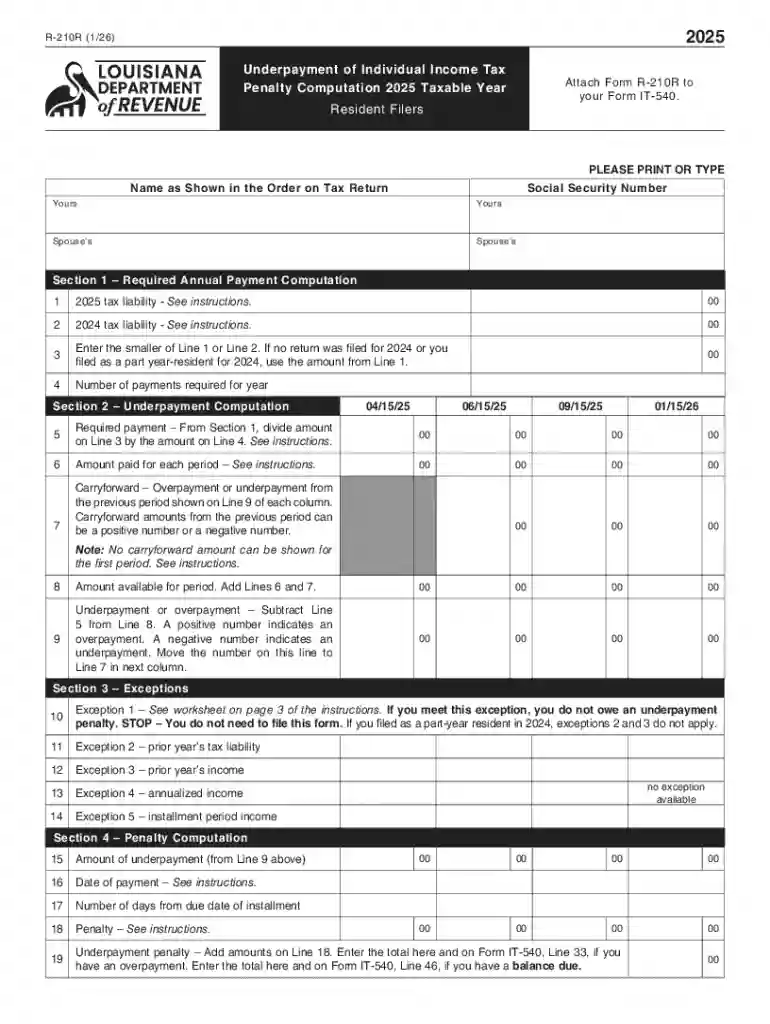
We've got more versions of the New York Underpayment of Individual Income Tax Penalty Computation form. Select the right New York Underpayment of Individual Income Tax Penalty Computation version from the list and start editing it straight away!
At DocHub, your data security is our priority. We follow HIPAA, SOC2, GDPR, and other standards, so you can work on your documents with confidence.
Feb 23, 2024 Creating a Basic Form Open the Excel Online document the form will be inserted to. Click Insert Forms New Form. Enter a name for theRead more
Mar 23, 2026 This page lists the USCIS forms that are currently available to file online. Visit the File Online page to learn about the benefits of


