



01. Edit your form online
Type text, add images, blackout confidential details, add comments, highlights and more.

Type text, add images, blackout confidential details, add comments, highlights and more.

Draw your signature, type it, upload its image, or use your mobile device as a signature pad.

Send it via email, link, or fax. You can also download it, export it or print it out.
Using an online form, especially with platforms like DocHub, offers a seamless experience. Here’s a step-by-step guide:
Access the Form: Log in to your DocHub account and navigate to the section where you can import a document. You can upload files directly from your computer or import from cloud storage services such as Google Drive or Dropbox.
Edit and Fill Out the Form: Use DocHub's editing tools to add text, images, or annotate sections as necessary. For fillable forms, use the Form Fields manager to insert text boxes, checkboxes, and dropdown menus. Ensure all required fields are completed before submission.
Review: Before finalizing, review the form for accuracy and completeness. Utilize the option to save drafts in DocHub for ongoing edits.
Sign the Form: Utilize DocHub's electronic signature feature to sign the document. You can draw your signature or type it for a more straightforward process.
Submit: Finalize the form and choose your preferred submission method. You can share it directly via email or export it back to your cloud storage.
Completing a form online involves several detailed steps for accuracy and efficient processing.
Preparation: Gather all necessary information and documents you will need to fill out the form. This can include personal details, identification numbers, and any relevant data required for specific fields.
Login and Upload: Enter your credentials to access DocHub. Upload the form directly from your local storage or cloud accounts.
Filling Out the Form:
Review and Edit:
Signature: Add your electronic signature through DocHub's signing tool. You can also request signatures from other collaborators if required.
Final Review: Double-check the entire document to confirm that all information is correct and the necessary fields are completed.
Submission: Once satisfied, submit the form through email, cloud storage, or whichever prescribed way the form requires.
Understanding the elements within an online form can help streamline completion:
Form Fields: These are the specific areas within a form where information must be entered. They may include text boxes, checkboxes, radio buttons, and dropdown menus.
Required Fields: Indicated usually by asterisks, these fields must be filled out to process the form. Missing required fields prevent submission.
Sections and Subsections: Forms may be divided into various sections to categorize information like personal details, financial information, and signatures.
Instructions: Most forms include a guide or instruction section to assist users in completing them correctly.
Validation Rules: Some forms have built-in validations to ensure data is entered correctly, such as date formats and numerical input restrictions.
Online forms have specific legal stipulations, especially when dealing with sensitive information:
Compliance: Ensure that any online form, especially those requiring signatures, complies with legal standards such as the ESIGN Act.
Encryption and Security: Confirm that the platform uses secure encryption methods like SSL to protect your data against unauthorized access.
Audit Trails: Using DocHub allows for maintaining records of changes and views, providing verifiable legal evidence of document status.
Consent: By filling out and submitting forms online, users generally provide consent for processing their data. Ensure your understanding of privacy policies.
While online submission is highly efficient, some scenarios may require other methods:
Online Submission: Most efficient and allows for rapid processing. Utilized frequently for immediate processing needs such as applications or registrations.
Mail: Suitable for traditional forms where signatories prefer physical submissions. Useful for instances where original signatures may be required.
In-Person: Necessary for forms requiring personal verification or on-site submissions. Typically used for legal documents needing witnessed signing.
Each method has its merits depending on the form's requirements and any legal stipulations attached. Understanding these options helps ensure your form is submitted correctly and on time.
In today's digital age, understanding the differences between digital and paper forms is crucial:
Digital Forms: Offer more flexibility with features like real-time editing, fillable fields, and electronic signatures. They allow for efficient collaboration and faster processing times.
Paper Forms: Often used in scenarios where digital access is limited, or physical signatures and documentation are mandated by law.
Choosing between a digital and paper form depends on accessibility, convenience, legal requirements, and specific user preferences.
When dealing with forms connected to taxes, such as W-9 or similar:
Digital Submission Standards: Ensure compliance with IRS e-file standards when submitting forms electronically. Digital signatures should be compliant with IRS guidelines.
Data Accuracy: It is crucial that forms submitted online, especially tax-related, are filled accurately to avoid discrepancies in tax filings.
Record Keeping: Maintain copies of all forms submitted online as the IRS advises keeping records of tax forms for a minimum number of years (usually three to seven).
Adhering to IRS guidelines guarantees the validity and acceptance of your digital submissions.
Forms processed through DocHub should be compatible with various software:
TurboTax: Import and export options allow users to directly utilize forms filled on DocHub for tax filing purposes.
QuickBooks: DocHub's integration can facilitate importing financial forms necessary for accounting processes.
Ensuring that forms are compatible with software like TurboTax and QuickBooks can simplify financial reporting and filing, streamlining business and personal finance management.
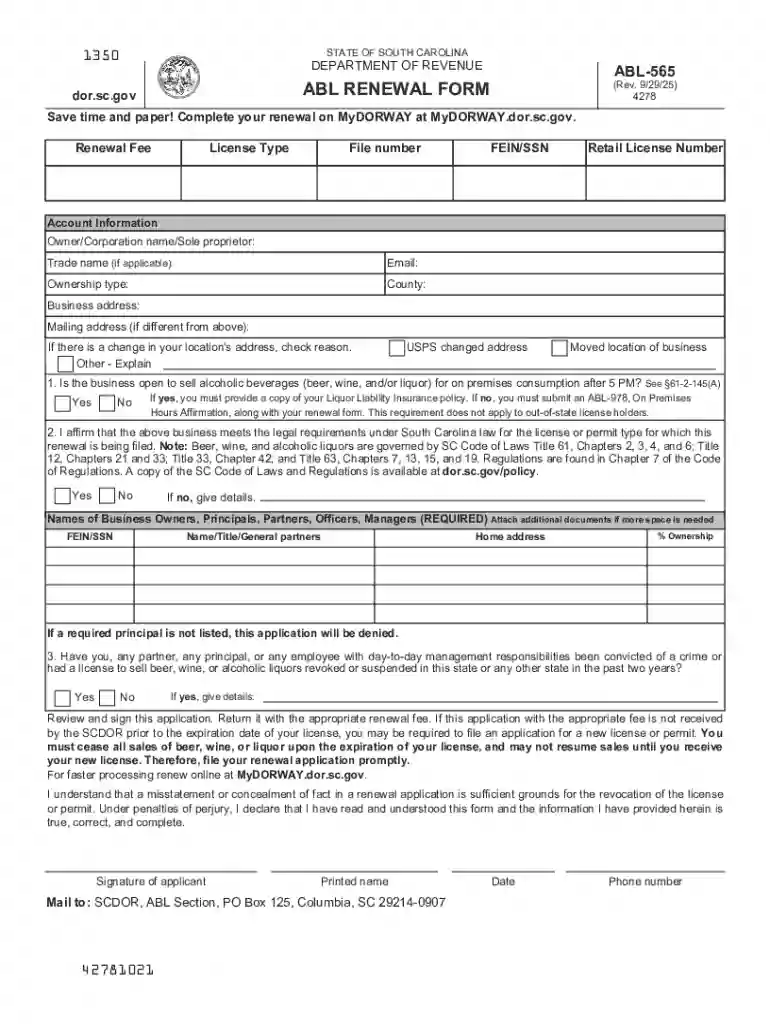
We've got more versions of the South Carolina Alcoholic Beverage License Renewal Form form. Select the right South Carolina Alcoholic Beverage License Renewal Form version from the list and start editing it straight away!
At DocHub, your data security is our priority. We follow HIPAA, SOC2, GDPR, and other standards, so you can work on your documents with confidence.
Dec 16, 2025 This page lists the USCIS forms that are currently available to file online. Visit the File Online page to learn about the benefits of
Introduction. The Ghostwriter project uses the django-crispy-forms library (Crispy) to layout forms. At a basic level, this library provides template tagsRead more


