Type text, add images, blackout confidential details, add comments, highlights and more.
02. Sign it in a few clicks
Draw your signature, type it, upload its image, or use your mobile device as a signature pad.
03. Share your form with others
Send ol 29b via email, link, or fax. You can also download it, export it or print it out.
How to use or fill out ol 601 with our platform
Ease of Setup
DocHub User Ratings on G2
Ease of Use
DocHub User Ratings on G2
Click ‘Get Form’ to open the ol 601 in the editor.
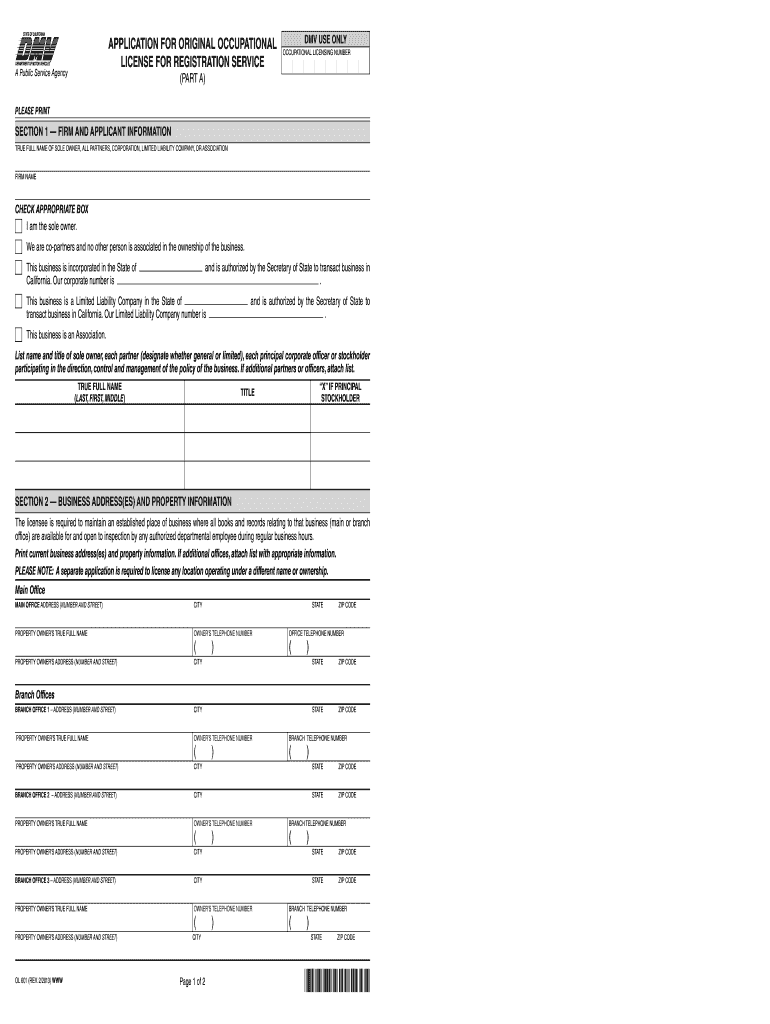
Begin with Section 1, where you will provide the true full name of the sole owner, partners, or corporation. Ensure to check the appropriate box that describes your business structure.
In Section 2, enter your main office address and property owner's information. If you have branch offices, fill in their details as well. Remember to attach a list if there are additional locations.
Proceed to Section 3 to indicate your business hours. Clearly state when your office is open for inspections.
In Section 4, list all employees involved in registration work. Include their full names, driver’s license numbers, and other required details.
Finally, complete Section 5 by signing and dating the form to certify that all information provided is accurate.
Start filling out your ol 601 today for free using our platform!
OL 601. The Leadership Mindset.3 Credits. Leadership is more than titles or authority, its about how people influence, make decisions, and drive meaningfulRead more
Form #OL 601, Form TitleApplication for Original Occupational License for Registration Service (PART A) (PDF) ; Form #OL 605, Form TitleRegistration ServiceRead more
Cookie consent notice
This site uses cookies to enhance site navigation and personalize your experience.
By using this site you agree to our use of cookies as described in our Privacy Notice.
You can modify your selections by visiting our Cookie and Advertising Notice.