






Definition & Meaning
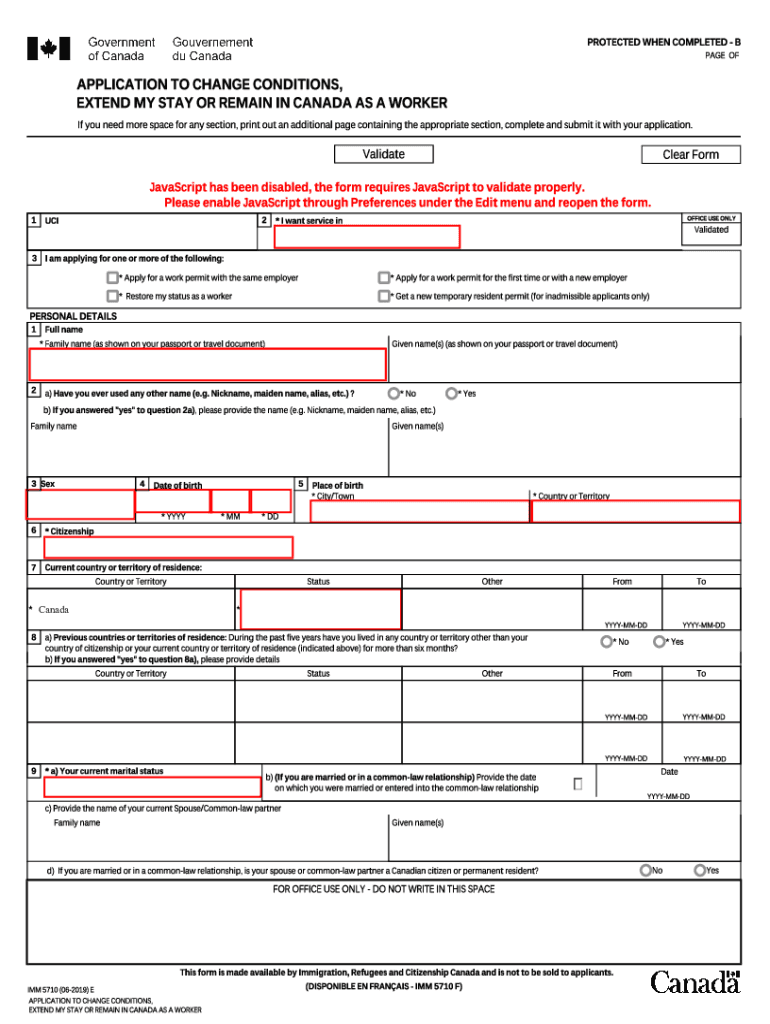
The IMM 5710 E form is a critical document used in Canada for applying to extend a work permit or change its conditions. It serves specific functions in immigration processes, helping applicants legally modify their work conditions in the country. The form is instrumental in ensuring compliance with Canadian immigration laws, allowing temporary residents to maintain their status or adjust it according to their needs and circumstances.
How to Obtain the IMM 5710 E
To secure the IMM 5710 E form, applicants can download it directly from the official website of Immigration, Refugees and Citizenship Canada (IRCC). The form is available in a PDF format, which requires standard PDF software to view and complete. Individuals may also visit specific immigration offices to collect a physical copy. It is essential to ensure that you have the most recent version of the form to prevent delays in processing.
Steps to Complete the IMM 5710 E
- Personal Information: Begin by filling in your personal details, including your full name, contact information, and current residential address.
- Current Status in Canada: Provide clear information about your current status, including your existing work permit details and any conditions attached to it.
- Work Permit Details: Indicate the specifics of the work permit extension or changes you are seeking. This might include the duration of extension, employer name changes, or modifications in job conditions.
- Declaration and Signature: Carefully read the declaration section before signing the form. This confirms that the information provided is accurate to the best of your knowledge.
- Review: Carefully review the form to ensure all sections are complete and accurate before submission.
Application Process & Approval Time
After completing the IMM 5710 E form, you must submit it to the IRCC, accompanied by any required supporting documents. Submission can be made online, which often allows for faster processing, or via mail if necessary. Processing times can vary significantly depending on the volume of applications, but typically range from a few weeks to several months. Monitoring your application's status online or through an appointed representative can provide updates on the progress.
Who Typically Uses the IMM 5710 E
The IMM 5710 E is primarily used by temporary residents in Canada, including international workers and students who are in the country with a work permit. It caters to individuals looking to extend their work authorization or alter permit conditions. Employers may guide their employees through this process to ensure continued compliance with immigration regulations.


Important Terms Related to IMM 5710 E
- Work Permit: A document issued by Canadian authorities allowing a foreign national to work in Canada under specific conditions.
- Temporary Resident: An individual who has been granted permission to enter and stay in Canada for a limited duration.
- IRCC: Immigration, Refugees and Citizenship Canada, the department responsible for managing Canada’s immigration policies and processes.
Legal Use of the IMM 5710 E
Using the IMM 5710 E form correctly is crucial to comply with Canadian immigration laws. The form legally authorizes changes to work permit conditions, ensuring that foreign nationals adhere to regulations regarding employment terms, duration, and specific job functions. Failure to use the form appropriately can result in non-compliance penalties, including deportation or bans on re-entry.
Required Documents
When submitting the IMM 5710 E, applicants must include various supporting documents, such as a copy of the current work permit, proof of employment, possibly a letter from the employer, and any relevant documentation demonstrating the need for changes or extensions. Ensuring all necessary documents are included is essential for a successful application process.
Examples of Using the IMM 5710 E
A common scenario involves an international student who has completed their studies and received a job offer in Canada. To legally work in their field of study, they would use the IMM 5710 E to apply for a Post-Graduate Work Permit or extend their current authorization. Similarly, a visiting professional may need an extension to complete a project or fulfill a temporary contract with a Canadian company.