Mt sac petition for exceptional action 2026

Get Form
petition for exceptional action mt sac Preview on Page 1

Here's how it works

01. Edit your petition for exceptional action mt sac online
Type text, add images, blackout confidential details, add comments, highlights and more.

02. Sign it in a few clicks
Draw your signature, type it, upload its image, or use your mobile device as a signature pad.

03. Share your form with others
Send mt sac petition for exceptional action via email, link, or fax. You can also download it, export it or print it out.

How to use or fill out mt sac petition for exceptional action with our platform

Form edit decoration
9.5
Ease of Setup
DocHub User Ratings on G2
9.0
Ease of Use
DocHub User Ratings on G2
  1. Click ‘Get Form’ to open the mt sac petition for exceptional action in the editor.
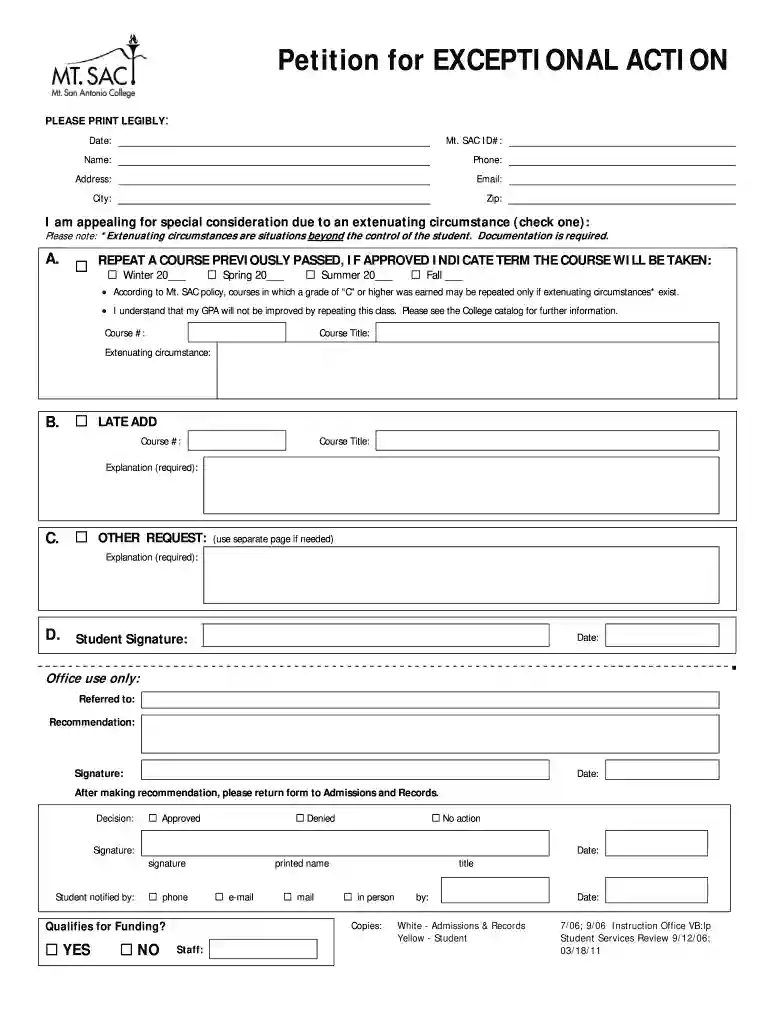
  2. Begin by entering the date at the top of the form. Next, input your Mt. SAC ID number, name, phone number, address, email, city, and zip code in the designated fields.
  3. Indicate your reason for appealing by checking one of the options under 'Extenuating circumstances.' Remember that documentation is required to support your claim.
  4. If you are repeating a course previously passed, fill in the course number and title. Specify which term you plan to retake it (Winter, Spring, Summer, or Fall).
  5. For a late add request, provide the course number and title along with a detailed explanation of your situation.
  6. If you have another request, use a separate page if necessary and include an explanation.
  7. Finally, sign and date the form at the bottom before submitting it to Admissions and Records.

Start using our platform today to easily complete your mt sac petition for exceptional action online for free!

See more mt sac petition for exceptional action versions

We've got more versions of the mt sac petition for exceptional action form. Select the right mt sac petition for exceptional action version from the list and start editing it straight away!
Versions Form popularity Fillable & printable
2011 4.8 Satisfied (44 Votes)
be ready to get more

Complete this form in 5 minutes or less

Get form

Got questions?

We have answers to the most popular questions from our customers. If you can't find an answer to your question, please contact us.
Contact us
Complete an Exceptional Action Petition (or go to bit.ly/4ePwS8z) and provide an explanation of the event beyond your control (e.g., illness, death, job transfer, etc.) Submit the petition online through the Office of Admissions Records forms page (or go to bit.ly/3Bvxx0u).
Quick Facts Acceptance Rate100% Application Deadline Application Fee 0 SAT Range ACT Range
Courses dropped with an EW do not count when calculating your grade point average or when calculating your progress standing. EWs do not count toward the number of attempts for a course repeat.
(1) Excused Withdrawal (EW) occurs when a student is permitted to withdraw from a course(s) due to specific events beyond the control of the student affecting his or her ability to complete a course(s) and may include a job transfer outside the geographical region, an illness in the family where the student is the
Students are protected against capricious, arbitrary, unreasonable, unlawful, false, malicious, or professionally inappropriate evaluations or behavior by an instructor, an employee, an administrator, an official of the College or another student.

Security and compliance

At DocHub, your data security is our priority. We follow HIPAA, SOC2, GDPR, and other standards, so you can work on your documents with confidence.

Learn more
ccpa2
pci-dss
gdpr-compliance
hipaa
soc-compliance