




Here's how it works

01. Edit your verification of medical conditions online
Type text, add images, blackout confidential details, add comments, highlights and more.

02. Sign it in a few clicks
Draw your signature, type it, upload its image, or use your mobile device as a signature pad.

03. Share your form with others
Send su684 via email, link, or fax. You can also download it, export it or print it out.
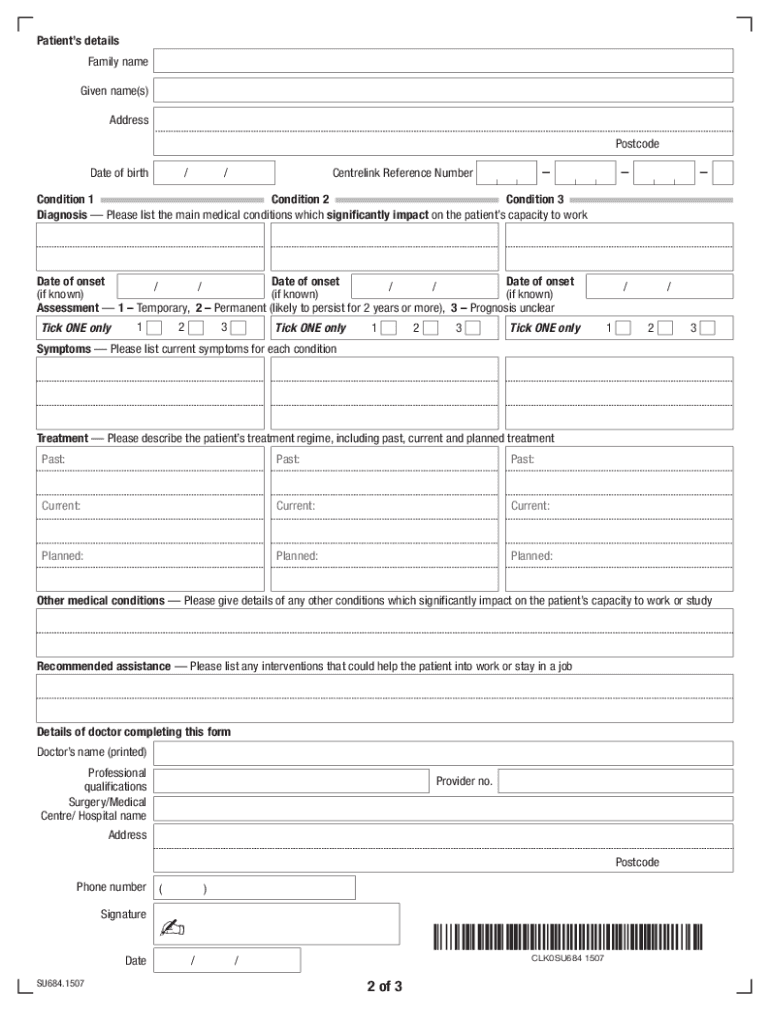
How to use or fill out verification of medical conditions

- Click ‘Get Form’ to open it in the editor.
- Begin by entering the patient's details, including their family name, given names, address, postcode, date of birth, and Centrelink Reference Number.
- In the 'Condition' section, list the main medical conditions affecting the patient's capacity to work. Provide dates of onset for each condition if known.
- Assess each condition by ticking the appropriate box for assessment type: Temporary (1), Permanent (2), or Prognosis unclear (3).
- Detail current symptoms for each condition and describe the treatment regime, including past, current, and planned treatments.
- List any other medical conditions that impact the patient’s capacity to work or study.
- Provide recommendations for assistance that could help the patient into work or maintain employment.
- Finally, ensure that the doctor completing this form fills in their details and signs it before submission.
Start using our platform today to easily complete your verification of medical conditions form online for free!
Fill out verification of medical conditions online
It's free
It's free
See more verification of medical conditions versions
We've got more versions of the verification of medical conditions form. Select the right verification of medical conditions version from the list and start editing it straight away!
Security and compliance
At DocHub, your data security is our priority. We follow HIPAA, SOC2, GDPR, and other standards, so you can work on your documents with confidence.
Learn more




