




01. Edit your form online
Type text, add images, blackout confidential details, add comments, highlights and more.

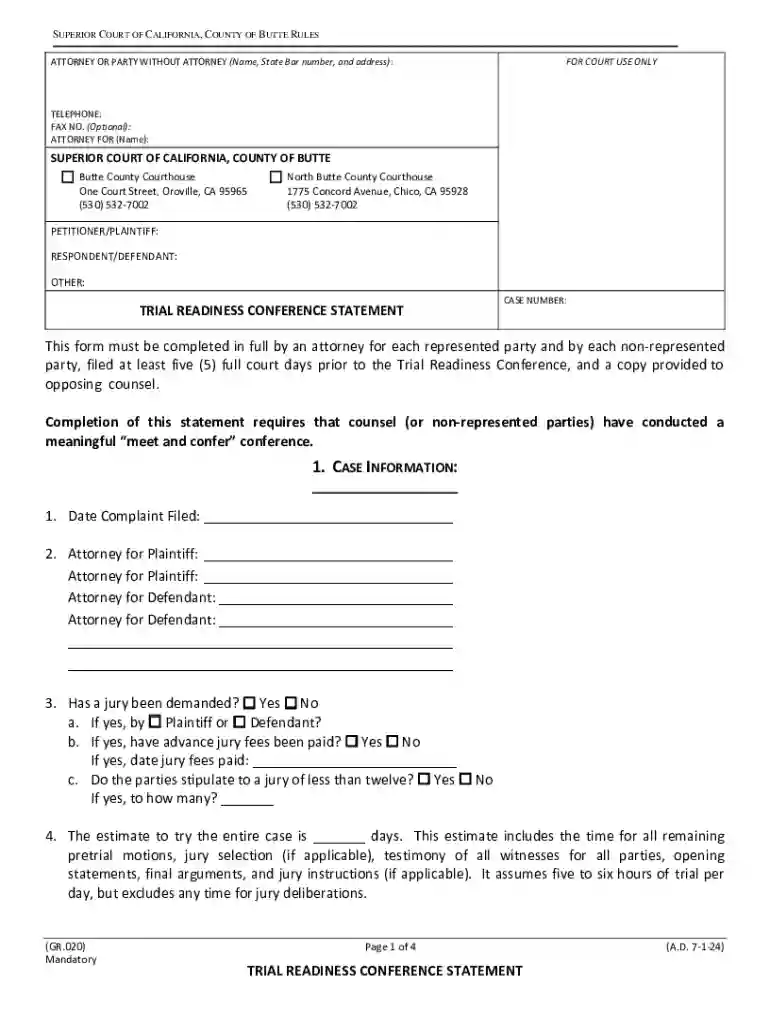
Type text, add images, blackout confidential details, add comments, highlights and more.

Draw your signature, type it, upload its image, or use your mobile device as a signature pad.

Send it via email, link, or fax. You can also download it, export it or print it out.
The Butte County Superior Court Forms are legal documents designed for use in the Superior Court of California, County of Butte, to facilitate various court proceedings. These forms can include but are not limited to trial readiness statements, motions, and other relevant legal documentation required for court cases. By making these forms available online, individuals have the option to fill them out digitally, enhancing accessibility and convenience.
To use the Butte County Superior Court Forms online, follow these steps:
Access the Forms: Navigate to the official Butte County Superior Court website or platforms like DocHub that offer these forms in a downloadable and editable format.
Select the Appropriate Form: Identify and select the specific form needed for your legal process. This could include trial readiness statements or other related court documents.
Fill the Form Online: Use platforms like DocHub, which allow you to fill out documents directly in your web browser. This includes adding text, selecting applicable checkboxes, and more.
Review and Edit: Ensure all information entered is accurate and reviewed for any errors or omissions before submission.
Submit the Form: Choose your mode of submission—electronic submission, print and mail, or deliver in person—to the court as specified by Butte County Superior Court guidelines.
To obtain these forms:
Visit Butte County Superior Court Website: Check for available forms directly on the official court website under their forms section.
Use DocHub: Platforms like DocHub offer access to various legal forms which you can fill out online, complete with features that facilitate smoother file handling.
Court Clerk Office: Visit the Butte County Superior Court Clerk’s office in person to request physical copies of the necessary forms.
Understand the Requirements: Before filling out the form, familiarize yourself with the form's requirements and instructions to avoid missing critical information.
Gather Necessary Information: Compile all required information, such as case numbers, party names, and relevant details specific to your case.
Complete Each Section Accurately: Fill out each section of the form as instructed. Double-check sections related to deadlines or legal stipulations.
Attach Supporting Documents: If required, attach any additional supporting documents, such as evidence or exhibits, which complement the main form.
Review for Accuracy: Conduct a thorough review to verify that all fields are completed accurately and completely.
Obtain Required Signatures: Ensure all necessary parties have signed the document, especially if the form requires multiple signatures for validity.
Submit the Form: Follow the court’s instructions for submission, including electronic filing, mailing, or personal delivery.
Case Information: Identify the case number, names of parties involved, and relevant court divisions.
Legal Arguments and Claims: Outline any claims or legal arguments being presented.
Exhibits and Evidence: Listing and attaching any exhibits or evidence intended for the proceeding.
Witness Lists: Provide names and contact information for any witnesses involved.
These forms are used for official legal purposes within the jurisdiction of the Butte County Superior Court. They facilitate:
Trial Preparations: Assisting legal professionals and parties in preparing and organizing case materials prior to trial.
Procedural Submissions: Enabling proper submission of procedural requirements like motions or case statements.
Verification of Claims: Supporting documentation and verification of legal claims and defenses.
California Jurisdiction: The forms must comply with the legal standards and requirements specific to the state of California and Butte County.
Local Court Rules: Users must adhere to the local court rules and procedures applicable to the Superior Court of Butte County.
Online Submission: Certain forms may be submitted electronically through court-approved platforms.
Mail Submission: Forms can be mailed to the Butte County Superior Court using the appropriate mailing address.
In-Person Submission: Documents can be physically delivered to the court, commonly required for certain filings.
Platforms like DocHub support compatibility with various document formats used in court forms, such as PDF, DOC, and others, ensuring ease of use with existing files. This compatibility extends to integration with cloud services like Google Drive for efficient document handling and storage.
At DocHub, your data security is our priority. We follow HIPAA, SOC2, GDPR, and other standards, so you can work on your documents with confidence.

Find Your Court. Pay traffic violations, access jury information, find a local self-help desk, and much more. Search. Popular Links. Court Forms Rules of
The Court has assembled the below Packets of forms and informational materials to assist self-represented litigants with filing certain types of cases.


