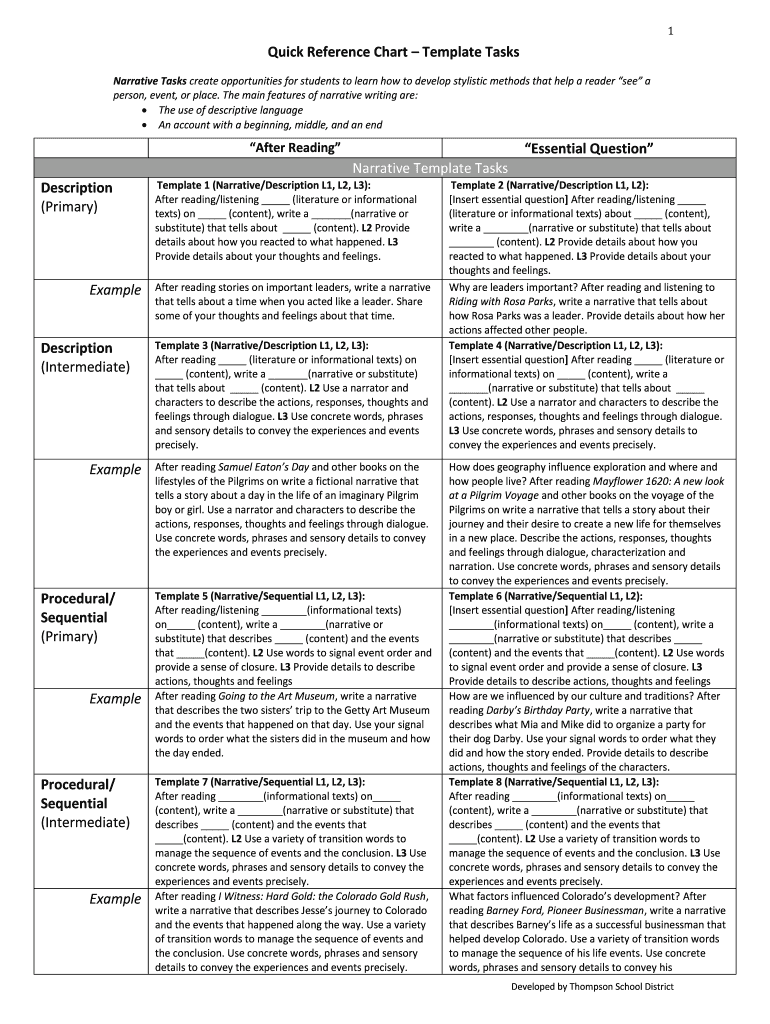







Definition and Meaning
A Quick Reference Chart Template for tasks is a structured guide designed to streamline and standardize processes for various functions, particularly in document management. This template typically outlines essential steps or components required to complete specific tasks effectively. It serves as a snapshot for users, providing a visual aid to ensure no critical steps are overlooked, thus optimizing efficiency and accuracy in workflow tasks. Within a platform like DocHub, such templates enhance document workflow by providing ready-to-use structures for users to edit, send, and sign documents without unnecessary delays.
Key Elements of the Quick Reference Chart Template Tasks
The Quick Reference Chart Template typically includes elements that are crucial for task completion:
- Headers and Titles: Clearly defined sections to categorize task components.
- Action Steps: Sequential or categorized steps necessary to complete tasks.
- Responsible Parties: Identification of individuals or teams responsible for each action item.
- Due Dates: Timeframes for task completion to ensure timely execution.
- Resources Required: Any documents, tools, or resources needed to complete the tasks.
- Checklists: Boxes or spaces for marking completed tasks, aiding in progress tracking.
These elements ensure that users can manage their documents efficiently using a standardized format, reducing errors and misunderstandings.
How to Use the Quick Reference Chart Template Tasks
- Access the Template: Obtain the template via DocHub by importing a blank document or using a pre-existing format.
- Customize the Sections: Adjust headers, action steps, and other elements to fit the specific task or workflow requirements.
- Assign Responsibilities: Clearly designate who is responsible for each task within the process.
- Set Deadlines: Establish deadlines for each task to ensure timely completion.
- Utilize Checklists: As tasks are completed, use checklists to mark progress and ensure all steps are followed.
- Save and Share: Once completed, save the template and share it with the relevant stakeholders for review or execution.
Using this template as part of your document management workflow helps maintain consistency and clarity, particularly in collaborative environments.
Steps to Complete the Quick Reference Chart Template Tasks
- Identify the Task Objective: Clearly define what you aim to achieve with the chart.
- List Required Steps: Break down the task into specific, actionable steps necessary for completion.
- Gather Necessary Resources: Ensure all necessary documents, tools, and resources are available to complete each step.
- Assign Responsibilities: Allocate each step to the appropriate person or team.
- Set Timeline: Determine deadlines for each step to maintain workflow efficiency.
- Review and Approve: Go over the completed template to check for omissions or errors, and seek approval from stakeholders if needed.
- Implementation: Use the template to guide the execution of the task, making sure all steps are checked off as completed.
Examples of Using the Quick Reference Chart Template Tasks
- Project Management: Outlining phases and sub-tasks within a project for team collaboration.
- Onboarding Processes: Standardizing procedures for new employee orientation and training.
- Document Review Workflows: Charting steps for document review, feedback, sign-off, and final approval.
- Compliance Checks: Ensuring all legal or regulatory requirements are met during process execution.
These practical applications illustrate the versatility of Quick Reference Chart Templates in simplifying complex workflows across various sectors.
Who Typically Uses the Quick Reference Chart Template Tasks
- Project Managers: To manage timelines and responsibilities within team projects.
- Administrative Staff: For organizing office procedures and task management.
- Compliance Officers: To ensure adherence to legal and regulatory standards in processes.
- Educators: To create structured lesson plans and teaching aids.
- Business Analysts: For analyzing and documenting business processes.
The widespread utility of these templates across different roles demonstrates their importance in coordinating tasks that require attention to detail and broader team involvement.


Software Compatibility
The Quick Reference Chart Template tasks are compatible with multiple software platforms, including:
- Microsoft Office Suite (e.g., Excel, Word): Commonly used for creating and editing chart templates.
- Google Workspace (Sheets, Docs): Allows for real-time collaboration and easy sharing.
- DocHub: Offers specialized tools for editing, signing, and managing document templates.
Compatibility with these platforms ensures that users can integrate the templates seamlessly into existing workflows without having to adapt to new software, promoting productivity and ease of use.
Digital vs. Paper Version
- Digital Version: Offers ease of sharing, collaborative editing, and greater flexibility in customization. Ideal for remote teams and environments prioritizing paperless operations.
- Paper Version: Useful in static environments where digital access is limited or when a physical reference is preferable during task execution.
While both versions serve the same fundamental purpose, their use may vary depending on the technological infrastructure and preferences of the organization or individual users. Preferences might hinge on whether real-time updates and collaborative functionalities are prioritized over traditional paper-based methods.