
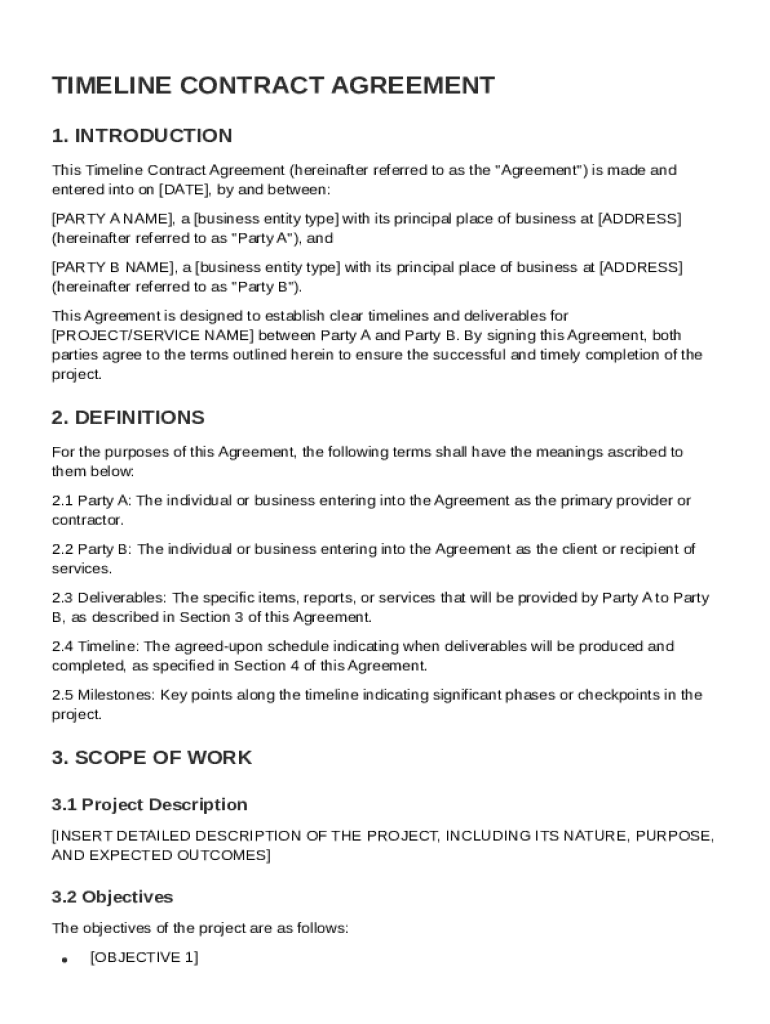







Definition and Meaning of a Timeline Contract Template
A Timeline Contract Template is a structured document used to clearly define the project timeline and important milestones for a contractual agreement. This template outlines the terms and conditions between parties, often referred to as Party A and Party B, including specific project goals, deliverables, roles, and responsibilities for each participant. The intent is to streamline communications and ensure that all parties are on the same page regarding the sequence and duration of project tasks. Consistency with deadlines allows for efficient resource allocation and management throughout the project's life cycle. This comprehensive approach not only anticipates challenges and reduces the risk of misunderstandings but also helps in effectively managing expectations and facilitating project success.
Key Elements of the Timeline Contract Template
The Timeline Contract Template includes several critical components essential for ensuring clarity and understanding between parties involved:
- Scope of Work: Clearly defines what tasks and activities are included and any limitations to prevent scope creep.
- Deliverables: Specifies anticipated outputs, along with quality standards expected by both parties.
- Milestones: Lists crucial checkpoints or phases of the project, providing measurable goals.
- Responsibilities: Outlines the specific roles and duties of each party to ensure accountability.
- Payment Terms: Details payment schedules, amounts, and conditions for release related to work completion.
- Termination Clauses: Describes conditions for ending the contract and consequences of premature termination.
- Dispute Resolution: Establishes methodologies for resolving disagreements, such as mediation or arbitration.
- Governing Law: Specifies the legal jurisdiction applicable to the contract.
Steps to Complete the Timeline Contract Template
Completing the Timeline Contract Template involves several methodical steps to ensure accuracy and thoroughness:
- Identify the Parties: Start by listing the full names and contact details of all parties involved.
- Outline Project Goals: Clearly state the objectives and expectations of the project to align all stakeholders.
- Detail Scope of Work: Meticulously outline activities, responsibilities, and exclusions to avoid ambiguity.
- Set Milestones and Timelines: Define clear timeframes for each phase and allocate buffer time for potential delays.
- Clarify Payment Terms: Specify the payment structure, methods, and any penalties for late payments.
- Incorporate Termination Conditions: Detail conditions that allow either party to terminate the agreement without liabilities.
- Define Dispute Resolution Process: Outline steps for resolving conflicts efficiently and professionally.
- Review and Sign: Both parties should review the document thoroughly and sign to signify agreement and understanding.
Importance of Using a Timeline Contract Template
Using a Timeline Contract Template provides numerous benefits:
- Clarity and Transparency: Ensures all parties understand the project trajectory and their respective contributions.
- Risk Mitigation: Helps identify potential risks early in the project, allowing for proactive management.
- Improved Resource Management: Allows for efficient resource allocation, preventing bottlenecks and promoting timely completion.
- Legal Protection: Provides a legally recognized document that protects the interests of both parties in case of dispute.
- Efficient Communication: Serves as a communication tool that aligns all stakeholders with the project's objectives.
Legal Use and Considerations for the Timeline Contract Template
When using the Timeline Contract Template, it is important to consider the following legal aspects:
- Compliance with Laws: Ensure that the contract adheres to federal, state, and local regulations applicable to the project's nature.
- Legally Binding Agreement: Understand that once signed, the template becomes a legally binding commitment enforceable in court.
- Updates and Amendments: Clearly stipulate how changes to the timeline or scope will be addressed to maintain legal standing.
- Confidentiality Clauses: Include provisions to protect sensitive information shared between parties during the project.
- Representation and Warranty: Parties should verify the accuracy and truthfulness of the information provided to avoid future disputes.
Uses and Scenarios for the Timeline Contract Template
The Timeline Contract Template is versatile and applicable in various industries and scenarios, including:
- Construction Projects: Aligns contractors, suppliers, and clients on project milestones and deliverables.
- Event Planning: Coordinates activities, tasks, and responsibilities to ensure successful event execution.
- Software Development: Tracks progress and deliverables in software design, coding, and deployment phases.
- Product Launches: Organizes marketing strategies, production schedules, and stakeholder engagement.
- Consultancy Services: Establishes timelines for deliverables and assessment periods in consulting relationships.
Software Compatibility and Integration with Document Management Platforms
The timeline contract can be seamlessly integrated into various document management platforms, ensuring it is compatible with industry-standard software:
- Compatibility with Google Workspace: Easily imported into Google Docs for collaborative access and editing.
- Integration with Excel and Word: Can be formatted to incorporate data visualization, charts, and advanced formatting.
- Cloud-Based Platforms Compatibility: Supports integration with services like DocHub, Dropbox, and OneDrive for centralized document storage and management.
- API Connectivity: Facilitates automated data transfer and updates between project management tools and document repositories.
Variations and Alternatives to the Timeline Contract Template
While the Timeline Contract Template is comprehensive, other variations or related documents might better suit specific needs:
- Gantt Chart: Visual timeline tool for project management with detailed task breakdowns.
- Service-Level Agreements (SLA): Focuses on performance metrics and specific deliverables between a service provider and client.
- Project Management Plans: Concentrates on broader project strategies, covering timelines, risk assessments, and quality control.
- Memorandum of Understanding (MOU): Non-binding document outlining agreed expectations between parties for preliminary stages.
- Simple Contract Templates: Offers a condensed version suited for smaller projects with fewer complexities.




