






Definition and Meaning
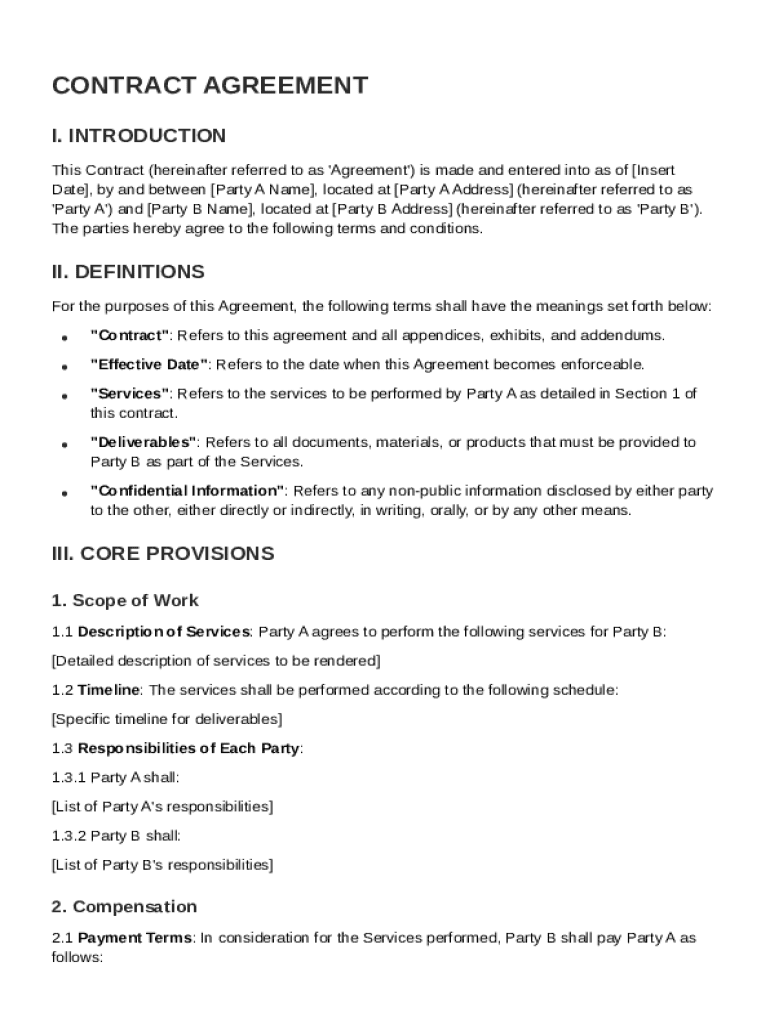
A Sign Contract Template is a pre-designed document used as a baseline for creating a formal agreement between two or more parties. It typically outlines the roles, responsibilities, terms, and conditions agreed upon during a business transaction. In the context of DocHub, this template provides a framework that simplifies the creation and execution of contracts, ensuring accuracy and consistency in documentation. The template is adaptable, making it suitable for various types of agreements, ranging from service contracts to partnership agreements.
Core Components
- Parties Involved: Clearly identifies the contracting parties, including their legal names and contact information.
- Scope of Work: Outlines the specific duties that each party is expected to fulfill.
- Terms and Conditions: Details essential clauses like payment terms, confidentiality, and non-compete agreements.
- Signatures: Provides spaces for signatures to make the contract legally binding.
How to Use the Sign Contract Template
Using the Sign Contract Template involves a systematic process to customize it according to the specific needs of the involved parties. Here’s how you can effectively utilize this template on DocHub:
-
Access the Template: Begin by accessing the Sign Contract Template within the DocHub platform. You can do this by either creating a new document or importing an existing template.
-
Customize the Contract: Adjust the template by filling in necessary details like the parties' names, terms, and significant dates. You can add or edit sections to tailor the contract to your specific requirements.
-
Incorporate Additional Clauses: If there are unique aspects specific to your agreement, utilize DocHub's editing tools to include additional clauses or sections.
-
Review and Edit: Use annotation tools to highlight or comment on specific areas of the contract for further discussion or revision.
-
Finalize and Sign: Once all parties agree on the terms, use the electronic signature features to sign the document, ensuring it is legally binding.
Steps to Complete the Sign Contract Template
Completing a Sign Contract Template involves several key steps to ensure that the final document reflects a mutual agreement between all parties involved. Here's a step-by-step breakdown:
-
Prepare Preliminary Information: Gather all essential information needed for the contract, such as party names, addresses, and the scope of the agreement.
-
Import the Template: Open the Sign Contract Template on DocHub and import any necessary documents directly from your cloud storage or device.
-
Fill Required Fields: Enter relevant details in pre-set fields using the Form Fields manager, ensuring each section is accurately completed.
-
Review Contractual Obligations: Carefully examine the obligations and responsibilities outlined in the template to ensure they align with all parties' expectations.
-
Collaborate on Revisions: Use DocHub’s collaboration features to leave comments or suggest edits. Other parties can review and make changes in real-time.
-
Request and Obtain Signatures: Set up a sign request to collect signatures from all parties. Monitor progress and send reminders as needed.
Key Elements of the Sign Contract Template
Understanding the essential components of a Sign Contract Template is crucial for ensuring comprehensive agreements. Key elements include:
- Identification of Parties: Includes names, roles, and contact information for involved parties.
- Terms of Agreement: Encompasses the specifics of the agreement, including duration, deliverables, and obligations.
- Payment Details: Outlines the payment structure, including amounts, due dates, and methods.
- Termination Conditions: Describes how and under what circumstances the contract can be terminated.
- Dispute Resolution: Provides procedures for resolving any disagreements that may arise under the agreement.
Legal Use of the Sign Contract Template
Ensuring legal compliance is vital for any contract created using the Sign Contract Template. Here are considerations to maintain legal integrity:
- Adherence to the ESIGN Act: DocHub's electronic signature capabilities comply with the ESIGN Act, ensuring contracts are legally enforceable.
- Confidentiality and Security: The use of SSL encryption and password protection fortifies document confidentiality during exchanges.
- Jurisdiction Clauses: It’s advisable to include jurisdiction clauses that specify which state laws will govern the agreement.
Important Terms Related to the Sign Contract Template
Familiarity with specific contractual terms enhances understanding and ensures precise articulation of agreements. Some important terms include:
- Indemnification: A provision where one party agrees to compensate for potential losses incurred by another party.
- Force Majeure: A clause relieving parties from obligations due to unforeseen events beyond their control.
- Arbitration: Specifies that disputes will be resolved through arbitration rather than litigation.
- Governing Law: The legal framework under which the contract is interpreted and enforced.
State-Specific Rules for the Sign Contract Template
Contracts may encounter variations in requirements depending on state laws. Understanding these differences ensures compliance across different jurisdictions:
- Notarization Requirements: Some states require contracts to be notarized for authenticity.
- State-Specific Clauses: Certain states mandate unique clauses related to employment, real estate, or service contracts. Including these ensures state-level compliance.
Who Typically Uses the Sign Contract Template
This template is widely utilized by diverse users for various purposes:
- Businesses: To formalize agreements with clients, partners, or vendors.
- Freelancers: For establishing clear terms with clients and securing payment agreements.
- Legal Professionals: To draft standard agreements for clients quickly and efficiently.
- Educators and Researchers: For formal collaborations, ensuring mutual understanding and project terms.