Company Phone Contract Template 2026

Get Form
Company Phone Contract Template Preview on Page 1

Here's how it works

01. Edit your form online
Type text, add images, blackout confidential details, add comments, highlights and more.

02. Sign it in a few clicks
Draw your signature, type it, upload its image, or use your mobile device as a signature pad.

03. Share your form with others
Send it via email, link, or fax. You can also download it, export it or print it out.

Definition and Meaning

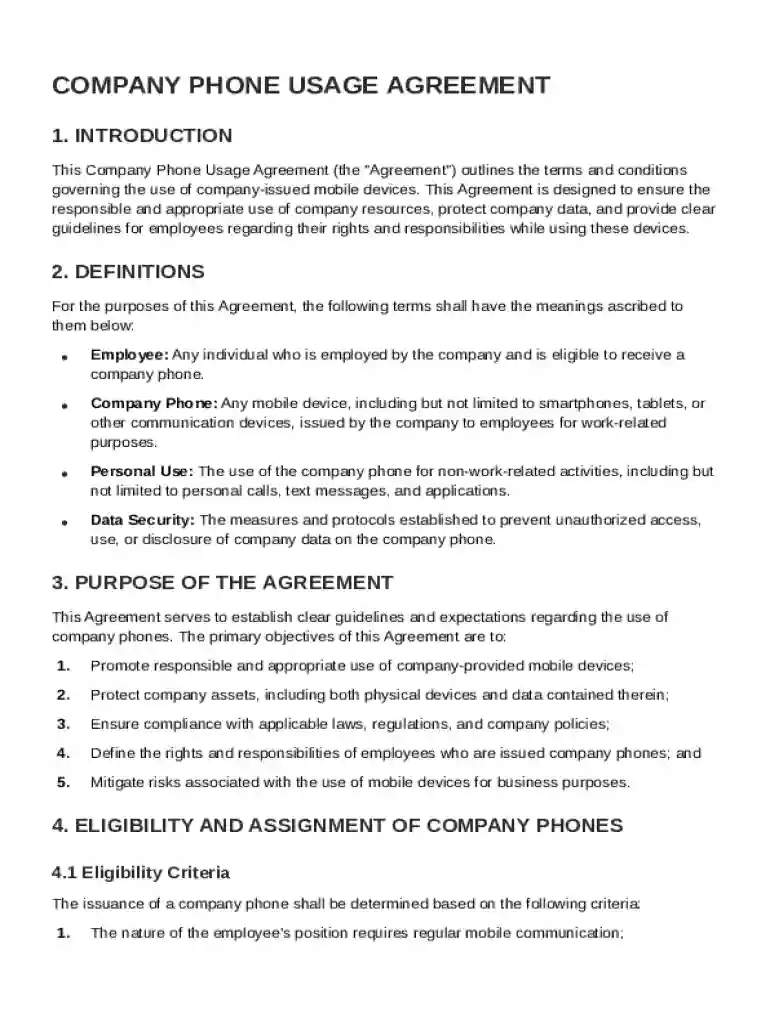
The Company Phone Contract Template serves as a structured document that outlines the terms and conditions under which employees are assigned company-issued mobile devices. This template establishes clear guidelines on the acceptable use of these devices, ensuring both company data security and proper resource allocation. It specifies employee responsibilities concerning personal versus business usage, maintenance and repair protocols, and data confidentiality. The template also defines procedures for returning devices when no longer in use and elaborates on the company's monitoring rights. By incorporating this template, organizations provide a transparent framework that employees must acknowledge and comply with, promoting consistent and secure use of mobile devices.

How to Use the Company Phone Contract Template

Using the Company Phone Contract Template involves several key steps to ensure that it meets the specific needs of an organization. Initially, the template should be customized to reflect the company's policies and legal requirements. This customization includes inserting company-specific information, adjusting terms to align with organizational policies, and incorporating any relevant state laws. Once customized, the document should be distributed to employees receiving company phones. Employees are required to review, understand, and sign the template to formalize their acceptance of the terms. This process ensures transparent communication of responsibilities and expectations between the company and its employees.

Steps to Complete the Company Phone Contract Template

  1. Review and Customize: Start by examining the default terms in the template. Adjust clauses to ensure alignment with organizational policies and specific mobile device management practices.
  2. Insert Company Details: Fill in sections pertaining to company information, contact details, and device specifics. Clearly define the responsibilities of both the employer and the employee within the document.
  3. Employee Details: Include applicable employee information, ensuring that each section reflects the individual recipient accurately.
  4. Revise Usage Policies: Clearly articulate the allowable personal use of the device, data security protocols, and procedures for reporting any loss or theft.
  5. Sign and Distribute: Once the document is complete, distribute it to the relevant employees. Ensure that each recipient signs the document to acknowledge their understanding and compliance.
  6. File and Store: Keep a signed copy of the contract for company records, which is critical for future reference or audits.

Key Elements of the Company Phone Contract Template

  • Device Assignment and Usage: Specifies the purpose and conditions under which the mobile device may be used, including restrictions on personal use.
  • Security and Confidentiality: Highlights data protection measures, including encryption requirements and limitations on data sharing.
  • Maintenance and Support: Details the responsibilities for device upkeep, including routine maintenance and handling of technical issues.
  • Return and Replacement: Outlines procedures for the return of the device upon termination of employment or when no longer needed for business purposes.
  • Company Monitoring: Describes the extent to which the company may monitor usage, data transmission, and internet access.

Legal Use of the Company Phone Contract Template

Utilizing the Company Phone Contract Template ensures compliance with legal standards, including data privacy laws and employee rights. The document specifies the legal boundaries regarding monitoring and data protection, aligning with regulations such as the Electronic Communications Privacy Act (ECPA). Legal incorporation of terms that protect both the employer's and employee's interests is essential. By clearly defining the terms of use and data handling procedures, the template helps mitigate legal risks associated with data breaches and unauthorized usage, safeguarding the company's legal posture.


Who Typically Uses the Company Phone Contract Template

  • Human Resources Departments: Typically responsible for administering and managing employee contracts, including mobile device agreements.
  • IT Departments: Involved in specifying technical requirements, acceptable use policies, and data security measures.
  • Management Teams: Utilize the template to ensure that employees have a clear understanding of their responsibilities concerning company-issued devices.
  • Legal Teams: Ensure the template aligns with current laws and company policies to minimize legal risks.
decoration image ratings of Dochub

State-Specific Rules for the Company Phone Contract Template

Different states in the U.S. may have specific regulations that impact the content and structure of a Company Phone Contract Template. For example, some states have stringent privacy laws that mandate how employee data is handled and monitored. Therefore, it is vital for companies to consult with legal experts to modify the template to comply with state-specific rules. This may include variations in terms on data protection, employee consent, and notification of monitoring practices. Maintaining compliance with local regulations ensures that companies do not face legal challenges or penalties.

Digital vs. Paper Version

The Company Phone Contract Template can be utilized in both digital and paper formats. The digital version offers several benefits, including easy distribution via email, electronic signature collection, and centralized storage capabilities, which simplifies access and retrieval. Conversely, the paper version may be preferred for companies with stringent requirements for physical documentation or for employees who lack digital access. Regardless of the format, it's crucial that both versions maintain the integrity of the content and that all employee signatures are properly captured and stored.

be ready to get more

Complete this form in 5 minutes or less

Get form

Got questions?

We have answers to the most popular questions from our customers. If you can't find an answer to your question, please contact us.
Contact us
How to draft a contract in 13 simple steps Start with a contract template. Understand the purpose and requirements. Identify all parties involved. Outline key terms and conditions. Define deliverables and milestones. Establish payment terms. Add termination conditions. Incorporate dispute resolution.
Passwords and other confidential data, as defined by [company name]s IT department, are not to be stored unencrypted on mobile devices. Any mobile device that is being used to store or access [company name] data must adhere to the authentication requirements of [company name]s IT department.
A corporate cell phone policy specifies the allowable usage of cell phones in the business environment. A corporate cell phone policy will typically focus on the areas of data safety, loss of productivity caused by non-business related phone use, and distraction caused by cell phone interaction.
Open the Google Docs template Contract Template and enter your company details and an image with your signature in the provided space, as well as the actual contract. Familiarize yourself with working with variables if you want to add more placeholders, conditions, or loops to your contract.
Key takeaways. Whether written or oral, contracts must include these elements: offer, acceptance, consideration, intention to create legal relations, and capacity to contract to be legally binding.

Security and compliance

At DocHub, your data security is our priority. We follow HIPAA, SOC2, GDPR, and other standards, so you can work on your documents with confidence.
Learn more
ccpa2
pci-dss
gdpr-compliance
hipaa
soc-compliance

People also ask

Personal cell phones should be used sparingly during working hours. Employees are expected to limit personal calls, texting, and other mobile device use to break times or lunch periods. Cell phones must be silent or vibrate-only during meetings, training sessions, and while performing job duties.
General Use: Personal cell phones should be used sparingly during working hours. Employees are expected to limit personal calls, texting, and other mobile device use to break times or lunch periods. Cell phones must be silent or vibrate-only during meetings, training sessions, and while performing job duties.
A Company Issued Cell Phone Policy is a formal document that sets the rules for how employees should use cell phones provided by their employer. It addresses the issuance of devices, acceptable and prohibited uses, security measures, maintenance requirements, and the process for returning phones.

Related links