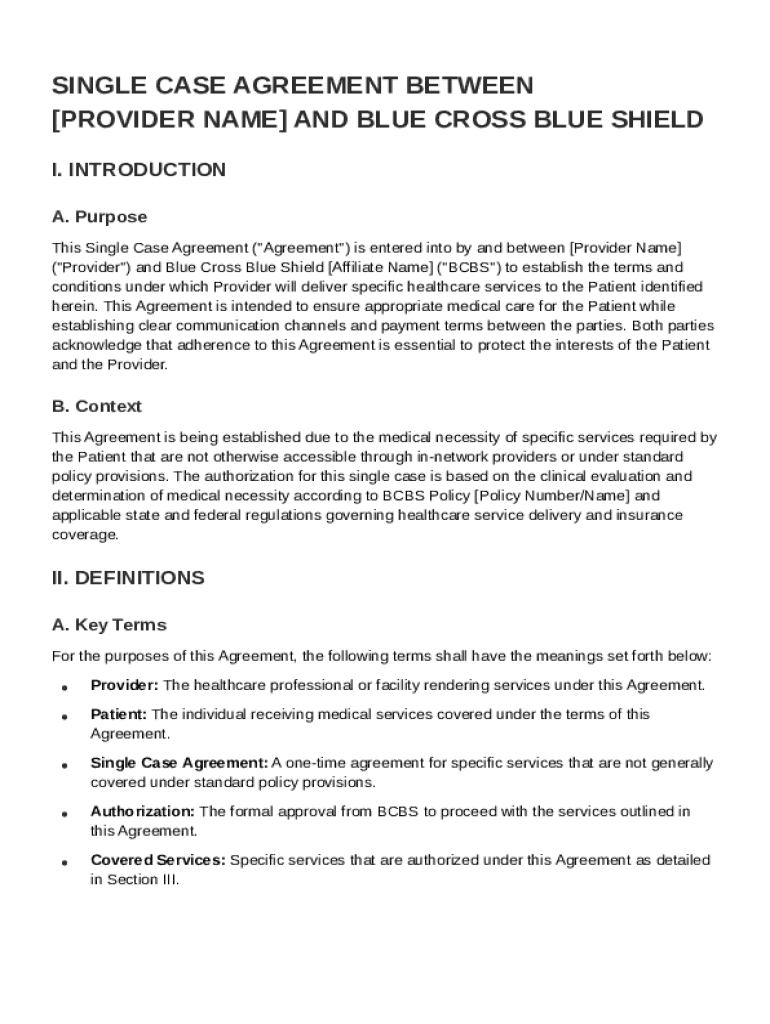







Understanding the Single Case Blue Cross Blue Shield Agreement Template
Definition & Meaning
A Single Case Blue Cross Blue Shield Agreement Template is a contract established between a healthcare provider and Blue Cross Blue Shield (BCBS) that specifies the terms for delivering particular medical services to an individual patient. This form serves as a crucial document facilitating clear communication and understanding between the provider and insurer. It ensures that the patient receives necessary services that might not be covered by standard BCBS policies.
Key Elements of the Agreement Template
This template involves several critical components that define its structure and functionality.
- Purpose and Scope: Outlines the intention behind the agreement, including being a tailored service provision for unique patient needs not met under regular BCBS coverage.
- Definitions: Clarifies vital terminologies used throughout the document to avoid misunderstandings.
- Responsibilities: Details the obligations of both parties, including the healthcare provider’s delivery of services and BCBS’s financial commitments.
- Financial Terms: Describes payment arrangements agreed upon for services rendered, addressing authorization requirements and reimbursement processes.
- Compliance and Regulations: Ensures adherence to applicable laws and policies, mitigating legal risks for both the provider and insurer.
Steps to Complete the Agreement Template
Filling out the Single Case Agreement Template involves a few notable steps:
- Gather Necessary Information: Assemble details regarding the patient, service requirements, cost estimates, and insurance specifics.
- Complete Form Sections: Accurately fill in each section according to provided guidance and relevant data.
- Review and Revise: Check for completeness and accuracy, ensuring all information aligns with the agreement's intent.
- Secure Approvals: Obtain necessary signatures from authorized representatives of both the provider and BCBS.
How to Use the Template Effectively
Utilizing the Single Case Blue Cross Blue Shield Agreement Template efficiently requires a strategic approach.
- Identify Needs and Scope: Determine the specific services required for the patient and how they diverge from standard policy coverage.
- Engage Legal and Compliance Teams: Ensure experts review the template for adherence to legal standards and internal policies.
- Negotiate Terms: Work with BCBS representatives to finalize agreement specifics, including financial and service provision terms.
- Apply Amendments as Necessary: Modify the template to address unique case requirements or state-specific regulations.
Important Terms Related to the Template
Understanding key terms is imperative for effective use of this agreement.
- Authorization: The approval needed for services to be provided and reimbursed.
- Reimbursement: The process through which providers receive payment from BCBS for services rendered.
- Dispute Resolution: Outlines procedures for resolving disagreements between the provider and insurer.
Legal Use and Compliance
Proper legal adherence is crucial when using the Single Case Agreement. It is vital to:
- Follow Federal and State Regulations: Ensure compliance with healthcare regulations, including privacy laws and insurance mandates.
- Maintain Documentation: Keep records of all communications and versions of the agreement for future reference.
- Seek Legal Counsel: When in doubt, consult with knowledgeable legal experts to safeguard against potential legal issues.
State-Specific Rules for the Agreement Template
While general guidelines apply universally, state-specific regulations can influence the template’s application:
- Varying Insurance Laws: Different states may have unique insurance regulations affecting coverage and reimbursement.
- Provider and Insurer Requirements: Local laws can dictate specific procedural requirements for healthcare providers and insurance companies.
Examples of Using the Agreement Template
Real-world scenarios illustrate the practical use of the Single Case Agreement Template:
- Rare Medical Procedures: When a patient requires an uncommon surgery not usually covered by BCBS, this template facilitates the service provision.
- Out-of-Network Providers: Assists in formulating agreements with providers outside the BCBS network to ensure patients receive necessary care.
Who Typically Uses the Template
The Single Case Blue Cross Blue Shield Agreement Template is primarily utilized by:
- Healthcare Providers: Hospitals and clinics seeking to offer specialized services outside standard BCBS policies.
- Insurance Companies: BCBS representatives who need to manage non-standard coverage agreements.
- Legal and Compliance Teams: Professionals responsible for ensuring agreements adhere to all regulatory requirements.