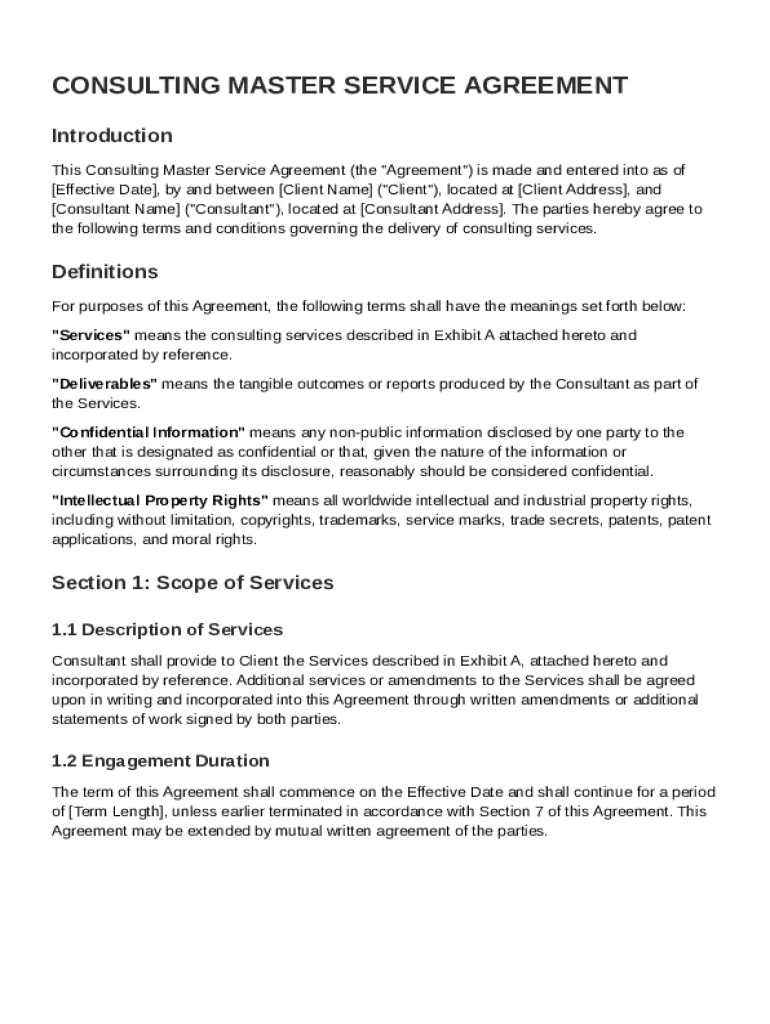







Definition & Meaning
A Consulting Master Service Agreement (MSA) Template is a comprehensive legal framework that outlines the terms and conditions between a client and a consultant for the provision of consulting services. It is designed to create a mutual understanding of each party's roles and responsibilities, serving as a foundation for long-term collaboration. The agreement typically includes key components such as scope of services, compensation, confidentiality obligations, intellectual property rights, and dispute resolution procedures. Its primary purpose is to protect the interests of both the client and the consultant, ensuring a fair and efficient working relationship.
Key Elements of the Consulting Master Service Agreement Template
Understanding the key elements of a Consulting MSA is crucial for drafting and utilizing the template effectively. These elements provide a structured framework for handling various aspects of the consulting relationship.
- Scope of Services: Defines the specific services to be provided by the consultant, outlining deliverables, timelines, and performance expectations.
- Compensation Terms: Addresses payment structure, including rates, payment schedules, and any reimbursable expenses.
- Confidentiality: Sets forth obligations related to the protection of sensitive information shared between the parties.
- Intellectual Property: Specifies ownership rights over materials or developments created during the consulting engagement.
- Liability Limitations: Limits the extent of liability for both parties, providing a safety net in case of disputes.
- Termination Clauses: Describes conditions under which the agreement may be terminated by either party.
- Dispute Resolution: Outlines processes for resolving conflicts, such as mediation or arbitration, before pursuing litigation.
- Miscellaneous Provisions: Addresses other relevant terms, such as applicable law and notices.
How to Use the Consulting Master Service Agreement Template
Utilizing a Consulting MSA Template effectively requires attention to detail and thorough understanding of the agreement components. Here is a step-by-step guide:
- Review Template Content: Start by reviewing the template to understand its structure and default clauses.
- Customize Specific Sections: Tailor the template sections, such as the scope of services and compensation, to reflect the specific agreement terms.
- Consult with Legal Advisory: Engage with a legal professional to ensure compliance with relevant laws and to modify any clauses to fit your specific needs.
- Collaborative Revision: Share the draft with the counterparty for input and revision to align with both parties' expectations.
- Finalize and Execute: Finalize the agreement by ensuring all parties agree to the terms, then execute the document with signatures from authorized representatives.
Important Terms Related to Consulting Master Service Agreement Template
A solid grasp of the terminology associated with the Consulting MSA Template is instrumental for understanding and drafting the document effectively.
- Deliverables: The tangible or intangible outputs expected from the consultant.
- Confidential Information: Data or information that is sensitive and protected from unauthorized disclosure.
- Force Majeure: Circumstances beyond the control of the parties that may impact the fulfillment of contractual obligations.
- Indemnification: A provision in which one party agrees to compensate for losses incurred by the other due to breaches or third-party claims.
- SOW (Statement of Work): A detailed description of the work to be performed under the agreement.
Legal Use of the Consulting Master Service Agreement Template
The legal application of a Consulting MSA Template involves several considerations to ensure it complies with applicable laws and regulations.
- Jurisdiction Selection: Clearly specify the governing law and jurisdiction for legal proceedings, typically aligned with the location of one party or the project's base.
- Compliance with Regulations: Ensure that the agreement aligns with federal, state, and local laws, addressing any industry-specific regulations where applicable.
- Authorization and Execution: Verify that all parties are legally authorized to enter into the contract, securing valid signatures from representatives with authority.
Examples of Using the Consulting Master Service Agreement Template
Practical examples highlight the Consulting MSA Template's versatility across diverse business settings.
- Technology Consulting: Used in IT service projects where a consultant is engaged to implement software systems.
- Management Consulting: Employed by businesses seeking to improve organizational performance and strategy.
- Marketing and Branding: Applied in engagements for developing and executing marketing campaigns.
- Financial Advisory: Utilized for consulting services related to financial management and investment strategies.
Digital vs. Paper Version
Choosing between a digital and paper version of the Consulting MSA can influence your document workflow and ease of use.
- Digital Version: Offers advantages such as easy sharing, digital signatures, and storage in cloud platforms, enhancing accessibility and collaborative capabilities.
- Paper Version: Preferred in situations where traditional documentation is required for compliance or where digital tools are unavailable.
Software Compatibility
When considering a Consulting MSA, ensure your document management software supports seamless integration with popular platforms.
- DocHub: Offers robust editing, signing, and annotation tools directly in the browser, compatible with various file formats.
- Google Workspace: Provides integration for seamless document management, allowing exports to and imports from Google Drive.
- Adobe Acrobat: Widely used for PDF management, facilitating extensive editing and annotation capabilities.