







Definition & Meaning
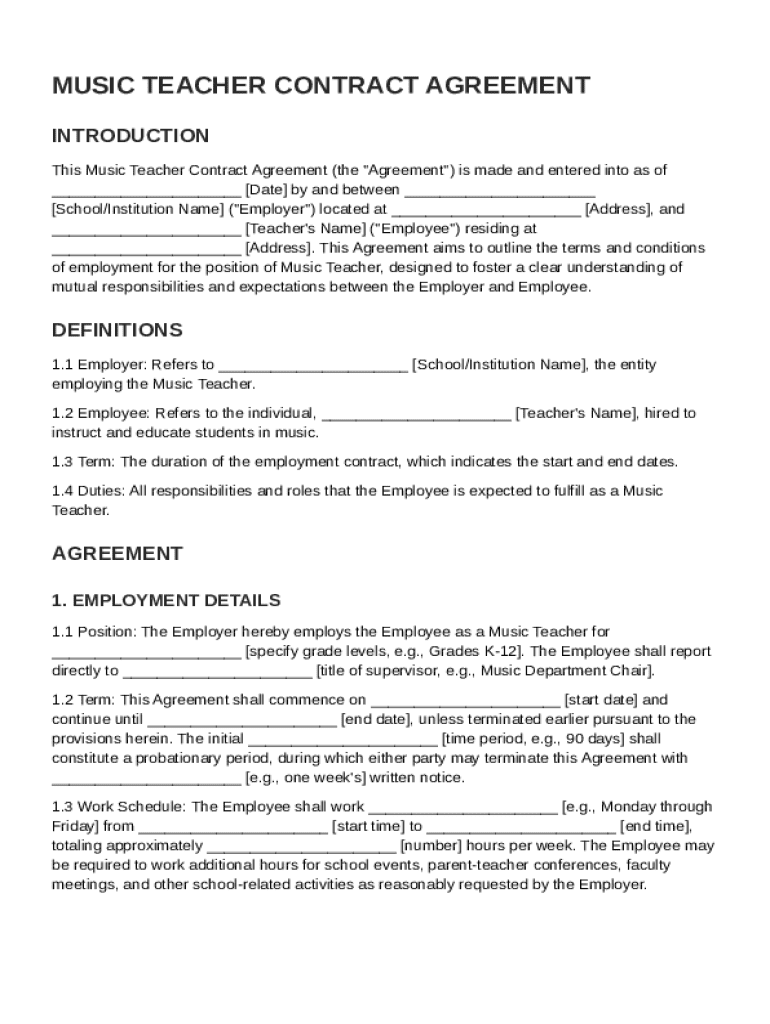
A Music Teacher Contract Template is a legally binding document that outlines the employment terms and conditions between a music teacher and their employer, often a school or music institution. This template serves as a blueprint for detailing crucial aspects of the employment relationship, including job responsibilities, compensation, work schedule, and other relevant stipulations. The primary aim of a music teacher contract is to establish a clear understanding between the employer and the teacher, minimizing the potential for misunderstandings or disputes. By providing a detailed overview of expectations and obligations, both parties can operate with a shared understanding and mutual respect.
A comprehensive contract should involve several elements, including job responsibilities. The contract must specify the duties the music teacher is expected to fulfill, such as lesson planning, classroom management, and student evaluations. By detailing these responsibilities, the contract ensures that both the employer and teacher have a mutual understanding of job expectations.
How to Use the Music Teacher Contract Template
Utilizing a Music Teacher Contract Template involves several key steps, ensuring that the final document meets the needs of both the employer and the music teacher. To begin, the employer should download the template from a reliable source, such as the DocHub platform, which provides flexible and secure document management options. Once obtained, it's essential to customize the template to reflect the specific requirements of the employment relationship. This customization process involves inputting unique details such as the teacher's name, the institution's name, and the specific terms agreed upon by both parties.
After customizing the template, review each section carefully to ensure accuracy. This step may involve consultation with legal advisors to confirm that the contract complies with relevant employment laws and educational regulations. Once the review process is complete, both parties should agree on the finalized content before signing. Using DocHub's electronic signature feature can facilitate a seamless signing process, with options for multiple signers and real-time updates on the document's status.
Steps to Complete the Music Teacher Contract Template
Completing a Music Teacher Contract Template involves a systematic approach to ensure that all essential information is included accurately. Here is a step-by-step guide to completing the template effectively:
-
Gather Information: Collect all necessary details, such as the names and contact information of both parties, job title, and employment start date.
-
Customize Terms: Modify the template to include specific employment terms, such as salary, benefits, and contract duration. Ensure these terms align with organizational policies and any negotiated agreements.
-
Outline Responsibilities: Clearly define the music teacher's duties and expectations, including teaching hours, extracurricular activities, and participation in school events.
-
Review Legal Compliance: Verify that the contract adheres to applicable employment laws and educational standards. It may be beneficial to consult with a legal expert to ensure compliance.
-
Seek Mutual Agreement: Both parties should thoroughly review the completed contract to confirm mutual understanding and agreement on all terms.
-
Sign and Execute: Use DocHub's electronic signature feature to collect signatures from both parties, ensuring the contract's legality and enforceability.
-
Store Safely: Save the signed contract securely within DocHub, utilizing its enhanced security features to protect sensitive employment data.
Key Elements of the Music Teacher Contract Template
A well-structured Music Teacher Contract Template should include several critical elements to comprehensively outline the employment arrangement:
- Job Responsibilities: Clearly defined duties and tasks expected of the music teacher.
- Compensation and Benefits: Details regarding salary, bonuses, health insurance, and any other benefits offered.
- Work Schedule: Specific information about working hours, including teaching periods, planning time, and any expected extracurricular involvement.
- Conduct and Professionalism: Expectations regarding the teacher's conduct, both within the school and as a representative outside of it.
- Termination Conditions: Criteria under which the contract can be terminated by either party, including notice periods and grounds for dismissal.
- Confidentiality Obligations: Clauses addressing the handling of sensitive information and student privacy in compliance with applicable laws.
- Signature Section: Spaces for both parties to sign, validating the contract's authenticity and agreement.
Legal Use of the Music Teacher Contract Template
Legal use of the Music Teacher Contract Template is crucial to ensuring that the agreement is enforceable and respected by both parties. To achieve this, it's important to tailor the template to meet all relevant legal requirements, which may vary depending on the region or state. This often requires consulting state and federal labor laws to confirm compliance with minimum wage regulations, employment conditions, and teachers' rights to organize.
The inclusion of an electronic signature option, such as one provided by DocHub, ensures that the contract is legally binding under the ESIGN Act. This act grants legal recognition to electronic signatures, providing the same validity as traditional handwritten signatures. By integrating these legal considerations into the contract template, both the employer and teacher can proceed with confidence that their agreement is legitimate and enforceable.
State-Specific Rules for the Music Teacher Contract Template
State-specific rules play a significant role in shaping the terms of a Music Teacher Contract Template. Employment laws, teaching standards, and contract requirements can vary widely across different states in the United States, affecting elements such as minimum salary levels, certification requirements, and employment protections. For example, some states may have specific guidelines on teacher tenure or mandates on class sizes that need to be reflected in the employment contract.
To comply with these variations, it is important to research and incorporate any state-specific regulations relevant to the music teacher's role and the employing institution. This approach not only ensures legal compliance but also builds a stronger, more compliant contract that supports the teacher's role within the state's educational framework. Consulting with a legal expert familiar with state education laws can be a valuable step in achieving this compliance.
Examples of Using the Music Teacher Contract Template
Practical examples of using the Music Teacher Contract Template can provide valuable insights into its effectiveness. Consider a scenario where a school district hires several new music teachers at the start of the academic year. By utilizing a standardized contract template, the school district can ensure consistency in terms, responsibilities, and expectations across all hires, reducing administrative complexity and potential for misunderstandings.
Another example involves a private music academy hiring freelance music instructors for various after-school programs. The contract template can be tailored to specify irregular hours and compensation methods, such as hourly rates or per-session fees, providing clarity and preventing disputes over payment or work schedules. These scenarios illustrate the template's adaptability to different employment contexts within the educational field.
Software Compatibility
In today's digital landscape, software compatibility is a significant consideration when using a Music Teacher Contract Template. DocHub offers a platform that supports editing and signing documents compatibly with popular file types such as DOC, PDF, and more, ensuring it can integrate seamlessly into existing workflows. This is particularly useful for organizations utilizing comprehensive software suites like Google Workspace, enabling easy import and export of documents through Google Drive.
The platform's adaptability extends to functioning on various devices, from desktop to mobile, providing flexible access for users on the go. By integrating with cloud storage systems, DocHub allows users to manage contracts without the need for continuous downloading and uploading, streamlining the document workflow for both individuals and teams.




