




01. Edit your form online
Type text, add images, blackout confidential details, add comments, highlights and more.

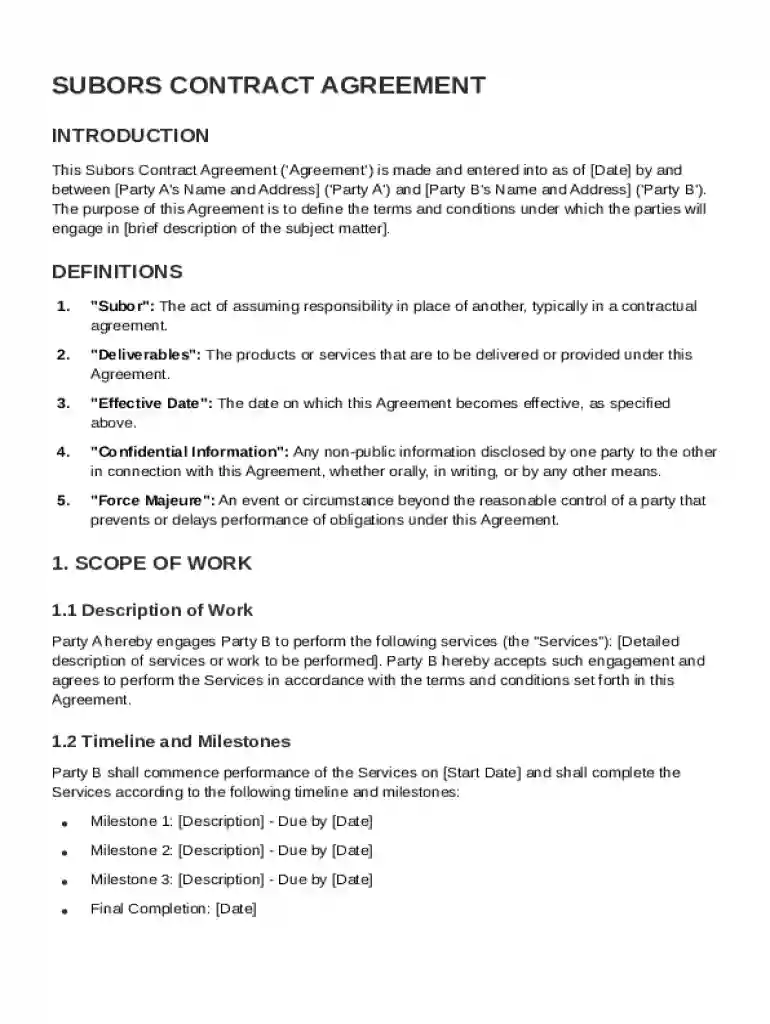
Type text, add images, blackout confidential details, add comments, highlights and more.

Draw your signature, type it, upload its image, or use your mobile device as a signature pad.

Send it via email, link, or fax. You can also download it, export it or print it out.
The Subors Contract Template is a legally binding agreement designed to formalize the terms and conditions of service provision between two parties, typically referred to as Party A and Party B. It serves as a foundational document to outline expectations, mitigate risks, and ensure that each party's rights and responsibilities are clearly delineated. The template includes essential components such as definitions, scope of work, compensation terms, and confidentiality obligations. Additionally, it typically covers dispute resolution procedures and general provisions, providing a comprehensive framework to guide the professional relationship.
The template is particularly useful in business environments where clarity and legal protection are paramount. By using a standard template, both parties can ensure a mutual understanding of the engagement process, reducing the potential for misunderstandings or disputes down the line.
Review the Template: Begin by carefully reading through the entire contract template to understand the specifics that need to be customized. Become familiar with mandatory sections such as scope of work, compensation, and duration.
Customize the Agreement: Make necessary modifications to each section to tailor it to the specific agreement between the parties. This includes detailing the exact services to be provided, expected deliverables, and payment schedules.
Specify Parties' Responsibilities: Clearly outline the obligations and responsibilities of both Party A and Party B. This section should also address any required resources or support needed from either party to fulfill the contract terms.
Include Confidentiality Provisions: Draft clear statements regarding how confidential information will be handled, including non-disclosure agreements if necessary.
Outline Dispute Resolution: Establish procedures for addressing and resolving any disputes that may arise, whether through mediation, arbitration, or legal action.
Finalize and Review: Once all sections are completed, review the entire document to ensure consistency and accuracy. It's advisable to have a legal professional review the contract before signing.
Definitions: Clearly define all critical terms to avoid ambiguity. These definitions serve as the basis for interpreting various clauses in the contract.
Scope of Work: Describe in detail the tasks and services to be performed under the contract including timelines and milestones.
Compensation Details: Specify the payment terms, including amounts, dates, and methods of payment. Include provisions for any penalties for late payments or bonuses for early completion.
Termination Clause: Outline the conditions under which either party can terminate the agreement, including any required notices and potential penalties.
Confidentiality Agreements: Detail how proprietary or sensitive information will be protected, including measures for data protection and potential legal ramifications for breaches.
Dispute Resolution Procedures: Define methods for resolving disputes including legal venues, applicable law, and any arbitration agreements.
The Subors Contract Template is designed for legal compliance in the United States, adhering to both federal and state-specific regulations. It meets the legal requirements set forth by the ESIGN Act for electronic contracts and signatures, ensuring its enforceability. Both parties must agree to the terms as a formal acceptance of the contract. The template is often used across various industries, including technology, consulting, and construction, where standardization of contracts is beneficial. Legal professionals often adapt these templates to ensure compliance with local laws and specific industry standards.
The Subors Contract Template is widely used by:
Consultants and Freelancers: They use the template to formalize service agreements with clients ensuring clarity in service delivery and payment.
Small Businesses and Start-ups: This template serves as a tool for establishing clear terms with service providers or clients, facilitating smooth operations.
Corporations: Larger organizations may use the template for non-disclosure agreements or as a basis for customizing more complex contracts.
Legal Professionals: Lawyers find these templates useful in drafting contracts quickly while ensuring all legal bases are covered.


Compensation: The financial payment agreed upon for services rendered.
Confidentiality: A clause ensuring that proprietary information remains protected.
Dispute Resolution: Processes outlined to address disagreements between parties.
Termination: Conditions stipulating how and when a contract can be ended.
Scope of Work: Detailed outline of the services and deliverables that the contract covers.
These terms are integral to understanding the rights and obligations associated with the contract and play a significant role in executing and managing the agreement effectively.
The Subors Contract Template is compatible with a variety of software applications, making it accessible and easy to manage. These include:
DocHub: As part of its suite of document management tools, it allows users to edit, sign, and share contracts seamlessly online.
Microsoft Word and Google Docs: For modifications and personalizations in a word-processing environment.
PDF Readers and Editors: For secure sharing and locking of final versions.
This versatility ensures parties can work on the template using their preferred digital tools, making collaboration easy while preserving document integrity.
While the Subors Contract Template is standardized, each U.S. state may have unique legal requirements that must be incorporated into contractual agreements. For example:
Disclosure Requirements: Some states require specific disclosures to be included for certain services.
Legal Limitations: State laws may impose limitations on terms such as late payment penalties or contract duration limits.
Notarization: Certain agreements might need notarization depending on regional legal mandates.
Understanding these nuances is critical for ensuring the enforceability of the contract in different jurisdictions. Legal consultation is often recommended when adapting templates for state-specific rules to ensure compliance and protect all parties involved.
At DocHub, your data security is our priority. We follow HIPAA, SOC2, GDPR, and other standards, so you can work on your documents with confidence.
-Revised Project Schedules, Specifications and Constructability Section to Contract Management. Section. -Deleted metric units. *Section 4.9.H (Roadway Lighting).
by D Calligar 1961 Cited by 125 Moreover, the bank will be allowed to assert its right under the subor- dination agreement to receive dividends paid on the claims of the debenture holders.
May 11, 2004 Agreement. Construction Contract shall mean that certain contract, substantially in the form attached hereto as Exhibit E, to be entered


