






Definition and Meaning
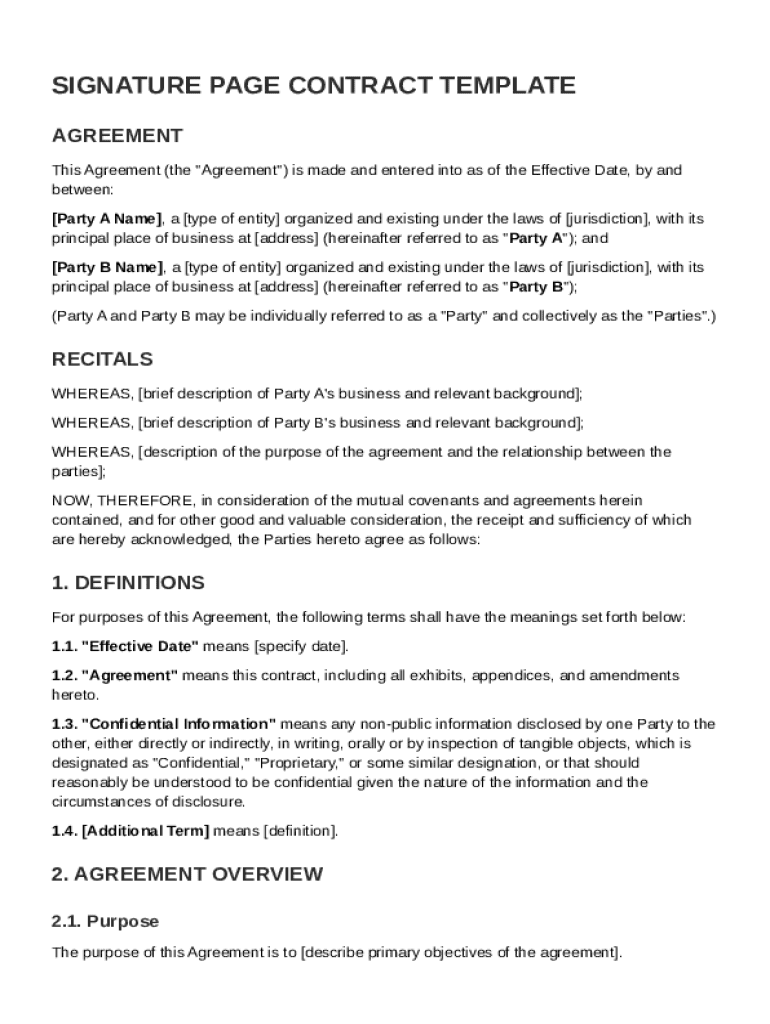
A "Signature Page Contract Template" is a standardized document that acts as the final section of a contract, where parties formally indicate their agreement to the terms included in the main document. This page must include legally binding signatures, affirming the consent and commitment of all involved parties. Typically, it features sections for names, titles, signatures, and the date of signing. It is an integral part of any contract, ensuring that the agreed-upon terms have been acknowledged by all participants.
How to Use the Signature Page Contract Template
Using a Signature Page Contract Template involves several key steps to ensure its effectiveness in formalizing agreements. Begin by inserting the complete names and titles of all parties involved in the contract. This ensures there is no ambiguity about who is entering into the agreement. Next, allocate space for the signatures and dates. It's crucial to ensure that all parties sign the document in person or through legally recognized electronic signature platforms. Missteps in this process can lead to disputes regarding authenticity if not executed properly.
Steps for Ensuring Authenticity
- Verify all signatories' identities before signing.
- Use a secure electronic signing platform like DocHub for digital signatures.
- Implement password protection for sensitive documents to uphold security.
- Record the signing process to maintain a clear audit trail.
Steps to Complete the Signature Page Contract Template
Completing the Signature Page Contract Template requires careful attention to detail. Begin by ensuring that the contract itself is finalized and understood by all parties. Following this, distribute the signature page to each involved person for signing. Monitoring the signing process is essential to confirm that no unauthorized changes occur between finalization and signing. Once all parties have signed, distribute copies of the executed contract for record-keeping and reference.
Key Actions in the Signing Process
- Ensure that all parties have read and agreed to the main contract.
- Distribute the signature page, ensuring each party has a separate copy.
- Confirm that each party signs in the presence of a witness if required.
- Collect and compile all signed pages into the final document.
Key Elements of the Signature Page Contract Template
The effectiveness of a Signature Page Contract Template lies in its core elements, which include:
- Party Information: Names and titles of all parties involved.
- Signature Lines: Clearly designated areas for each participant’s signature.
- Date Field: Space for each party to date their signatures.
- Witness Section: Optional area to include a witness’s signature, when needed.
By including these elements, the template ensures clarity and legal standing for all participants.
Legal Use of the Signature Page Contract Template
The Signature Page Contract Template holds legal weight when used correctly. It must be aligned with the agreement’s jurisdictional requirements and executed following appropriate legal standards. Documents signed within the United States, for instance, must comply with the ESIGN Act for electronic signatures to be valid. These signatures are as legally binding as handwritten ones, provided the process meets prescribed guidelines.
Legal Compliance Checklist
- Verify that the contract complies with federal and state laws.
- Ensure electronic signatures meet the standards of the ESIGN Act.
- Retain a copy of the signature page for legal records and future reference.
Who Typically Uses the Signature Page Contract Template
This template is used by a wide array of individuals and entities, including:
- Business Entities: To formalize agreements between companies or with clients.
- Legal Professionals: To ensure contracts are properly executed and enforceable.
- Individuals: For personal agreements that require legal recognition, like property sales.
The application of this template varies widely but serves the common purpose of securing agreement acknowledgment from all parties involved.


Examples of Using the Signature Page Contract Template
The practical application of this template can be seen in scenarios such as:
- Real Estate Transactions: Used during the closing process to finalize deals.
- Business Contracts: For service agreements or partnerships, requiring formal acknowledgments.
- Employment Contracts: To document acceptance of terms by new hires.
Each example underscores its importance in securing and validating agreements across different contexts.
State-Specific Rules for the Signature Page Contract Template
While the general use of the Signature Page Contract Template is consistent, specific state requirements can influence its application. Some states may have specific mandates for the witnessing of signatures or require notarization for certain types of contracts. Others may impose restrictions on the use of electronic signatures. Understanding these nuances ensures compliance and avoids potential legal challenges.
Variations Across States
- California: Requires some agreements to include a notary.
- Florida: Mandates specific documentation for real estate-related signatures.
- New York: Allows for broad acceptance of electronic signatures, with few constraints.
Staying informed about state-specific rules is crucial to maintaining the validity of the contract.