Web Contract Template 2026

Get Form
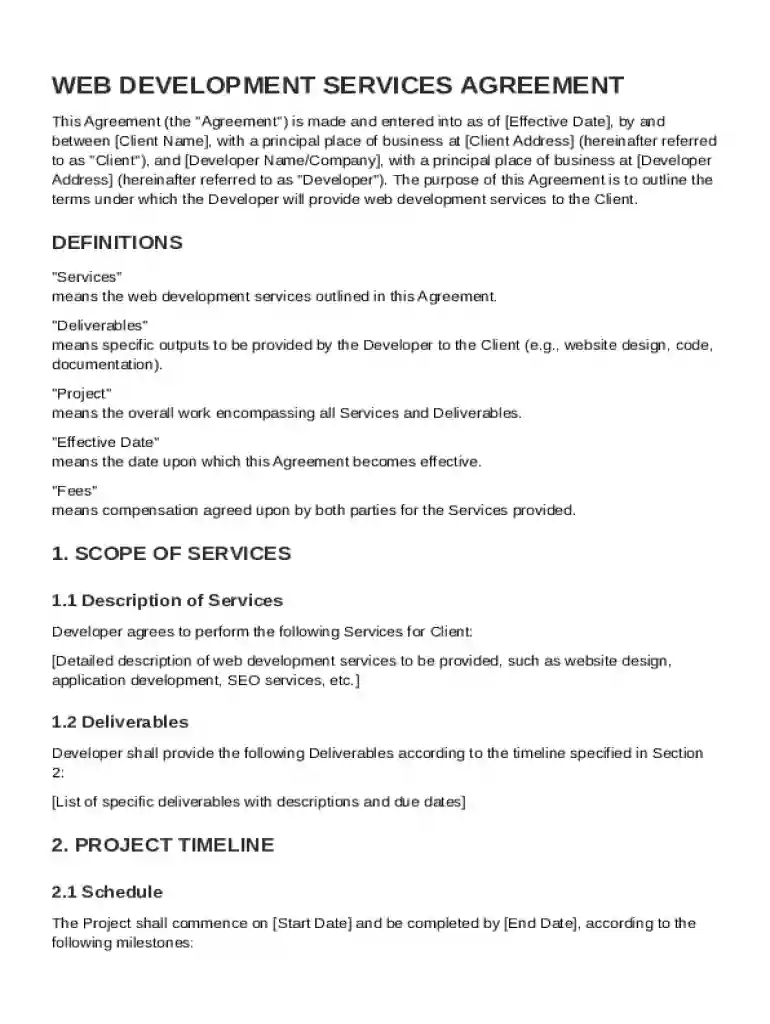
Web Contract Template Preview on Page 1

Here's how it works

01. Edit your form online
Type text, add images, blackout confidential details, add comments, highlights and more.

02. Sign it in a few clicks
Draw your signature, type it, upload its image, or use your mobile device as a signature pad.

03. Share your form with others
Send it via email, link, or fax. You can also download it, export it or print it out.

Definition and Meaning of a Web Contract Template

A Web Contract Template serves as a structured agreement between a client and a developer or agency pertaining to web development services. This template outlines essential terms, such as the scope of services, project timelines, payment agreements, and more. These templates help in establishing clear expectations and responsibilities, providing a legally binding framework for both parties involved. Utilizing a Web Contract Template ensures that critical elements, such as confidentiality obligations and intellectual property rights, are formally documented, helping mitigate potential disputes.

How to Use the Web Contract Template

To effectively utilize a Web Contract Template, begin by thoroughly reviewing the template to understand each section's purpose and requirements. Amend areas to suit your specific project needs by adding unique details such as deliverable deadlines and project-specific tasks. Make sure to consult any legal professional if there are uncertainties regarding the terms to ensure compliance with legal standards. The template serves as a starting point, offering a comprehensive guide to structure the agreement between parties.

Key Elements of the Web Contract Template

Key elements include:

  • Scope of Services: Clearly defines the specific services to be provided.
  • Project Timeline: Outlines deadlines for milestones and final delivery.
  • Payment Terms: Details the payment schedule, method, and any penalties for late payment.
  • Intellectual Property Rights: Specifies ownership rights concerning the developed work.
  • Confidentiality Obligations: Ensures sensitive information is protected between parties.
  • Termination Conditions: Lists the requirements and repercussions for terminating the agreement.
  • Dispute Resolution Procedures: Provides methods for resolving any potential disagreements.

Each of these elements plays a vital role in safeguarding the interests of both the client and the developer while enhancing mutual trust.

Steps to Complete the Web Contract Template

Completing the Web Contract Template involves several key steps:

  1. Review Terminology: Familiarize yourself with the language used in the template.
  2. Customization: Insert specific details, including project description and roles.
  3. Specify Deliverables: Clearly document each deliverable, including expected results.
  4. Set Milestones: Outline timeline checkpoints for each project phase.
  5. Agree on Terms: Discuss and agree with the other party on terms like payment and confidentiality.
  6. Legal Verification: Consult a legal expert to verify that the contract adheres to all legal standards.
  7. Sign and Date: Finalize by having both parties sign and date the document to confirm acceptance.

Who Typically Uses the Web Contract Template

A range of individuals and organizations utilize Web Contract Templates:

  • Freelance Developers: To solidify agreements with clients and outline project terms.
  • Web Development Agencies: To establish an official record of project negotiations and expectations.
  • Clients: Engaging web development services and needing to formalize service agreements.
  • Legal Consultants: Assisting clients in customizing templates for specific project needs.

This form is essential for ensuring all parties involved in a web development project understand their obligations.


decoration image ratings of Dochub

State-Specific Rules for the Web Contract Template

While a general Web Contract Template includes necessary contractual components, state-specific rules may impose additional requirements. Some states may demand specific disclosures or follow distinct protocols concerning payment terms and dispute resolution. Therefore, it is advisable to tailor the template in accordance with state laws or consult legal guidance to confirm compliance. This attention to detail helps in avoiding non-compliance penalties and ensures the contract is enforceable in the state’s jurisdiction.

Legal Use of the Web Contract Template

Using a legally compliant Web Contract Template is crucial. The template should reflect legally permissible clauses such as those related to the limitation of liability, indemnification, and governing law. Parties must ensure that these clauses align with the legal framework within the jurisdiction of the agreement. A legally sound template minimizes the risk of disputes and litigation, providing both parties with peace of mind.

Examples of Using the Web Contract Template

Case studies often illustrate effective use of a Web Contract Template:

  • Small Business: A small business owner uses the template to formalize a website redesign project, ensuring clarity in goals and deliverables.
  • Startup Collaboration: A tech startup partners with a freelance developer, utilizing the template to establish clear communication and protect intellectual property.
  • Agency Engagement: A marketing agency engages an external team for a specific project using the template to stipulate project phases and reporting requirements.

In these scenarios, the Web Contract Template serves as a foundational document that facilitates successful project execution and relationship management.

be ready to get more

Complete this form in 5 minutes or less

Get form

Got questions?

We have answers to the most popular questions from our customers. If you can't find an answer to your question, please contact us.
Contact us
In general, almost every Terms and Conditions agreement should include the following clauses: Introduction. Right to make changes to the agreement. User guidelines (rules, restrictions, requirements) Copyright and intellectual property. Governing law. Warranty disclaimer. Limitation of liability.
What to include in your agreement/contract: Project scope Payment: How you want to price your business If you wish to have an advance amount paid You may include payments due to other material required eg-paid images, etc The forms of payment you will accept How you plan to bill your client.
How can I make my own contract? Select a platform that offers free contract creation tools. Choose a template. Fill in the necessary information, including parties involved, scope of work and payment terms. Carefully review the contract for accuracy and completeness. Add electronic signatures.
You definitely can make a contract online and dont need a lawyer for it. Also, contracts can also be completed on email. Them sending email accepting the terms of contract is a valid acceptance. You do not actually need to get physical signature on a printed document.
There are five elements which, taken together, make a contract valid: offer; acceptance; consideration; capacity; and. intention to create legal relations.

Security and compliance

At DocHub, your data security is our priority. We follow HIPAA, SOC2, GDPR, and other standards, so you can work on your documents with confidence.

Learn more
ccpa2
pci-dss
gdpr-compliance
hipaa
soc-compliance

People also ask

An electronic contract is an agreement made online that creates a mutual obligation between two parties and is enforceable under certain legal requirements. Rather than interacting in person or by phone, parties communicate digitally.
Write the contract in six steps Start with a contract template. Open with the basic information. Describe in detail what you have agreed to. Describe how the contract will end. Say which laws apply and how disputes will be resolved. Include space for signatures.

Related links