





Method statement template civil engineering 2026

Get Form
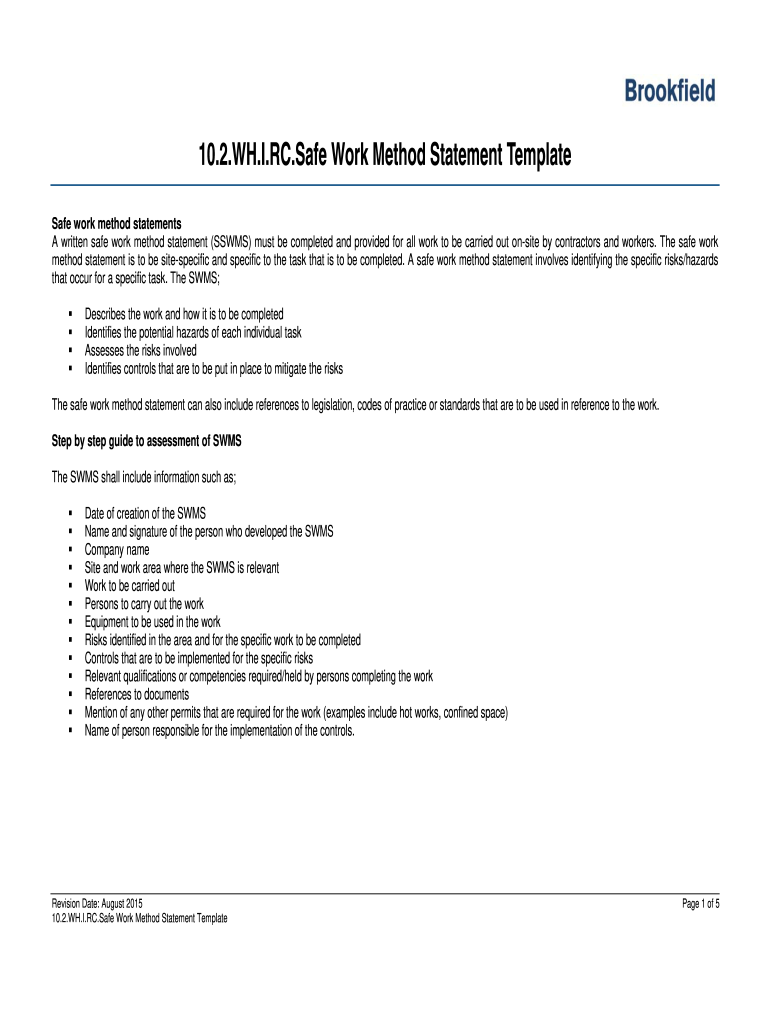
method statement example Preview on Page 1

Here's how it works

01. Edit your method statement example online
Type text, add images, blackout confidential details, add comments, highlights and more.
02. Sign it in a few clicks
Draw your signature, type it, upload its image, or use your mobile device as a signature pad.
03. Share your form with others
Send method statement for civil works pdf via email, link, or fax. You can also download it, export it or print it out.

How to use or fill out method statement template civil engineering with our platform

Form edit decoration
9.5
Ease of Setup
DocHub User Ratings on G2
9.0
Ease of Use
DocHub User Ratings on G2
  1. Click ‘Get Form’ to open the method statement template in the editor.
  2. Begin by filling in the 'Organisation Details' section, including your organisation name, contact name, and relevant contact information.
  3. In the 'Work Description' area, clearly outline the work to be carried out and specify the site and work area where it is relevant.
  4. Identify potential hazards associated with each task in the 'Hazards' section. Assess risks and document controls that will mitigate these risks.
  5. Complete the 'Personnel, Duties and Responsibilities' section by listing all workers involved and their qualifications or competencies required for the tasks.
  6. Ensure all necessary signatures are obtained in the final section, confirming that all workers have read and understood the SWMS.

Start using our platform today to streamline your method statement completion for free!

See more method statement template civil engineering versions

We've got more versions of the method statement template civil engineering form. Select the right method statement template civil engineering version from the list and start editing it straight away!
Versions Form popularity Fillable & printable
2015 4.8 Satisfied (121 Votes)
be ready to get more

Complete this form in 5 minutes or less

Get form

Got questions?

We have answers to the most popular questions from our customers. If you can't find an answer to your question, please contact us.
Contact us

Yes, and it’s really easy! DocHub is an online PDF editor with advanced document processing functions that allow you rapidly edit your paperwork, fill out blank fields and insert new ones for others to fill out, and create electronic signatures in several ways. Import your construction methodology for civil works pdf, give information as requested, and decide how you want to eSign your template - by typing your name, drawing your signature, uploading its picture, or using a QR code.

If you edit your construction methodology template word with DocHub, you will not need to look for other software or solutions to sign it. An electronic signature is a component of DocHub’s comprehensive editing toolset, which allows you to implement changes in your form without jumping between platforms. Just complete your form, double-check the correctness of the information and place your electronic signature at the end to make it submission-ready quickly.

0:58 2:18 How to write a Method Statement - YouTube YouTube Start of suggested clip End of suggested clip Gives a brief description of the task. The name of the company responsible for the documents. AndMoreGives a brief description of the task. The name of the company responsible for the documents. And the project the method statement was created. For directly underneath this information the do's and
Your method statement should form part of your safe system of work. It's not just a document to be saved and stored away. It will often be the subject of the safety briefing or toolbox talk delivered before the activity starts. A method statement is a document that describes how to do a task safely.
The contents of a method statement will vary with the work process being described, however, it may contain: Details of the organisation in control of the activity. Details of the individual responsible for the activity. A description of the activity.

Security and compliance

At DocHub, your data security is our priority. We follow HIPAA, SOC2, GDPR, and other standards, so you can work on your documents with confidence.

Learn more
ccpa2
pci-dss
gdpr-compliance
hipaa
soc-compliance
be ready to get more

Complete this form in 5 minutes or less

Get form

People also ask

What Do I Need to Include in My Method Statement? The name of the project and its reference. A brief summary of what the work is. Where the work is taking place (address). Start and expected completion dates for the work. The issue date and the unique document number. Details about the company carrying out the activity.
Method statements are documents that detail exactly how to carry out work safely. For ensuring building site health and safety, method statements are key. The purpose of method statements is to describe the safety precautions in a high-risk work environment to control risks identified in the risk assessment.
What Do I Need to Include in My Method Statement? The name of the project and its reference. A brief summary of what the work is. Where the work is taking place (address). Start and expected completion dates for the work. The issue date and the unique document number. Details about the company carrying out the activity.
Method statements are documents that detail exactly how to carry out work safely. For ensuring building site health and safety, method statements are key. The purpose of method statements is to describe the safety precautions in a high-risk work environment to control risks identified in the risk assessment.
What Do I Need to Include in My Method Statement? The name of the project and its reference. A brief summary of what the work is. Where the work is taking place (address). Start and expected completion dates for the work. The issue date and the unique document number. Details about the company carrying out the activity.

work method template

