
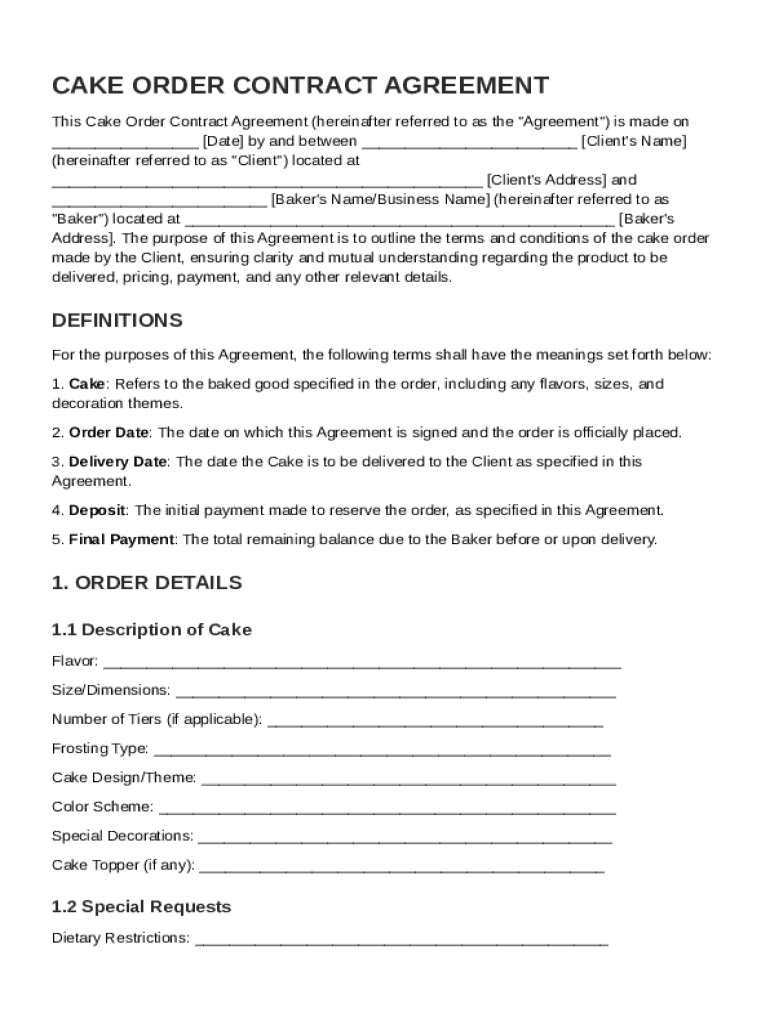







Definition & Purpose of the Cake Order Contract Template
The Cake Order Contract Template serves as a formal agreement between a client and a baker, outlining the specifics of a cake order. This document details the expectations, responsibilities, and obligations of both parties to ensure transparency and prevent misunderstandings. It typically includes key components such as cake specifications, payment terms, delivery arrangements, and cancellation policies. By defining these elements clearly, the template facilitates a smooth transaction and promotes mutual understanding.
Key Components
- Cake Specifications: Includes the size, flavor, decorations, and any custom requirements specified by the client.
- Payment Terms: Details the cost of the cake, payment schedule, and acceptable payment methods.
- Delivery and Pickup Arrangements: Describes the agreed-upon delivery date, time, location, and any associated fees.
- Cancellation and Refund Policies: Outlines the conditions under which the order can be canceled and any applicable refund terms.
How to Use the Cake Order Contract Template
Utilizing the Cake Order Contract Template involves several straightforward steps to ensure all parties are aligned on the contract's terms. By following systematic procedures, both the client and the baker can efficiently establish a formal agreement.
Step-by-Step Guide
- Review General Terms: Both parties should carefully read the template to understand the standard terms and conditions.
- Customize Details: Enter specific details related to the client's order, such as cake design, size, and additional requests.
- Agree on Terms: Discuss and agree upon payment terms, including deposit amount, balance due, and deadlines.
- Sign the Contract: Both the client and the baker must sign the contract to formalize the agreement. Electronic signatures may be used for convenience.
Steps to Complete the Cake Order Contract Template
Completing the Cake Order Contract Template requires attention to detail and effective communication between the client and the baker. Each party should have a clear understanding of their responsibilities before finalizing the document.
Detailed Process
- Gather Client Information: Collect the client's full name, contact details, and event date.
- Specify Cake Details: Document the flavor, tier count, and any special decorations or dietary considerations.
- Outline Financial Agreements: Establish the price, including taxes and possible add-ons, then clarify when payments are due.
- Determine Delivery Information: Record whether the cake will be picked up or delivered, and confirm the delivery address and time.
- Draft Signature Section: Prepare the section for both parties to sign and date, which acts as the contract’s binding element.
Key Elements of the Cake Order Contract Template
Incorporating essential components ensures the Cake Order Contract Template addresses every aspect of the transaction. These elements protect the interests of both the client and the baker by clearly laying out each aspect of the agreement.
Critical Elements
- Definitions: Clear definitions of terms like "Client," "Baker," "Order," and "Agreement" help remove ambiguity.
- Scope of Services: Explicitly states what the baker will deliver, including any limitations or exclusions.
- Alteration Procedures: Enables modifications to the original order, specifying how changes must be communicated and approved.
- Liability Waivers: Protects the baker from liability in cases outside their control, such as delivery delays due to severe weather.
Legal Use of the Cake Order Contract Template
The Cake Order Contract Template must comply with relevant legal standards to ensure enforceability. Both parties should be aware of how such contracts are legally used within their jurisdiction.
Compliance Considerations
- Adherence to the ESIGN Act: If using electronic signatures, ensure compliance with federal guidelines for digital contracts.
- State Laws: Be mindful of any state-specific requirements for contract validity, like witness signatures for particular agreements.
- Document Retention: Keep copies of signed contracts for a predetermined period to meet legal record-keeping obligations.
Who Typically Uses the Cake Order Contract Template
This template is commonly utilized by individuals and entities who plan to enter into a transaction involving custom-baked goods. Understanding who typically uses this form can clarify its intended audience.


Common Users
- Professional Bakers: Use the contract to manage and document client orders thoroughly and professionally.
- Event Planners: Facilitate agreements between clients and cake providers as part of larger event coordination.
- Individuals: Clients who require a clear, documented agreement to ensure their needs and expectations are met by the baker.

Examples of Using the Cake Order Contract Template
Real-world scenarios demonstrate the template’s effectiveness across various circumstances. Examining these examples can provide insights into how the template can be adapted for different needs.
Practical Scenarios
- Wedding Cakes: Ensures all details, from flavor to delivery time, are accounted for well before the event.
- Corporate Events: Clarifies bulk order details for large-scale company gatherings or celebrations.
- Birthday Parties: Facilitates custom orders for themed cakes, specifying decorations that match the party’s motif.
State-Specific Rules for the Cake Order Contract Template
State-specific regulations may influence the contents and execution of the Cake Order Contract Template. Considering these differences is crucial for ensuring compliance and avoiding disputes.
Regional Variations
- Consumer Protection Laws: Vary by state, impacting refund rights and contractual fairness.
- Food Safety Regulations: State health codes may dictate specific handling and delivery protocols for baked goods.
- Local Sales Tax: Must be considered in the financial terms of the contract, affecting the final price to the client.




