






Definition and Meaning
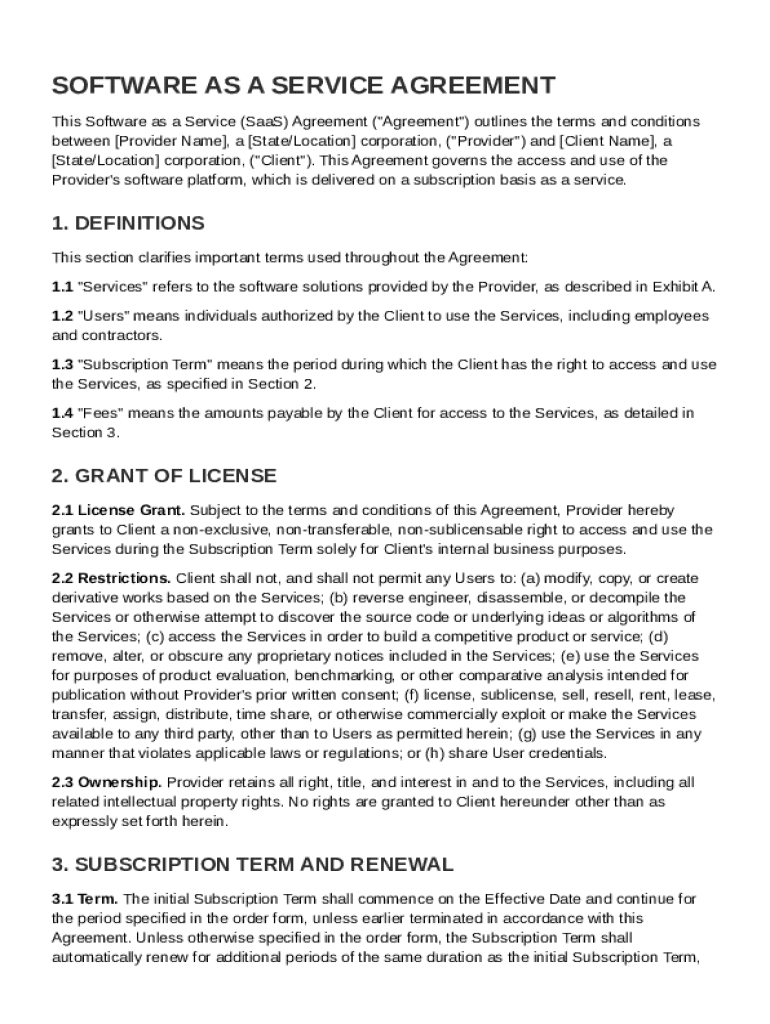
The Software as a Service (SaaS) Agreement Template is a legally binding document that sets forth the terms and conditions between a service provider and a client regarding access and use of a software platform offered on a subscription basis. This agreement outlines the rights and responsibilities of each party, including licensing rights, payment terms, service levels, and compliance with applicable laws. The SaaS Agreement Template serves as a crucial tool in defining how the software can be used and what each party is obligated to do.
Key Elements of the SaaS Agreement Template
A standard SaaS Agreement Template includes several key components essential for forming a clear and enforceable contract. These elements typically consist of:
- Definitions of Key Terms: Clarifying specific terms such as "software," "services," and "subscription."
- Licensing Rights: Outlining the extent and limitations of the user’s rights to access the software.
- Payment Obligations: Specifying the cost, billing frequency, and payment methods for the service.
- Confidentiality Requirements: Establishing protocols for maintaining the privacy of proprietary information.
- Data Protection Measures: Describing the security standards and measures to protect user data in compliance with relevant laws.
- Indemnification Clauses: Detailing scenarios in which the service provider or client may be held liable for damages.
Steps to Complete the SaaS Agreement Template
Creating a SaaS Agreement using the template involves several steps to ensure that all necessary information is accurately recorded and agreed upon by both parties:
- Identify the Parties: Start by clearly identifying the service provider and client, including addresses and contact information.
- Define the Scope: Outline the scope of services provided under the agreement, including any specific functionalities of the software.
- Set Payment Terms: Specify the payment structure, including any setup fees, subscription costs, and renewal terms.
- Detail Service Levels: Define expected service availability, support provisions, and any performance guarantees.
- Include Data Privacy Terms: Add clauses that cover data protection obligations and compliance with laws like GDPR or CCPA.
- Finalize and Execute: Review the agreement with all parties, making any necessary revisions before signing and dating the document.
How to Use the SaaS Agreement Template
The SaaS Agreement Template is designed for adaptability, allowing companies to mold it to their specific service offerings. Users should:
- Tailor to Specific Needs: Customize sections to reflect company-specific policies, procedures, and any unique service aspects.
- Consult Legal Experts: Engage legal professionals to review the template for compliance and completeness.
- Incorporate Branding: Add logos and branding elements to ensure the agreement aligns with corporate standards.
Practical Tips for Effective Use
- Regularly update the template to reflect changes in technology and legal standards.
- Keep a checklist of essential components to cover during negotiation.
- Use clear and concise language to avoid ambiguity.
Important Terms Related to the SaaS Agreement Template
Understanding critical terminology within the SaaS Agreement Template is essential for effectively using and enforcing the document:
- Service Level Agreement (SLA): Part of the contract that defines the level of service expected from the provider.
- End User License Agreement (EULA): Establishes rights and limitations for end users regarding the software.
- Downtime: Periods when the software service is unavailable to users, which should be minimized according to agreed service levels.
Variations and Optional Clauses
- Performance Clauses: These can set penalties or incentives based on adherence to SLA terms.
- Termination Rights: Clearly define circumstances and processes for ending the agreement early by either party.
Legal Use of the SaaS Agreement Template
The SaaS Agreement Template must comply with applicable legal standards to be enforceable. It is crucial for parties to:
- Address Jurisdiction and Governing Law: Clearly state which laws govern the agreement and where any disputes should be resolved.
- Include Privacy Compliance Provisions: Ensure clauses address data privacy laws specific to jurisdictions where the software is used.
Legal Considerations
- Consult with a legal professional to ensure clauses conform with regional laws and international regulations if applicable.
- Consider including an arbitration clause to allow for more manageable conflict resolution.
Who Typically Uses the SaaS Agreement Template
The SaaS Agreement Template is commonly utilized by:
- Software Providers: Companies offering software solutions on a subscription basis.
- Corporate Clients: Businesses seeking to streamline their operations through third-party software solutions.
- Legal Teams: In-house or contracted legal professionals who manage software licensing agreements.


Real-World Applications
- SaaS companies providing cloud-based accounting software to small-to-medium-sized businesses.
- Educational institutions subscribing to e-learning platforms for their student bodies.
- Healthcare providers using SaaS solutions to manage patient data and appointments.
State-by-State Differences
While the SaaS Agreement Template provides a robust framework, service providers and clients should be aware of potential state-specific modifications:
- Data Privacy Laws: Some states have stringent data protection regulations, requiring particular provisions within the agreement.
- Consumer Protection Laws: States may enforce different rules regarding automatic renewals and subscription cancellations.
Examples of State-Specific Modifications
- California: Compliance with the state's Consumer Privacy Act (CCPA) is mandatory.
- New York: Specific provisions might be necessary to align with the Stop Hacks and Improve Electronic Data Security Act (SHIELD).
Versions or Alternatives to the SaaS Agreement Template
Organizations may encounter various versions or alternatives to the standard SaaS Agreement Template, each suited for different scenarios:
- Custom SaaS Agreements: Tailored contracts crafted by legal professionals to meet specific business needs.
- Open Source Models: Agreements based on commonly accepted open source licenses that can integrate specialized software.
Choosing the Right Version
- Evaluate the complexity and scale of the software service provided to determine if a standard template is sufficient or if a customized version is necessary.
- Consider seeking external legal counsel to review and verify the appropriateness of the agreement type selected.