






Definition and Purpose of the Lead Generation Contract Template
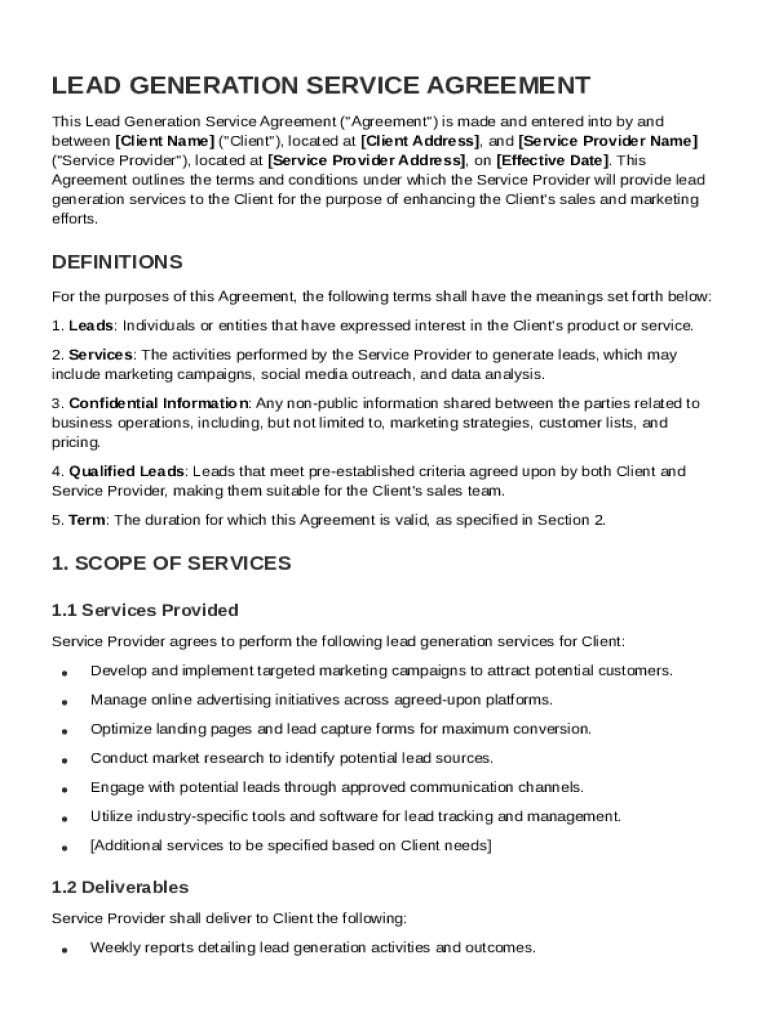
The Lead Generation Contract Template serves as a foundational document that outlines the terms for lead generation services between a client and a service provider. Its primary purpose is to establish a clear understanding regarding the roles and responsibilities of both parties, thereby minimizing potential disputes. This template not only details services to be rendered but also defines the compensation framework, performance metrics, and deliverables that the provider is expected to meet.
Key components typically covered include confidentiality obligations to protect sensitive business information, liabilities, and warranties. Moreover, it often emphasizes the independent contractor status of the service provider, ensuring there is no misinterpretation regarding employment status.
How to Use the Lead Generation Contract Template
Using the Lead Generation Contract Template involves several specific steps to tailor the document to your needs. Initially, both parties should review the template to confirm that its terms align with their agreement and expectations. Subsequently, customize sections such as the scope of services, deliverables, and performance metrics based on the specific lead generation strategies agreed upon.
- Identify Parties Involved: Clearly define the client and service provider’s details.
- Customize Service Scope: Outline specific lead generation activities.
- Set Performance Metrics: Define what constitutes a successful lead or campaign.
- Finalize Compensation Terms: Agree on payment structure, including fixed fees or commission percentages.
The final step involves thoroughly reviewing the adapted document for accuracy before both parties sign to signify their agreement.
Steps to Complete the Lead Generation Contract Template
Completing the Lead Generation Contract Template requires meticulous attention to detail to ensure all necessary information is accurately captured. Follow these steps:
- Fill in Basic Information: Add names and contact details for both client and service provider.
- Define Scope of Services: List detailed descriptions of lead generation methods.
- Set Compensation Structure: Clearly state how and when the service provider will be paid.
- Outline Confidentiality and Legal Terms: Include clauses on data protection and liability.
- Specify Termination Conditions: State how either party can terminate the agreement.
Each step requires mutual agreement between the client and provider to ensure clarity and avoid potential contractual disputes.
Key Elements of the Lead Generation Contract Template
Several fundamental elements must be incorporated within the Lead Generation Contract Template to ensure it fulfills its intended function:
- Scope of Work: Specifics of the services, such as tactics and platforms used for lead generation.
- Performance Metrics: Detailed criteria used to evaluate the quality and quantity of leads.
- Compensation Terms: Payment terms reflecting fixed fees, commissions, or performance bonuses.
- Confidentiality Clauses: Obligations regarding the handling of sensitive client data and materials.
- Liability and Warranty Provisions: Responsibilities in case of breaches and assurances offered by the provider.
- Termination and Amendment Procedures: Guidelines on how changes can be made to the contract or how it can be ended.
These elements are crucial for defining how the relationship operates and for protecting both parties' interests.
Legal Use and Implications of the Lead Generation Contract Template
Utilizing the Lead Generation Contract Template brings specific legal implications that both parties need to consider. This document translates verbal agreements into legally enforceable terms, minimizing misunderstandings. It ensures that the roles of the client and the service provider are explicitly defined, reducing misinterpretations.
- Independent Contractor Status: Clearly outlines that the service provider acts as an independent entity.
- Dispute Resolution: Often includes clauses for handling disagreements through mediation or arbitration, bypassing costly court proceedings.
- Intellectual Property Rights: Details who owns the data and leads generated under the contract.
These legal provisions help safeguard each party's rights and limit exposure to potential litigation.
State-Specific Rules for the Lead Generation Contract Template
Different states may have specific laws affecting contract enforceability, which necessitates state-specific adaptations for the Lead Generation Contract Template. Understanding these variances is crucial for legal compliance:
- State Business Regulations: Each state may have unique registration requirements for businesses engaged in lead generation.
- Data Privacy Laws: States like California have stringent data protection regulations, impacting confidentiality clauses.
- Employment Law: Definitions around contractor status can vary, influencing how compensation and employment clauses are drafted.
Consulting with legal professionals with expertise in state-specific laws is advisable to avoid compliance issues.
Software Compatibility and Integration
The Lead Generation Contract Template is often used in a digital format for increased efficiency and ease of distribution. Compatibility with software platforms can greatly enhance the usability of the template:
- Document Editing Tools: DocHub, Adobe Acrobat, and Microsoft Word are commonly used to customize and edit the template.
- Cloud Storage Integration: Platforms like Google Drive or Dropbox allow for secure storage and easy access.
- E-Signature Support: Tools such as DocHub’s electronic signature options can streamline the signing process.
Choosing the right software facilitates seamless editing, sharing, and signing, making the process effective for all parties involved.
Business Types that Benefit Most from the Lead Generation Contract Template
Certain types of businesses find the Lead Generation Contract Template particularly advantageous:
- Digital Marketing Agencies: Use to formalize performance expectations with clients.
- Real Estate Firms: Leverage to manage lead generation from multiple agents and territories.
- Consulting Companies: Utilize to standardize client acquisitions and streamline onboarding processes.
These industries, among others, benefit from clearly defined lead generation agreements to enhance productivity and client satisfaction.