







Definition & Meaning
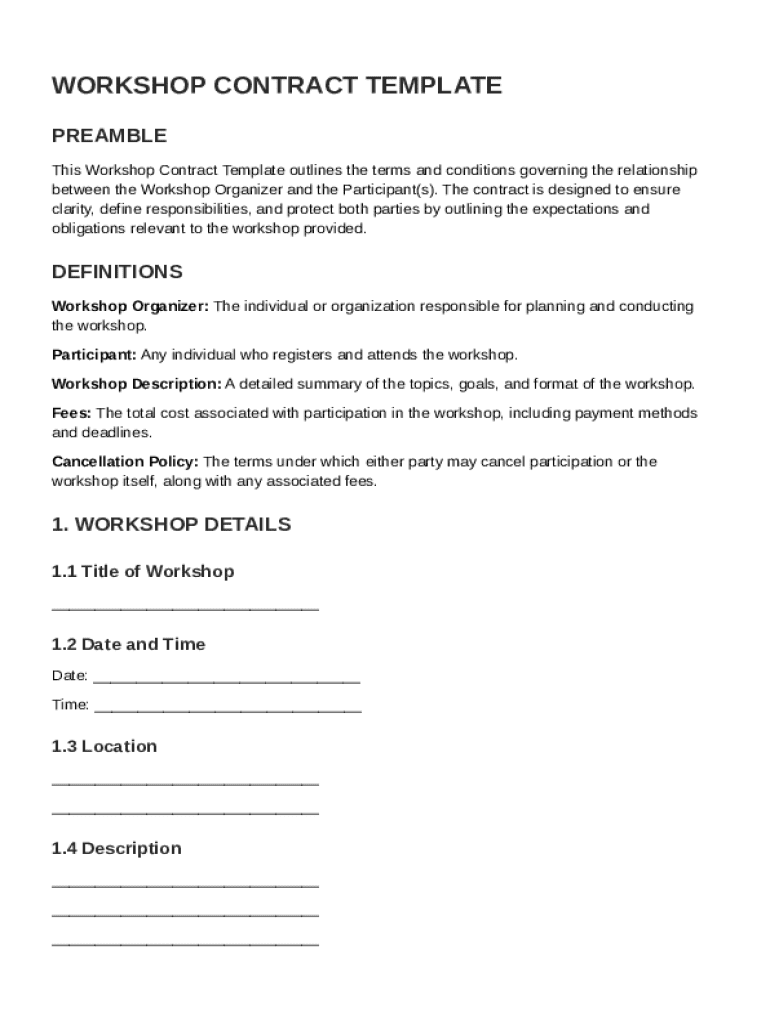
The Workshop Contract Template is a legally binding document that establishes the terms and conditions between a workshop organizer and the participants. It provides a comprehensive framework outlining each party's responsibilities, including registration, fees, and cancellation policies. This template serves as a crucial tool for ensuring both parties understand their obligations and the course of action in various scenarios.
By clearly defining roles and expectations, this template helps prevent misunderstandings and disputes. It typically covers essential aspects such as intellectual property rights over workshop materials and liability limitations. Understanding the key elements and legal implications of this document is vital for organizers and participants alike, fostering a transparent and professional workshop environment.
Key Elements of the Workshop Contract Template
A Workshop Contract Template includes several critical components that ensure comprehensive coverage of legal and operational aspects:
- Responsibilities: Detailed description of obligations for both organizers and participants, covering all aspects from execution to material provision.
- Fees and Payment Terms: Clear outline of workshop fees, payment schedules, and accepted payment methods.
- Cancellation Policies: Specific conditions under which participants or organizers can cancel and any applicable penalties or refund conditions.
- Liability Limitations: Provisions limiting the extent of liability for both parties concerning workshop incidents.
- Intellectual Property: Clear terms regarding the ownership and use of intellectual property, including workshop materials and content.
- Governing Law: Specification of the jurisdiction’s legal framework that governs the contract, relevant for dispute resolution.
These elements ensure that the contract is robust and protects the interests of all involved.
Steps to Complete the Workshop Contract Template
Completing this template requires attention to detail to minimize the possibility of errors and omissions:
- Review All Sections: Carefully read the template to understand all included sections and modify them to fit specific needs.
- Insert Party Details: Provide accurate details of the workshop organizer and participant, including names, addresses, and other relevant information.
- Specify Workshop Details: Include the workshop's title, date, location, and an outline or agenda, detailing what participants can expect.
- Define Terms and Conditions: Clearly articulate the financial terms, responsibilities, and liability clauses.
- Add Signatories: Ensure both parties review and sign the document, acknowledging their agreement to the stated terms.
A thorough review can help prevent future disputes and ensure alignment with intended outcomes.
Who Typically Uses the Workshop Contract Template
Various individuals and organizations utilize this template for different purposes:
- Event Organizers: Entities or individuals arranging workshops to ensure clarity and protection for both themselves and attendees.
- Corporate Training Providers: Companies providing training programs and requiring legal frameworks for standardizing participant agreements.
- Educational Institutions: Universities and colleges hosting workshops or seminars to establish clear roles and responsibilities with attendees.
- Professional Trainers: Individuals offering specialized training sessions needing legal backing to safeguard their interests.
Using the template helps these professionals maintain structured and efficient operations.


Legal Use of the Workshop Contract Template
The legal use of this template involves several considerations to ensure compliance with relevant regulations:
- Adherence to ESIGN Act: When using electronic signatures, this document complies with the ESIGN Act, making it legally binding.
- Customization for Legal Requirements: Tailoring the contract to align with country-specific laws and regulations, ensuring it holds up in legal contexts.
- Confidentiality Clauses: Including terms to protect sensitive information shared during the workshop.
- Review and Amendment: Allowing amendments to the template to address specific legal requirements or organizational policies.
These practices ensure that the contract meets legal standards and can be enforced if necessary.
State-Specific Rules for the Workshop Contract Template
While the Workshop Contract Template provides a foundational structure, it's important to consider state-specific regulations that may affect its terms:
- Jurisdictional Variations: Different states have varying rules on contract enforceability, impacting clauses like cancellation policies and intellectual property.
- Consumer Protection Laws: Particular state laws protect consumers, potentially influencing refund and cancellation terms.
- Licensing Requirements: Some states may require additional provisions related to business operations or professional licensing within the contract.
- Title and Ownership Clauses: State laws concerning intellectual property might necessitate more detailed clauses within the contract.
A detailed understanding of local laws is critical for drafting a legally robust contract.
Examples of Using the Workshop Contract Template
Implementing a Workshop Contract Template across different scenarios highlights its versatility and necessity:
- Corporate Training Sessions: A company uses the template to formalize terms with employees attending a leadership training workshop, ensuring clarity and commitment.
- Community Seminars: A non-profit hosting a public seminar utilizes the contract to outline participation fees and cancellation terms, fostering transparency.
- Art Workshops: An artist conducts workshops on painting techniques, using the template to specify intellectual property terms related to artwork created during the course.
- IT Certification Programs: A tech firm offering certification workshops uses it to detail payment terms and responsibilities, providing professional structure to the program.
These examples showcase the template's adaptability to various events and sectors.
Software Compatibility with DocHub
Leveraging DocHub's capabilities ensures seamless editing and management of the Workshop Contract Template:
- Multi-Format Support: Edit and manage templates in formats like DOC, PDF, and TXT, providing flexibility in document handling.
- Editing Tools: Use DocHub's intuitive tools to swiftly add text, annotations, and images as needed, simplifying customization.
- Collaboration Features: Allow multiple collaborators to review and provide input, ensuring the document meets all parties' needs before finalization.
- Signature Tools: Utilize legally binding electronic signature options to execute the contract, maintaining legal compliance.
DocHub's comprehensive tools enhance the usability of this template while maintaining document security and accessibility.




