
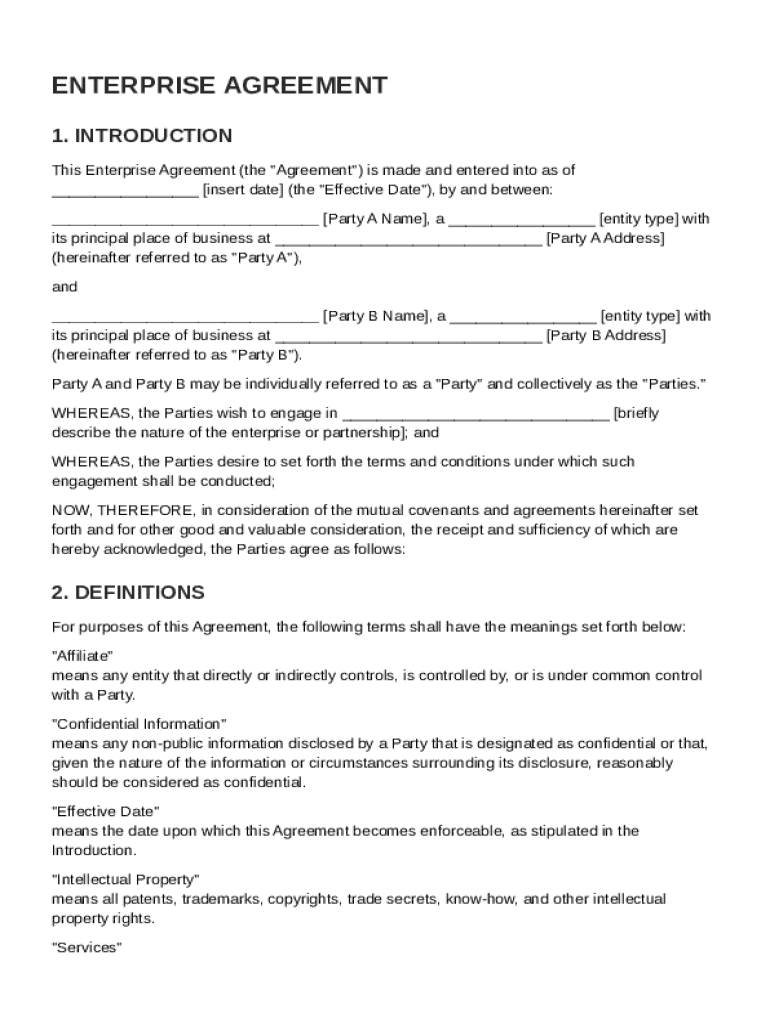







Definition & Meaning
An Enterprise Agreement Template is a structured document that outlines the terms and conditions for a collaboration between two or more parties in a business context. It serves as a blueprint that governs the partnership by clearly specifying each party's roles, responsibilities, and expectations. The template often includes sections on definitions, the scope of work, payment terms, dispute resolution mechanisms, confidentiality clauses, and compliance with applicable laws. By using a standardized template, organizations can ensure consistency and clarity in their agreements, which helps in mitigating misunderstandings and potential legal disputes.
- Roles and Responsibilities: Clearly defines each party's duties and obligations.
- Confidentiality: Ensures sensitive information is protected.
- Legal Compliance: Adheres to relevant laws and regulations.
- Dispute Resolution: Outlines procedures for resolving disagreements.
Key Elements of the Enterprise Agreement Template
The Enterprise Agreement Template contains several critical components that provide a comprehensive framework for business collaborations. These elements ensure that all aspects of the agreement are clearly laid out, protecting the interests of all parties involved.
- Definitions: Establishes clear definitions for all terms used within the document.
- Scope of Work: Details the specific tasks and deliverables expected from each party.
- Payment Terms: Outlines the financial arrangements, including payment schedules and amounts.
- Governing Law: Specifies the jurisdiction whose laws will apply to the agreement.
- General Provisions: Includes standard clauses such as amendments, waivers, and entire agreement clauses.
Comprehensive Coverage
Each section is meticulously crafted to cover all necessary aspects of the business relationship, making sure that nothing is left ambiguous or open to misinterpretation.
- Insurance Requirements: Specifies any necessary insurance coverages.
- Indemnification: Details the indemnity obligations of each party.
- Term and Termination: Defines the contract duration and termination conditions.
How to Use the Enterprise Agreement Template
Utilizing the Enterprise Agreement Template involves several steps designed to tailor the document to the specific needs and context of the involved parties. This process allows for customization while providing a robust starting point that covers essential elements.
- Assess Requirements: Determine the specific requirements and obligations for the agreement.
- Customize Sections: Modify the template's sections to reflect the specifics of the business arrangement.
- Review Legal Compliance: Ensure that all modifications comply with relevant legal standards.
- Validation and Signature: Finalize the document and have all parties sign to validate the agreement.
Practical Scenarios
- Joint Ventures: Tailor the template to clarify roles in a joint venture scenario.
- Supplier Agreements: Customize the payment terms and delivery schedules in supply chain agreements.
Legal Use of the Enterprise Agreement Template
While the template provides a solid foundation, legal use requires it to be adapted carefully to avoid any potential legal issues. It must reflect the specific legal environment of the parties involved, particularly when international parties are included.
- Legal Review: Engage legal counsel to review the template for compliance.
- Jurisdictional Adaptation: Adjust for differences in local laws where the agreement applies.
- Execution: Ensure all parties sign the agreement with legally binding signatures.
Important Terms Related to Enterprise Agreement Template
Understanding the terminology used in an Enterprise Agreement Template is crucial for effective use. Familiarity with these terms can prevent misinterpretations and ensure that all parties are on the same page.
- Breach of Contract: Any violation of the terms outlined in the agreement.
- Force Majeure: Events beyond control that may impact fulfilling contract duties.
- Arbitration: A method for resolving disputes outside of court.
Nuances and Context
These terms often have specific legal implications that can change based on jurisdiction or the specific business context, necessitating careful management.
Examples of Using the Enterprise Agreement Template
Illustrative examples provide context on how the Enterprise Agreement Template can be applied across various industries and scenarios.
Case Study 1: Tech Startups
A technology startup uses the template to formalize a partnership with a larger firm for collaborative development of a new app.
- Scope of Work: Defines contributions from both parties in terms of coding, design, and marketing.
- Revenue Sharing: Outlines the agreement for sharing profits from the app sales.
Case Study 2: Manufacturing Partnerships
Used by manufacturing companies to establish the terms for the production and supply of goods.
- Quality Assurance: Sets standards for product quality and penalties for non-compliance.
- Delivery Schedules: Details timelines for production and delivery to the partner organization.
State-Specific Rules for the Enterprise Agreement Template
Enterprise agreements may have to comply with particular state laws and regulations in the United States. Understanding these differences is essential for executing a legally sound agreement.
- Variations in Law: Certain states have rules that may affect confidentiality clauses or dispute resolutions.
- Registration Requirements: Some states may require registration or notification of such agreements.
Real-world Impact
- California: Known for stricter data privacy laws impacting confidentiality agreements.
- New York: Has unique labor laws influencing employment-related provisions.




