






Key Elements of the Mobile App License Agreement Template
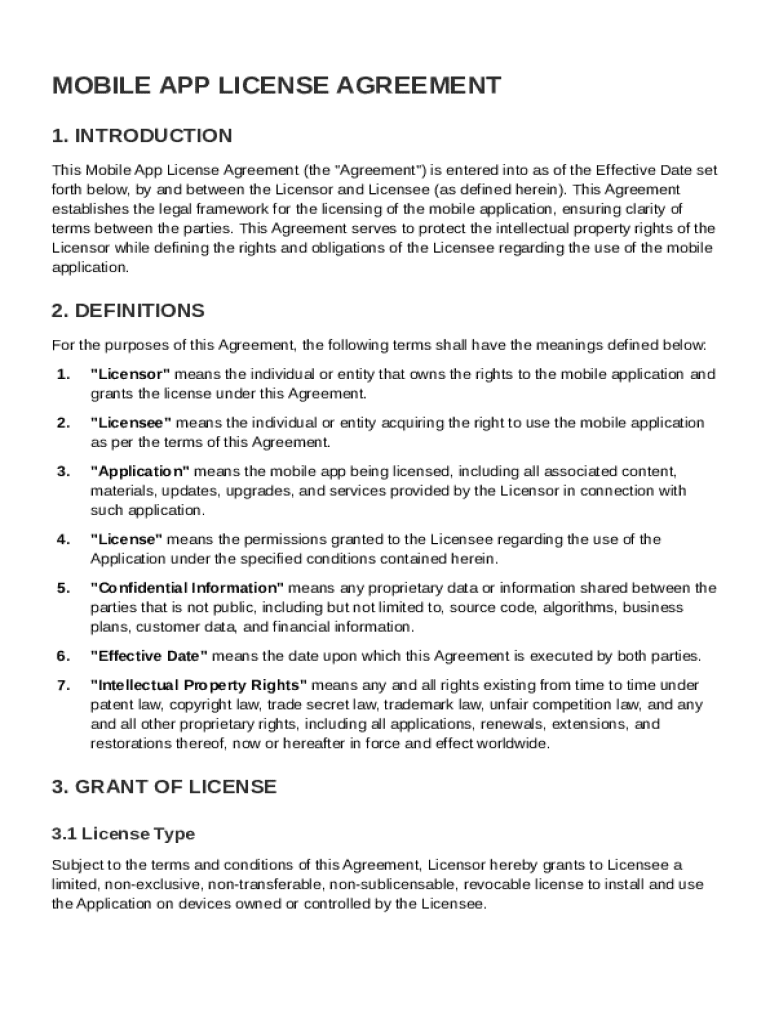
A Mobile App License Agreement Template outlines crucial elements that define the relationship between the licensor and the licensee. It typically includes sections on ownership, intellectual property rights, usage limitations, payment obligations, confidentiality, liability, and termination conditions. This template serves as a blueprint to ensure both parties understand their rights and responsibilities clearly. By establishing these elements straightforwardly, the template helps prevent disputes and facilitates smooth collaboration. Practical use cases include specifying app modifications, distribution rights, and any constraints on user access.
Legally Binding Electronic Signatures
The inclusion of legally binding electronic signatures in the Mobile App License Agreement Template streamlines the signing process. Signatures comply with the ESIGN Act, ensuring their legality across the United States. Users can draw, type, or upload their signature image, facilitating flexibility in its application. Once inputted, signatures can be reused, making ongoing documentation efficient. If multiple signatures are necessary, the document can be circulated among designated signers in a specific order. This convenience ensures the document's legal standing without cumbersome physical processes.
Important Terms Related to Mobile App License Agreement Template
Understanding legal jargon and specific terms associated with Mobile App License Agreements is vital to proper usage. The template includes definitions for commonly used phrases like "Licensor," "Licensee," "Intellectual Property," and "Governing Law." Knowing these terms simplifies the agreement's context, aiding both parties in grasping the scope and limitations of the license. This clarity is critical in enforcing terms and reducing misunderstandings that could lead to legal conflicts.
Steps to Complete the Mobile App License Agreement Template
Completing the Mobile App License Agreement Template involves several important steps:
-
Identify Licensor and Licensee Information: Start by filling in the details of the licensor and the licensee, including names, addresses, and contact information.
-
Define Intellectual Property Rights: Clearly outline the scope of the license, detailing any restrictions on the use or distribution of the mobile app.
-
Establish Payment Terms: Specify how and when payments are to be made, along with any related conditions or penalties for non-payment.
-
Address Confidentiality Clauses: Include terms regarding the protection of any shared confidential information during the term of the license.
-
Set Governing Law and Jurisdiction: Determine which state laws govern the agreement and the chosen venue for any disputes.
-
Review and Finalize: Ensure both parties have reviewed all terms. Once agreement and understanding are confirmed, proceed with signatures.
Who Typically Uses the Mobile App License Agreement Template
This template is widely used by developers, software companies, startups, and enterprises involved in mobile application distribution. Developers seeking to monetize their apps through third-party licensing particularly benefit from its structured guidelines. The agreement ensures that intellectual property is protected while granting user access to developed applications. Both parties involved—including developers and the companies licensing the software—gain clarity on rights and responsibilities, minimizing potential for litigation or misuse.


Digital vs. Paper Version
A Mobile App License Agreement Template can be adapted for both digital and paper formats. The digital version facilitates electronic signing and easy sharing among stakeholders without security concerns due to integrated encryption methods. This allows for faster execution and minimizes paper waste, contributing to sustainability. Conversely, a paper version might be preferred in environments where electronic methods are not practical or when a physical document is required for records. Each format's selection depends on the parties' preferences and available technology infrastructure.
State-Specific Rules for the Mobile App License Agreement Template
Although the template provides a universal foundation, state-specific rules may necessitate adjustments. For instance, privacy laws, intellectual property enforcement, and acceptable licensing terms can vary. Ensuring the agreement adheres to local regulations is essential to its validity. Consulting legal professionals familiar with state laws can help tailor the template for compliance, preventing legal complications down the line. This step is particularly crucial in more regulated states, where nuanced requirements can significantly impact the agreement's enforceability.
Software Compatibility and Integration
The Mobile App License Agreement Template can be integrated with document editing software like DocHub and other platforms supporting formats such as PDF or DOCX. This compatibility ensures users can customize the agreement easily, adding necessary clauses or adjusting existing language. Users who prefer working within specific software ecosystems, such as Google Workspace, can also benefit from seamless document handling, which includes importing edits and storing them effectively for easy retrieval and future reference.
Examples of Using the Mobile App License Agreement Template
Practical scenarios of using this template include a mobile game developer licensing their app to a gaming platform for wider distribution or a startup providing a business tool app to corporations under defined terms. By utilizing the template, these businesses clearly outline app usage limitations and secure their intellectual property interests while enabling strategic partnerships. Such examples illustrate the template's role in clarifying contractual obligations and facilitating mutually beneficial relationships.