




Here's how it works



How to use or fill out elc 01 form with our platform

- Click ‘Get Form’ to open the elc 01 form in the editor.
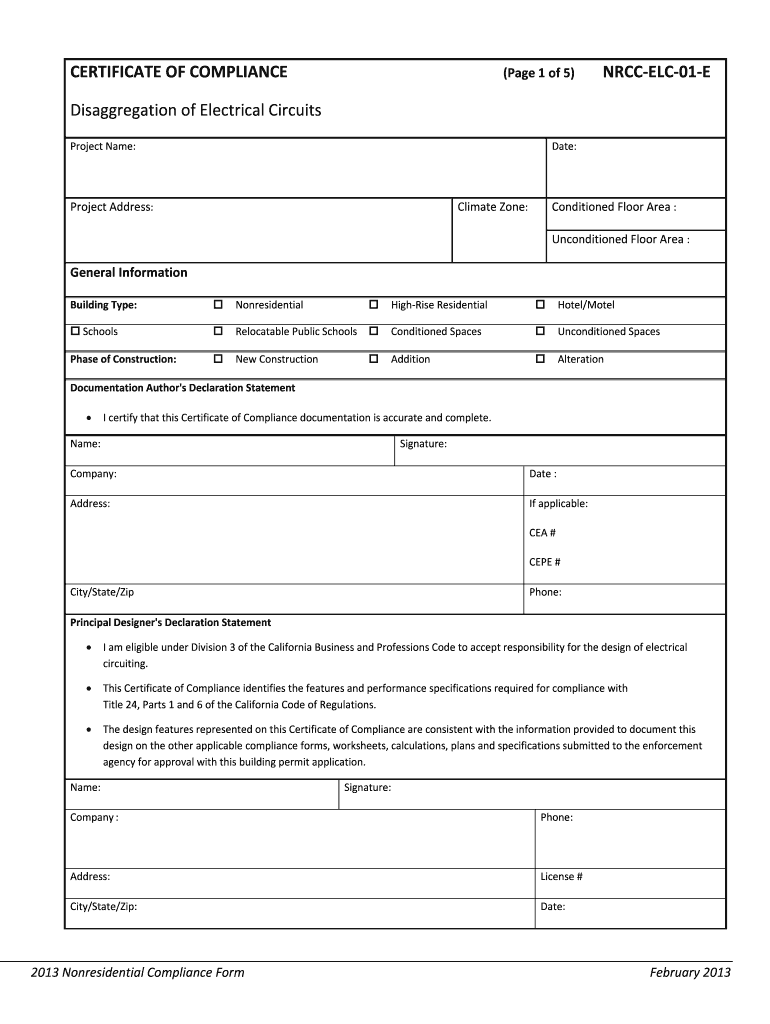
- Begin by entering the 'Project Name' and 'Date' at the top of the form. Ensure these details are accurate as they are crucial for identification.
- Fill in the 'Project Address', 'Climate Zone', 'Conditioned Floor Area', and 'Unconditioned Floor Area'. These fields provide essential context about your project.
- In the 'General Information' section, select the appropriate 'Building Type' and 'Phase of Construction'. This helps categorize your project correctly.
- Complete the 'Documentation Author's Declaration Statement' by providing your name, signature, company, and contact information. This certifies that your documentation is complete.
- Proceed to fill out sections A through D regarding electrical service metering, disaggregation of circuits, voltage drop, and circuit controls. Follow any specific instructions provided for each section.
Start using our platform today to easily fill out your elc 01 form online for free!
It's free
See more elc 01 form versions
Got questions?
How do I sign my elc 01 form without printing?
eSignatures are a perfect alternative to traditional signing, as they save time, effort, and costs people spend on printing, scanning, and paper delivery. You can electronically sign your elc 01 form utilizing a reliable and powerful online document management tool like DocHub. It complies with major eSignature regulations (ESIGN and UETA), so all forms approved there are legally binding and have the same validity as physically signed ones.
How do you fill out elc 01 form on Android?
It is a no-brainer on a computer or via a mobile device to complete a elc 01 form with DocHub. All you need to do is open any installed internet browser on your smartphone and proceed to the DocHub site. Once authenticated, add your file and open it in editing mode. Use our toolbar to make your edits and save adjustments. Optionally, keep your document in your files or send it to a recipient immediately.
What is a CF1R form?
What is NRCC ELC-E?
Security and compliance
At DocHub, your data security is our priority. We follow HIPAA, SOC2, GDPR, and other standards, so you can work on your documents with confidence.
Learn more




