
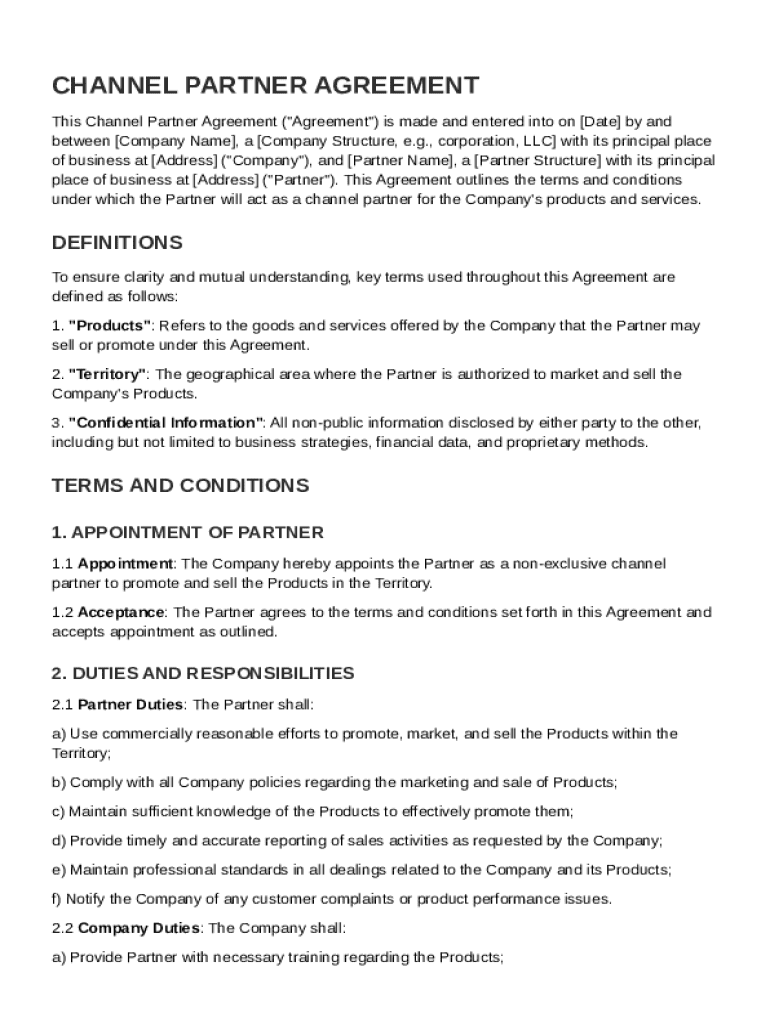







Definition and Purpose of a Channel Partner Agreement
A Channel Partner Agreement is a legal document that delineates the terms and conditions between a company and a third-party partner tasked with promoting and selling the company's products or services. Typically utilized by corporations seeking to expand their market reach, this agreement specifies roles, responsibilities, and expectations. The partnership, often defined by territory or market segment, allows for broader distribution channels. These contracts encompass various elements, such as marketing obligations, sales strategies, and compensation structures, ensuring clarity and mutual understanding between both parties.
Key Benefits and Objectives
- Expanded Market Reach: Facilitates entry into new markets with the partner's existing customer base.
- Resource Optimization: Leverages the partner’s resources, thus reducing the company’s need for heavy infrastructure investment.
- Risk Mitigation: Shares market entry risks between the involved parties.
Utilizing the Channel Partner Agreement Template
When navigating the complexities of forming a robust partnership, the Channel Partner Agreement Template acts as a vital tool. Begin by downloading the template from a reputable source such as DocHub. Review each section to align with your specific business context. Typically, these templates are customizable, allowing businesses to add, modify, or remove clauses pertinent to their operational needs. Ensure all parties comprehensively understand the document's stipulations before proceeding with signatures.
Step-by-Step Customization
- Analyze Business Needs: Determine specific business goals and how the partner will help achieve them.
- Detail Responsibilities: Clearly define marketing, sales, and support duties for both parties.
- Set Financial Terms: Establish commission rates, payment schedules, and performance incentives.
Key Elements of the Channel Partner Agreement Template
The Channel Partner Agreement Template comprises several critical sections, each serving a distinct purpose in defining the partnership framework. These elements need careful attention:
- Scope of Agreement: Determines the geographical and market segments covered.
- Responsibilities: Specifies duties for marketing, training, and customer support.
- Compensation: Details payment structures, including commission, bonuses, and incentives.
- Confidentiality: Protects proprietary information shared between parties.
- Termination Clause: Outlines conditions under which the agreement can be dissolved.
Practical Scenarios and Potential Variations
- Exclusive vs. Non-Exclusive Rights: Decide if the partner will be the sole distributor within a region.
- Performance Metrics: Set clear performance targets for evaluating partner success.
Legal Use of the Channel Partner Agreement Template
Ensuring the Channel Partner Agreement complies with legal standards is paramount. Adhering to U.S. laws such as the Uniform Commercial Code (UCC) guarantees enforceability.
Legal Considerations and Compliance
- Intellectual Property: Clearly specify the ownership and licensing of technology or trademarks involved.
- Governing Law: Designate the jurisdiction under which any disputes will be resolved.
- Amendment Procedure: Provide a structured process for modifying the agreement as business needs evolve.
State-Specific Rules for Channel Partner Agreements
While the fundamental structure of a Channel Partner Agreement remains constant, certain states may impose unique regulations. Ensuring compliance across multiple jurisdictions requires careful attention to local laws, particularly concerning sales and distribution rights or exclusivity clauses.
Navigating State Regulations
- California: Regulations might include additional consumer protection clauses.
- Texas: Particular tax implications could affect financial sections of the agreement.
Examples of Using the Channel Partner Agreement Template
To illustrate the practical application of the Channel Partner Agreement, consider scenarios such as a tech company entering the healthcare sector with the aid of a seasoned distributor or a consumer goods firm aligning with a retailer to boost product visibility.
Real-World Applications
- Technology Sector: Utilize the partner’s expertise to navigate regulated markets.
- Consumer Goods: Benefit from established retail networks for fast market penetration.
Penalties for Non-Compliance
Failing to adhere to the stipulations of a Channel Partner Agreement can lead to serious consequences, including legal disputes or financial penalties.
Common Penalties
- Breach of Contract: Could result in court action and monetary damages.
- Loss of Partnership: Termination of agreement due to underperformance or non-compliance.
Digital vs. Paper Version
While traditional paper agreements still hold validity, the digital version of a Channel Partner Agreement provides numerous advantages, including ease of distribution, enhanced security, and streamlined collaboration features available through platforms like DocHub.
Benefits of Digitization
- Ease of Access: Instant access from any device.
- Security: Employs encryption to preserve document confidentiality.
- Efficiency: Facilitates electronic signatures, reducing time and removing the need for physical copies.




