




Here's how it works

01. Edit your form online
Type text, add images, blackout confidential details, add comments, highlights and more.

02. Sign it in a few clicks
Draw your signature, type it, upload its image, or use your mobile device as a signature pad.

03. Share your form with others
Send it via email, link, or fax. You can also download it, export it or print it out.
How to Use or Fill Out Waiver with Our Platform

- Click ‘Get Form’ to open the waiver in our editor.
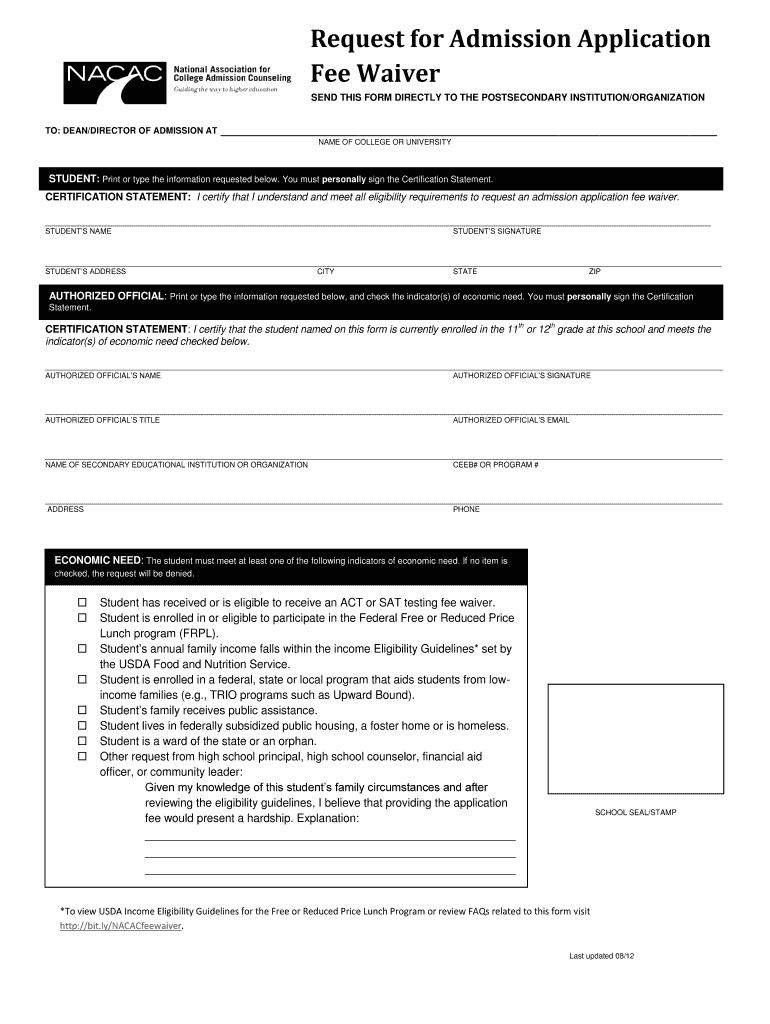
- Begin by entering your personal information in the designated fields. This includes your name, address, city, state, and zip code. Ensure accuracy as this information is crucial for processing your request.
- Sign the Certification Statement confirming that you meet all eligibility requirements for the fee waiver. Your signature is essential for validation.
- Next, the authorized official must fill out their details. This includes their name, title, email, and signature. They must also confirm that you are enrolled in the appropriate grade and check any applicable indicators of economic need.
- Review the economic need section carefully. Check at least one indicator that applies to your situation to ensure your request is considered.
- Finally, ensure that the school seal or stamp is affixed before submitting the form directly to the postsecondary institution.
Start filling out your waiver today using our platform for free!
Fill out waiver online
It's free
It's free
Security and compliance
At DocHub, your data security is our priority. We follow HIPAA, SOC2, GDPR, and other standards, so you can work on your documents with confidence.
Learn more




