Hierarchy The Pyramid Title - Student Handouts 2026

Get Form
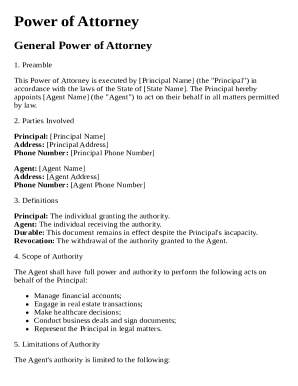
Hierarchy The Pyramid Title - Student Handouts Preview on Page 1

Here's how it works

01. Edit your form online
Type text, add images, blackout confidential details, add comments, highlights and more.

02. Sign it in a few clicks
Draw your signature, type it, upload its image, or use your mobile device as a signature pad.

03. Share your form with others
Send it via email, link, or fax. You can also download it, export it or print it out.

Definition & Meaning

The "Hierarchy The Pyramid Title - Student Handouts" form is designed to facilitate students' understanding of hierarchical organizational structures, often represented through a pyramid model. This educational tool helps break down complex hierarchies into manageable segments, allowing students to visualize different levels of authority or organizational layers.

Importance of Hierarchical Models

Hierarchical models like the pyramid are crucial in education for illustrating how authority and responsibilities are allocated within organizations. They serve as visual aids to help students grasp abstract concepts related to hierarchy and organizational structure.

Key Elements of the Hierarchy The Pyramid Title - Student Handouts

The student handouts contain specific sections that guide learners through the concept of hierarchy. Key elements typically include:

  • Title Section: Area for students to input the title of their work or project.
  • Name and Date Fields: Spaces for students to write their name and the date of submission.
  • Pyramid Diagram: An illustrative representation of the hierarchical structure being studied.
  • Explanation Boxes: Areas provided for students to describe each level of the hierarchy.
  • Reflection Section: A section dedicated to personal insights or analysis on the hierarchical structure.

How to Use the Hierarchy The Pyramid Title - Student Handouts

Students should start by examining the pyramid diagram to understand the structure and levels it represents.

  1. Fill Out Personal Information: Begin by entering the necessary personal details like the name, date, and class.
  2. Analyze Each Level: Review each level of the hierarchy and annotate with relevant descriptions or responsibilities associated with that tier.
  3. Use Explanation Boxes: Populate these boxes with detailed insights into the roles or functions at each level.
  4. Reflect: Use the reflection section to summarize key learnings or to present questions for further discussion.

Steps to Complete the Hierarchy The Pyramid Title - Student Handouts

  1. Read Instructions Thoroughly: Understand what each part of the handout requires before filling it out.
  2. Study the Pyramid Diagram: Grasp the hierarchical levels and what they represent.
  3. Complete the Text Sections: Enter all required personal and project-related information.
  4. Annotate the Diagram: Use notes to detail roles and interrelationships.
  5. Reflect on Content: Write a few paragraphs evaluating or questioning the structure's efficacy.

Examples of Using the Hierarchy The Pyramid Title - Student Handouts

In a classroom setting, these handouts can be used to:

  • Illustrate corporate hierarchies in a business studies class.
  • Analyze historical figures and their influence in a history lesson using hierarchical models.
  • Understand food webs in biology by adapting the pyramid model to ecological hierarchies.

Who Typically Uses the Hierarchy The Pyramid Title - Student Handouts

Primarily, the form is utilized by students from middle school to college level. It’s a resource in subjects like business, history, sociology, and even biology, where visualization of hierarchies offers clarity to complex structures.


decoration image ratings of Dochub

Legal Use of the Hierarchy The Pyramid Title - Student Handouts

The handout serves solely educational purposes. Its legal use is bound within the academic context, where it aids in teaching students about hierarchical structures in a manner consistent with curricular aims. There are no extensive legal obligations associated with its use, making it safe and straightforward for educational facilities to implement.

Digital vs. Paper Version

The "Hierarchy The Pyramid Title - Student Handouts" can be used both digitally and in paper form.

Digital version advantages:

  • Flexibility: Easy to update or alter.
  • Accessibility: Can be accessed from anywhere and is environmentally friendly.

Paper version benefits:

  • Tangibility: Allows for hands-on use which some students may find beneficial.
  • No tech required: Useful in environments with limited digital access.

Considerations:

While both formats are effective, choosing one depends on the availability of resources and the learning preferences of the class or institution.

be ready to get more

Complete this form in 5 minutes or less

Get form

Got questions?

We have answers to the most popular questions from our customers. If you can't find an answer to your question, please contact us.
Contact us
Types of graphic organizers Mind Maps. Mind Maps are defined by their radial structure, emanating from a central idea. Concept Maps. Concept Maps are similar to mind maps but with a focus on cross-links between different concepts. Spider Diagrams. Bubble Maps. Venn Diagrams. Organizational Charts. Flowcharts.
A form of graphic organizer, the story pyramid has eight lines that represent different aspects of a story. The pyramid includes the main character and traits, setting, conflict, key events, and resolution.
Definition: What Are Pyramid Charts A pyramid chart shows data in layers. Each layer sits on the one below it. The shape gets smaller as you move up. This makes it easy to compare parts of a whole. The widest part at the base shows the biggest group.
A pyramid chart displays the hierarchical structure and quantity of data in each segment of the pyramid. The height of each segment, and not its width, is docHub. You can specify the chart type and subtype for a report definition report by using the Chart Editor.
How to create your own pyramid chart template Step 1: Decide on a topic for your pyramid diagram. Step 2: Pick your stages. Step 3: Place the stages in order. Step 4: Label and color-code the stages. Step 5: Add any additional elements necessary to understand the chart. Step 6: Share your pyramid diagram with your team.

Security and compliance

At DocHub, your data security is our priority. We follow HIPAA, SOC2, GDPR, and other standards, so you can work on your documents with confidence.
Learn more
ccpa2
pci-dss
gdpr-compliance
hipaa
soc-compliance
be ready to get more

Complete this form in 5 minutes or less

Get form

People also ask

A topic is placed in each section of the pyramid chart. The width of each section shows the level of hierarchy among the topics. For example the wider more lower sections might include more general topics. As we keep moving upwards the topics become more and more specific.
Just cut a cube in half and make a circle on the diagonal face with the same radius as the length of the sides. Then draw a senter line and the intersection will be the true height of the pyramid. You can then cut the line at the point and project it to two of the sides to make two triangles you can extrude/subtract.

Related links