




Here's how it works



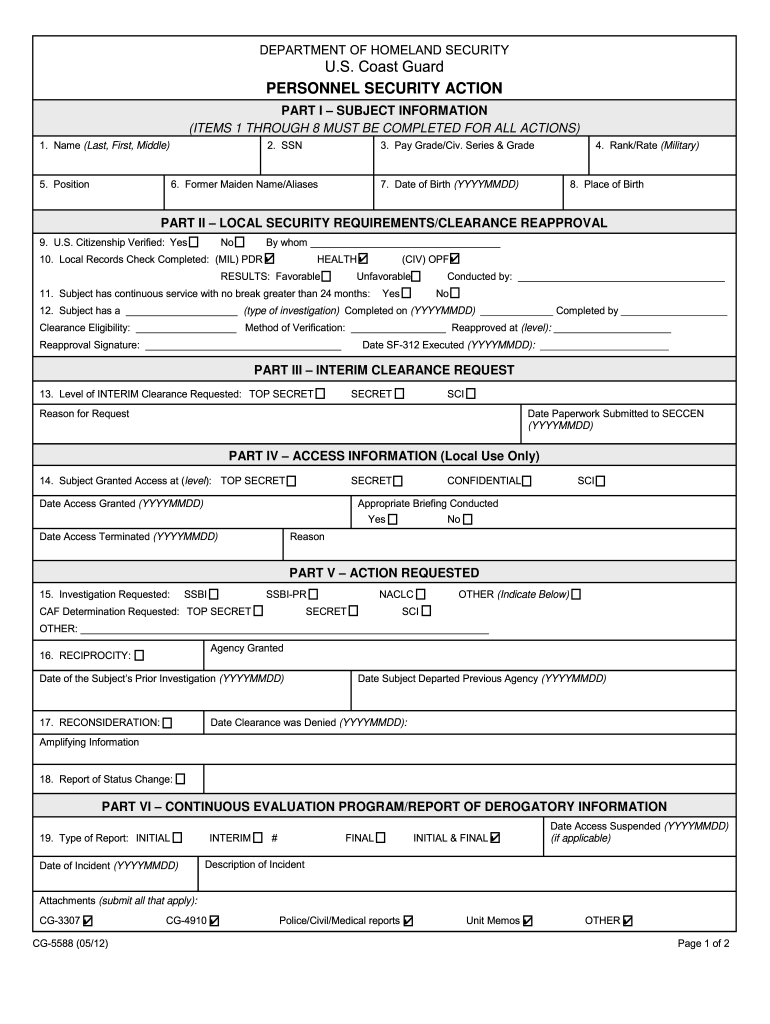
How to use or fill out CG5588.PDF Personnel Security Action - uscg

- Click ‘Get Form’ to open it in the editor.
- Begin with Part I – Subject Information. Fill in your name, SSN, pay grade, and military rank as required. Ensure accuracy for proper identification.
- Proceed to Part II – Local Security Requirements. Verify U.S. citizenship and complete local records checks, indicating favorable or unfavorable results.
- In Part III, specify the level of interim clearance requested and provide the reason for this request along with submission dates.
- Continue to Parts IV and V to detail access information and any investigations requested. Be thorough in documenting all necessary details.
- Complete the remaining sections, ensuring all fields are filled accurately. Use the remarks section for any additional information that may be relevant.
Start using our platform today to streamline your form completion process for free!
It's free
See more CG5588.PDF. Personnel Security Action - uscg versions
Got questions?
Can I sign my coast guard auxiliary security clearance with my mobile phone?
Sure, it is possible with DocHub. This safe and compliant online solution features a phone-based signing option. After you log in to your DocHub account and import your coast guard auxiliary security clearance to our editor, complete all blank fields and utilize the Sign tool on the top barf. Click on Create your signature and select Phone from the available choices. Here, you scan a QR code using your smartphone and draw your signature on your phone screen, as you usually do when approving hard copies. If you access DocHub right from your mobile device, you can eSign your form by drawing your electronic signature, adding its image, or simply with a typed name.
How do you fill out CG5588.PDF. Personnel Security Action - uscg online?
You may find and modify your CG5588.PDF. Personnel Security Action - uscg online with the help of DocHub. Its straightforward but feature-rich design enables you to start productive work immediately after you register your account. Create your profile and add your file, then our interface will guide you through our stress-free form completion experience.
Security and compliance
At DocHub, your data security is our priority. We follow HIPAA, SOC2, GDPR, and other standards, so you can work on your documents with confidence.
Learn more




