Definition and Meaning of "Form Online"
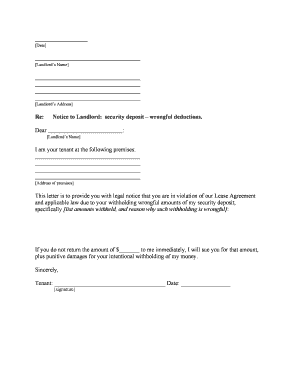
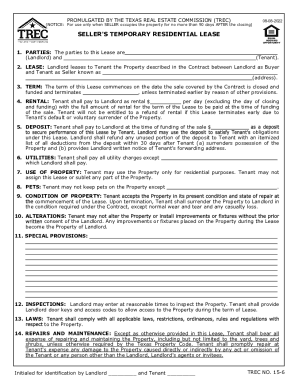
"Form Online" refers to the capability of accessing, filling out, and submitting various forms electronically over the internet, with the aim to simplify and streamline document management processes. This approach eliminates the need for physical paperwork, allowing individuals and businesses to manage forms more efficiently. By using online tools, users can edit, sign, and send forms digitally, ensuring a quicker, more accessible service without compromising on security or compliance.
How to Use the Form Online
Using a form online involves several straightforward steps. First, access the platform hosting the form, such as DocHub, which offers an intuitive interface compatible with a range of file formats. Next, upload the required document from your computer or cloud storage services like Google Drive or Dropbox. After opening the form, use the platform’s editing tools to fill out the necessary information. Tools may include text fields, dropdown menus, or checkboxes that ensure data is collected in a uniform and precise manner. Once the form is completed, you can sign it electronically using various signature options offered. Finally, the finished form can be shared or submitted directly through the same platform, often with the capability to track its status.
Steps to Complete the Form Online
-
Access the Form: Locate the form you need on a trusted online platform.
-
Download or Fill Directly: Depending on the platform, you can either fill out the form directly online or download it first.
-
Input Information: Use appropriate fields to enter personal or required data. Be sure to double-check information for accuracy.
-
Add Signatures if Required: Apply electronic signatures using provided tools. This may involve drawing your signature, uploading an image, or typing it in.
-
Review Entries: Before submission, review all entries to ensure completeness and correctness.
-
Submit or Save: Submit the form online directly through the platform, or save a copy for your records or later submission. Some platforms also offer options to export directly to services like Google Drive.
Why Should You Use Form Online
Using forms online offers numerous advantages, primarily in terms of convenience and efficiency. Online forms reduce the time and resources spent on manual paperwork, eliminating the need for printing, scanning, or mailing documents. They also provide greater flexibility, as users can fill and submit forms from any location with internet access. The electronic method also ensures a higher level of data security, with options for password protection and encryption. Moreover, editing and updating forms is simpler, fostering collaboration and real-time synchronization among users, which is particularly beneficial in business and legal settings.
Key Elements of the Form Online
When dealing with forms online, there are several critical components to consider:
- Interactive Fields: Forms typically include various fillable fields, such as text boxes, drop-down lists, and check boxes, each of which should be used to capture specific types of data.
- Signature Fields: For legal and compliance reasons, electronic signature fields that support multiple signing methods are essential.
- Guidelines and Instructions: Accompanying instructions or help sections provide context or clarification on completing the form.
- Security Features: Encryption and authentication protocols to protect personal information and ensure only authorized individuals can access or edit the forms.
Legal Use of the Form Online
Using forms online can be perfectly legal, provided they comply with relevant legal standards such as the ESIGN Act in the United States, which ensures that electronic signatures on contracts and forms are as legally binding as their handwritten counterparts. Compliance requires that all parties consent to receive electronic documentation and that any signatures are verifiable. Many online platforms, including DocHub, follow such regulations to ensure their services meet legal requirements, offering audit trails and secure transmission options to uphold the integrity and legality of online forms.
Examples of Using the Form Online
Forms online are used across various industries and for numerous purposes. Legal professionals might use them for submitting court forms or contracts, while businesses could use them for employment applications, surveys, or order forms. Another practical example includes educational institutions that may use online forms for enrollment or consent forms, easing administrative tasks and improving access for students and parents.
Important Terms Related to Form Online
There are several key terms associated with forms online:
- E-signature: An electronic method for signing documents.
- Interactive Fields: Fillable areas that guide users in providing specific information.
- OAuth 2.0: An authentication protocol used for secure access to user data.
- SSL Encryption: Security measure for protecting data during online transactions.
- Audit Trail: A record of actions and changes made to a document, useful for verifying authenticity and compliance.
State-Specific Rules for Form Online
Online forms must sometimes comply with state-specific regulations, particularly when involved in legal or government-related processes. Different states may have varying requirements for form content, submission protocols, and accepted identification or verification methods. For instance, some states might mandate that forms are notarized digitally or require additional verifications for asset transfers. Therefore, understanding and adhering to local laws and guidelines is crucial when handling forms that pertain to state-specific matters.