Definition and Meaning of "Form Online"
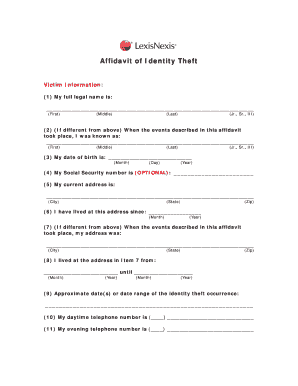
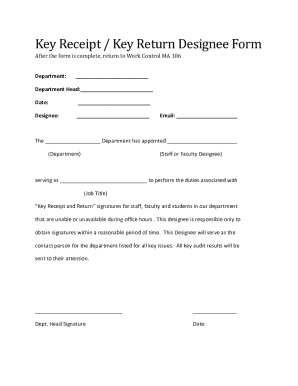
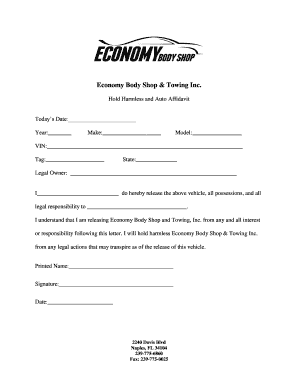
An "online form" refers to digital documents that can be completed and submitted via the internet. These forms replace traditional paper forms, offering a convenient, efficient, and environmentally friendly alternative. They are often used for various purposes, such as applications, registrations, surveys, and feedback collection. Online forms typically include interactive fields that users fill out using a computer, tablet, or smartphone. The collected data can be stored automatically in databases for easy access and analysis.
How to Use the Form Online
Using an online form involves several straightforward steps that utilize various tools and features designed for user efficiency:
-
Accessing the Form: Online forms can be accessed through a web link that redirects to the document on a website. Depending on the form's purpose, it might be found on government, corporate, or educational websites.
-
Filling Out the Form: Users can input their information directly into designated fields such as text boxes, checkboxes, and dropdown menus. Many platforms provide auto-save features to prevent data loss.
-
Review and Submission: Before submission, users should review their responses for accuracy. Once verified, the form can be submitted by clicking a "Submit" button, often receiving an on-screen confirmation or email acknowledgment.
-
Creating Personal Copies: Users can frequently download or print a copy of the completed form for their records. This ensures they have a personal archive outside the digital space where the form was filed.
Steps to Complete the Form Online
Completing an online form involves a specific sequence of steps to ensure thoroughness and accuracy:
-
Read Instructions Carefully: Begin by reading any instructions or guidelines provided at the top of the form; this ensures a clear understanding of expectations.
-
Gather Necessary Information: Have all required information and documents at hand before starting to fill out the form. This might include personal identification, financial details, or other relevant data.
-
Fill Out Required Fields: Enter information into all mandatory fields, usually marked with an asterisk (*). Pay attention to character limits or format requirements, such as dates or social security numbers.
-
Check for Errors: Review each entry for typos or errors. This step is critical for ensuring accurate information submission, which could impact form processing outcomes.
-
Attach Supporting Documents: When applicable, upload any documents or images needed to support your submission. Ensure files are in accepted formats and do not exceed size limits.
-
Submit and Confirm: Once the form is complete, proceed to submit it. Look out for a confirmation email or message indicating the successful receipt of your form.
Key Elements of Online Forms
Online forms contain several important elements designed to maximize functionality and ease of use:
-
Interactive Fields: Includes text boxes, checkboxes, radio buttons, and dropdowns which allow users to provide structured responses.
-
Validation Features: Ensures that the data entered meets the required format and conditions, minimizing input error and enhancing data integrity.
-
Conditional Logic: Displays or hides fields based on previous answers, which makes forms shorter and increases relevancy to the respondent.
-
Security Measures: Employs encryption and other security features to protect the sensitive information submitted through online forms.
Software Compatibility with Online Forms
Online forms benefit from compatibility with various software, enhancing their interactivity and user experience:
-
PDF Software: Many forms are presented in a PDF format, using software like Adobe Acrobat to facilitate complex fields and digital signatures.
-
Spreadsheet Programs: Data collected from online forms can be integrated into spreadsheet software such as Microsoft Excel or Google Sheets for analysis.
-
Project Management Tools: Forms may connect with tools like Asana or Trello for task assignments and tracking work progress in team settings.
-
CRM Software: Customer Relationship Management platforms often incorporate online forms to gather client data efficiently and add entries to customer databases automatically.
Legal Use of Online Forms
Online forms fulfill crucial legal functions in various sectors, serving as binding documents in compliance with specific standards:
-
Electronic Signatures: Legally binding e-signatures can be incorporated into forms, meeting the requirements set by laws such as the ESIGN Act.
-
Compliance and Regulations: Many forms ensure compliance with sector-specific regulations, such as the Health Insurance Portability and Accountability Act (HIPAA) in healthcare.
-
Audit Trails: Systems often include audit logs that document every modification to the form, including timestamps and the identity of the editor, providing a secure trace of document handling.
Who Typically Uses Forms Online
Online forms are versatile tools utilized by a diverse range of entities:
-
Businesses: Companies use online forms for employee onboarding, customer feedback, and transaction processing.
-
Educational Institutions: Schools and universities use online forms for student admissions, course registrations, and feedback surveys.
-
Government Agencies: Administrative forms facilitate processes such as tax filing, license renewals, and benefit applications.
-
Non-Profit Organizations: These groups employ forms for volunteer registrations, fundraising activities, and event RSVPs.
Advantages of Using Forms Online
Why organizations and individuals might prefer online forms over traditional paper methods:
-
Efficiency: Streamlines data collection allowing for faster processing and response times.
-
Accessibility: Available anywhere with an internet connection, which broadens reach and convenience.
-
Eco-friendly: Reduces paper use, contributing to sustainability and cost savings on physical materials.
-
Real-time Data: Enables immediate collection and analysis of responses, aiding in timely decision-making.
By leveraging these attendant benefits, users can achieve faster, more reliable processes that align with contemporary digital practices.