01. Edit your form online
Type text, add images, blackout confidential details, add comments, highlights and more.

Type text, add images, blackout confidential details, add comments, highlights and more.

Draw your signature, type it, upload its image, or use your mobile device as a signature pad.

Send it via email, link, or fax. You can also download it, export it or print it out.
Online forms are digital versions of traditional paper forms, allowing users to fill out, submit, and manage documents electronically. These forms are often used for a variety of purposes, such as applications, registrations, surveys, or any other data collection processes. By being accessible through the internet, online forms offer convenience and flexibility to users who can complete them from anywhere without the need for physical paperwork. This not only streamlines the process but also significantly reduces the time and resources needed to manage the information collected.
To use a form online, you generally need access to the internet and a compatible device, such as a computer, tablet, or smartphone. Depending on the platform or service offering the form, you may follow these steps:
Locate the Form: Begin by finding the website or portal where the form is hosted. This could be a government agency's website, a company's portal, or a dedicated form service like DocHub.
Access the Form: Click the specific link or button that directs you to the form. You may need to register or sign in if account access is required.
Fill Out the Form: Complete the fields as required. Enter your information accurately to avoid errors. Some forms may provide drop-down menus, checkboxes, or radio buttons for easier input.
Review Information: Before submission, carefully review the details you’ve entered to ensure accuracy and completeness.
Submit the Form: Once satisfied, click the submit button. Some forms may provide an option to save a draft for later completion.
Receive Confirmation: After submission, look for a confirmation notification, email, or reference number for your records.
The process to obtain an online form usually involves these steps:
Identify the Provider: Determine who offers the form. This could be a government agency, a business, or an educational institution.
Visit the Provider’s Website: Use a search engine or directly enter the known URL to navigate to the official website.
Search for the Form: Use the site’s search function or navigate through menus to locate the form you need.
Download Option: Some forms may also allow for offline access. Check if there is a download option if you prefer to fill it out without an internet connection initially.
Filling out an online form can often involve multiple steps depending on its complexity. Here’s a generalized sequence:
Preparation: Gather any necessary information or documents you’ll need to complete the form. This might include personal identification numbers, financial data, or previous records.
Accessing the Form: Log in or create an account if required. Open the form and begin by reading all instructions carefully.
Filling Out Sections: Enter your data in each section or field as required. Use the form’s guides for format or length restrictions.
Attachments (if applicable): Upload scanned copies or images of any documents that may be required with your submission.
Verification: Use any included functionality to check for errors or missing information.
Final Review and Submission: Once reviewed, submit the form. You may be able to print or save a copy of your completed form for your records.
A wide array of individuals and entities use online forms for various purposes. The typical users include:


Understanding specific terms can aid in successfully completing an online form:
The main components of an online form usually include:
Online forms must comply with legal standards to ensure validity and enforceability, particularly regarding data protection and electronic signatures:
Understanding these aspects ensures that the use of online forms is consistent with legal requirements and standards, providing reassurance to both the issuer and the user.
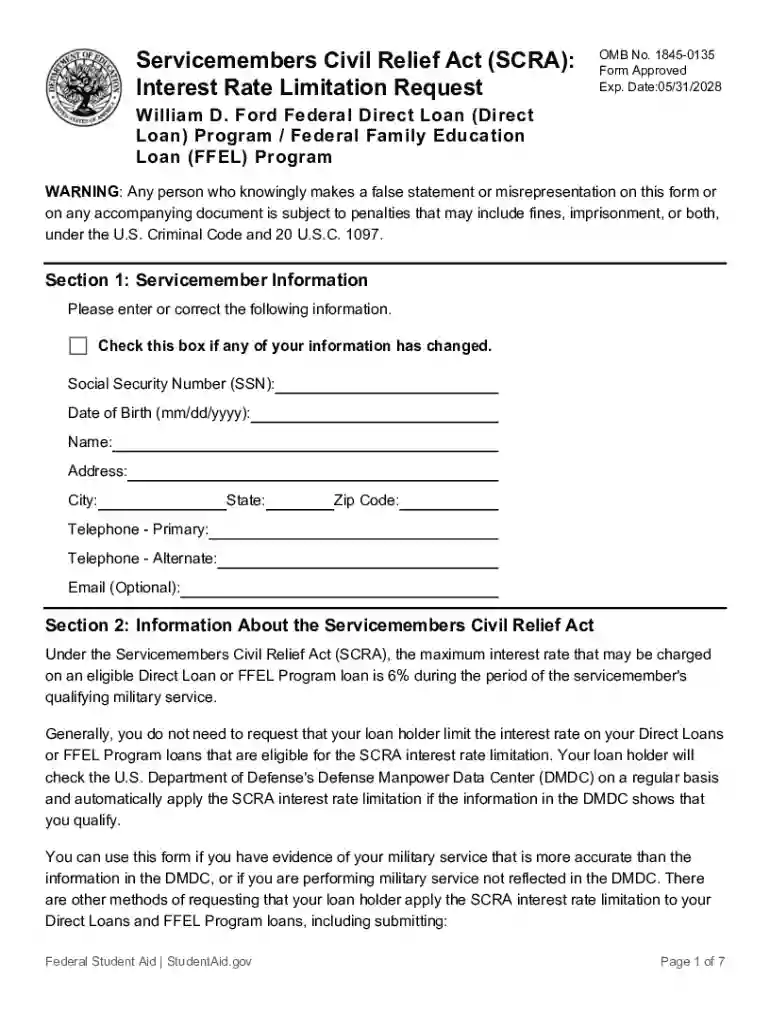
We've got more versions of the Servicemembers Civil Relief Act (SCRA) Interest Rate Limitation Request form. Select the right Servicemembers Civil Relief Act (SCRA) Interest Rate Limitation Request version from the list and start editing it straight away!
At DocHub, your data security is our priority. We follow HIPAA, SOC2, GDPR, and other standards, so you can work on your documents with confidence.