
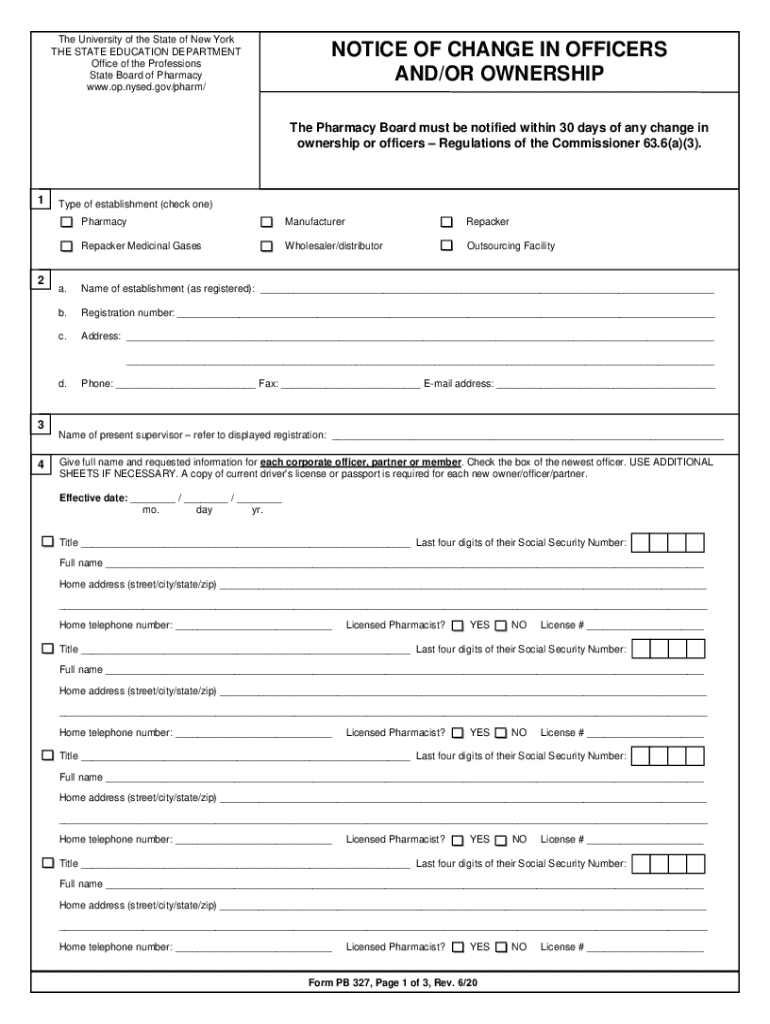







Comprehensive Overview of Online Forms
Understanding Online Forms
Online forms are digital versions of traditional paper forms, designed to collect and process users' information over the internet. These forms can range from simple contact forms to complex applications and tax documents. Leveraging the power of online forms streamlines the data collection process and enhances efficiency. Typically, they allow real-time submissions and automated data processing, minimizing errors that occur in manual data entry.
How to Use Forms Online
Using forms online begins with accessing the particular form from a service provider or government website. Once there, users can either download the form or fill it out directly on the platform. For interactive forms like those provided by DocHub, users can add text, images, and signatures digitally. This process often involves validating all entered information, ensuring everything is complete before submitting.
How to Obtain Forms Online
To obtain forms online, users need a reliable internet connection to download or access them from the official websites of the organization issuing the forms. Often, forms can be found under specific sections such as ‘Forms & Resources’ or ‘Downloads’. If using a service like DocHub, forms might also be accessible through integration with platforms such as Google Drive or Dropbox, streamlining the way documents are managed and edited.
Step-by-Step Guide to Completing Forms Online
- Locate the correct online form on the respective website.
- Download or access the form in an online editor.
- Begin by filling in personal information, ensuring accuracy.
- Utilize interactive features to add additional data or files if necessary.
- Review the completed form for any missing information or errors.
- Submit the form through the designated online submission process.
Importance of Using Forms Online
Using forms online brings significant advantages such as increased time-efficiency, reduced paper waste, and easier data management. They provide users with the ability to access and complete necessary paperwork from anywhere, at any time, eliminating the constraints of physical document handling. This flexibility is crucial for timely submissions and improved workflow in both personal and professional contexts.
Typical Users of Online Forms
A diverse range of individuals and organizations rely on online forms. These include students filling out college applications, businesses generating contracts, government agencies collecting census data, and individuals submitting tax documents. The accessibility and convenience they offer make them a preferred choice for users needing quick and organized data handling.
Key Elements of an Online Form
- Input Fields: Essential for users to enter information.
- Interactive Sections: Features like drop-down menus and checkboxes improve usability.
- Submission Button: Finalizes the process, sending data to the intended recipient.
- Validation Checks: Ensure all required fields are completed accurately.
- Sections for Attachments: Provide space for uploading necessary documents.
Legal Use of Online Forms
Online forms, especially those related to legal and governmental procedures, must comply with relevant laws and standards like the ESIGN Act. This ensures that electronic signatures are legally recognized, and data is securely handled. Users need to be aware of the legal weight an online form carries, ensuring all information is accurate and truthful to avoid legal repercussions.
Examples and Use Cases of Using Forms Online
An example of a practical use case is in the context of a business applying for a loan. The company can fill out the necessary application form online, attaching financial statements and other required documents directly through the service provider's platform. Similarly, students applying for financial aid can submit applications and necessary documents electronically, tracking the process through online portals.
Key Considerations for Effective Online Form Usage
- Accuracy: Double-check all information before submission.
- Security: Use only secure platforms, especially when dealing with sensitive data.
- Compatibility: Ensure the form can be accessed and edited using the technology and software available.
- Compliance: Adhere to legal standards relevant to the form’s jurisdiction.
- Efficiency: Utilize services that offer easy form management and submission tracking.
Integration and Software Compatibility
Effective online forms often integrate seamlessly with various software solutions like DocHub, enhancing functionality and ease of use. Platforms like TurboTax for tax filings or Google Workspace for general document handling exemplify how software compatibility can enhance the user experience by providing direct links to data storage and retrieval, making the form completion process more efficient and less prone to errors.
Digital Forms vs. Paper Forms
Digital forms surpass traditional paper forms in reliability and speed. They eliminate the need for physical filing and allow instant editing and resubmission if errors occur. Additionally, they support multimedia elements, providing a richer data-collection canvas. However, for those without easy internet access, paper forms still hold practical value and are necessary in regions with limited technological infrastructure.
Important Terms Related to Online Forms
- Validation: The process of ensuring data entered is correct and complete.
- Field: A section of a form where users input specific information.
- Dropdown Menu: An element allowing users to select from pre-defined options.
- SSL Encryption: A security protocol ensuring data transmitted is secure.
- OAuth 2.0: An authorization framework ensuring secure access to user information.
Penalties for Non-Compliance with Online Form Requirements
Penalties for failing to comply with form submission requirements can be severe, involving fines or legal action, particularly for tax or legal document submissions. Organizations and individuals must adhere to deadlines and ensure complete and accurate information to avoid such repercussions.
By understanding and applying these principles, using forms online can become a streamlined and effective task, enhancing personal and organizational data management and submission processes.




