01. Edit your form online
Type text, add images, blackout confidential details, add comments, highlights and more.

Type text, add images, blackout confidential details, add comments, highlights and more.

Draw your signature, type it, upload its image, or use your mobile device as a signature pad.

Send it via email, link, or fax. You can also download it, export it or print it out.
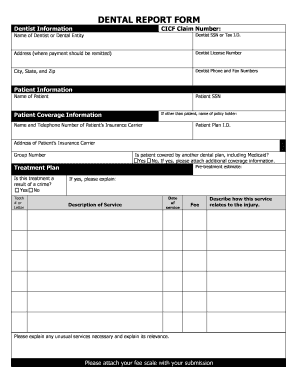
The "YOUTH SERVICES Lost Tool Report BCCY SCY SCYC - ojj la" is a specialized form used primarily by youth services organizations to meticulously report and document any instances of lost or missing tools. It serves as a structured record that helps track the accountability and recovery efforts related to these tools. The form is comprehensive, encompassing critical elements such as tool descriptions, inventory numbers, the time last accounted for, and measures taken for recovery. This detailed approach assists in maintaining an organized system for the assessment and prevention of future tool losses within youth services programs.
The description section of the form requires the entry of precise details about the tool, including the make, model, and any unique identifiers. Incorporating the inventory number here is crucial for effective tracking within organizational databases, facilitating quick location in official records.
An important aspect of the report is indicating the last time the tool was accounted for. This timestamp helps in narrowing down the window within which the tool may have been lost, enabling targeted search efforts and investigation if required. It also supports the analysis of usage patterns that may help prevent future losses.
Completing the "YOUTH SERVICES Lost Tool Report BCCY SCY SCYC - ojj la" involves several methodical steps to ensure all necessary information is accurately captured.
Start with Tool Details: Begin by filling in detailed descriptions of the lost tool, including make, model, and serial or inventory numbers. This foundational information facilitates effective tracking and recovery.
Record Last Known Usage: Document the last known time and place the tool was used or seen. This step aids in pinpointing potential locations for recovery efforts.
Provide Accountability Record: Note who was responsible for the tool when last accounted for. This detail is important for understanding responsibility and preventing future occurrences.
Outline Recovery Efforts: Describe any steps already taken to locate or recover the tool, such as searches or inquiries made. This section helps in organizing continued efforts effectively.
Actions Against Responsible Person: If applicable, mention any actions taken against the individual responsible at the time the tool went missing. This could include disciplinary measures or procedural updates to prevent recurrence.
Report Recovery, If Available: If the tool is recovered after the report's initiation, update the form with recovery details. This ensures that records remain accurate and up-to-date.
The primary users of this report include staff, administrators, and managers within youth services organizations. They utilize the form to maintain order and accountability related to tool management. The form is also frequently used by inventory control teams to log incidences of lost tools and assess patterns leading to such losses. Additionally, those responsible for safety and compliance within the organization may refer to these reports to ensure that preventative measures are in place.


Several crucial elements make this report effective for tracking and managing lost tools.
This form also emphasizes documenting recovery if a tool is found after initial reporting. The inclusion of such information is necessary for maintaining updated records and ensuring transparency in the process.
The primary purpose of this form is to maintain an organized record-keeping system that enhances accountability and aids in the efficient recovery of lost tools, ultimately improving operational efficiency within youth services organizations. Consistent use of the form allows the organization to build a data-driven approach to manage resources effectively, reducing incidents of loss and improving overall resource management.
In addition to operational benefits, this form serves as an official record that can be of significant legal importance. It provides documented evidence of efforts and responsibility in cases where tool loss may lead to legal implications or insurance claims. Maintaining accurate records through this form helps in demonstrating due diligence and mitigating risks associated with tool loss.
Understanding specific terminology associated with the form is crucial for correct and efficient completion.
We've got more versions of the YOUTH SERVICES Lost Tool Report BCCY SCY SCYC - ojj la form. Select the right YOUTH SERVICES Lost Tool Report BCCY SCY SCYC - ojj la version from the list and start editing it straight away!
| Versions | Form popularity | Fillable & printable |
|---|---|---|
| 2015 | 4.8 Satisfied (82 Votes) |
At DocHub, your data security is our priority. We follow HIPAA, SOC2, GDPR, and other standards, so you can work on your documents with confidence.