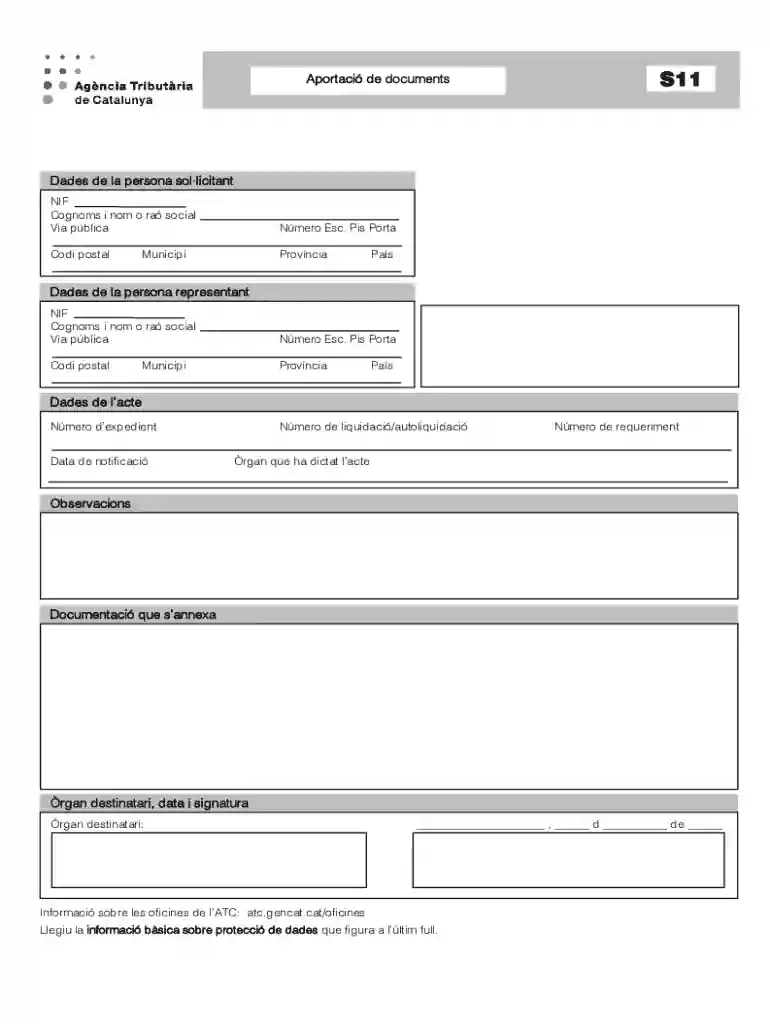
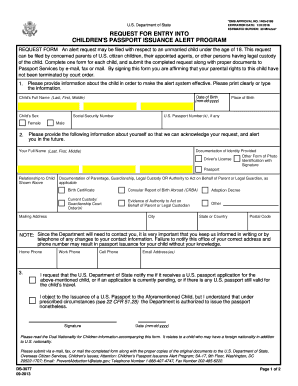
Aportaci De Documents 2026

Get Form
Aportaci De Documents Preview on Page 1

Here's how it works

01. Edit your form online
Type text, add images, blackout confidential details, add comments, highlights and more.

02. Sign it in a few clicks
Draw your signature, type it, upload its image, or use your mobile device as a signature pad.

03. Share your form with others
Send it via email, link, or fax. You can also download it, export it or print it out.

Definition and Meaning of Aportaci De Documents

The phrase "Aportaci De Documents" generally refers to the process of submitting or contributing documents for a specific purpose. This term is often used in legal or administrative contexts where individuals or entities are required to provide documentation to authorities or organizations. In the context of digital platforms like DocHub, it implies the ease with which users can upload, modify, and share important documents in a secure and efficient manner.

Practical Scenarios

  • Legal Submissions: Often used when clients need to provide necessary documents to their attorneys for case preparation or legal advice.
  • Administrative Requirements: Common in situations where individuals must submit documents as part of compliance or regulatory processes.

How to Use the Aportaci De Documents

Interacting with the Aportaci De Documents function in DocHub is straightforward and user-friendly. The system is designed to accommodate various types of documents, ensuring flexibility and accessibility for different user needs.

Step-by-Step Process

  1. Upload Documents: Users can upload files directly from their devices or cloud storage.
  2. Edit and Annotate: Use DocHub's tools to edit the content, annotate sections, or add signatures.
  3. Collaborate: Share with other users by setting permissions for editing or viewing.
  4. Final Submission: Once finalized, documents can be downloaded or sent electronically.

User-Friendly Integration

The platform supports drag-and-drop functionality, making it easy to quickly upload multiple files. This feature is particularly beneficial for users handling large volumes of paperwork.

Legal Use of the Aportaci De Documents

The legal applications of the Aportaci De Documents are extensive. It provides a compliant method for managing paperwork, ensuring all activities are recorded and traceable in a legally sound manner.

Compliance Features

  • Audit Trails: Offers comprehensive logging of document history, crucial for legal compliance.
  • Secure Signatures: Electronic signatures adhere to the ESIGN Act, ensuring legality and enforceability.

Case Studies

  • Corporate Filings: Utilized by businesses to meet documentation requirements for regulatory bodies.
  • Contract Management: Efficiently manage and store contracts requiring periodic updates and revisions.

Key Elements of the Aportaci De Documents

Understanding the core components of the Aportaci De Documents aids in maximizing its potential benefits. The functionality is tailored to enhance document management and legally binding exchanges.

Essential Features

  • Encryption Security: Guarantees data protection with 256-bit SSL encryption.
  • Interactive Formatting: Form Fields Manager for creating fillable forms and templates.
  • User Permissions: Enables restricted access to sensitive documents.

Examples of Use

  • Educational Institutions: Use for managing student records and administrative documentation.
  • Healthcare Providers: Facilitate the secure sharing of patient information and compliance paperwork.

Form Submission Methods

Submitting documents through the Aportaci De Documents can be done via various channels, providing flexibility to users with different technological preferences.

Available Methods

  1. Online Portal: Direct submission through DocHub's web interface.
  2. Email Integration: Send documents and receive confirmations directly through integrated email systems.
  3. In-Person Support: Documents can be prepared digitally and printed if physical submission is necessary.

Technological Adaptations

The platform's compatibility with multiple devices ensures users can submit documents from any location, optimizing the time required for submission processes.

Important Terms Related to Aportaci De Documents

Familiarity with specific terminology associated with Aportaci De Documents can streamline interactions with the process.

Key Terms

  • OAuth 2.0: A standard for authorization, ensuring secure access to user data.
  • Form Fields Manager: A tool for creating interactive and fillable document templates.
  • Signature Requests: A feature to collect legally binding signatures from multiple parties.

Practical Definitions

Understanding these terms helps users efficiently navigate DocHub's features, reducing the learning curve and enhancing productivity.

Required Documents

Knowing which documents to include in an Aportaci De Documents submission can prevent delays and ensure compliance with necessary requirements.

Commonly Required Documents

  • Identification: Government-issued IDs or residency proofs.
  • Financial Records: Relevant tax forms or financial statements.
  • Legal Documents: Contracts, agreements, or prior submissions that are relevant to the current process.

Documentation Checklist

Having a predefined checklist ensures all necessary documents are ready for submission, minimizing potential errors and omissions.

Steps to Complete the Aportaci De Documents

Completing an Aportaci De Documents involves several important stages, each ensuring the accuracy and compliance of the submission.

Detailed Steps

  1. Document Preparation: Gather and verify all necessary documents.
  2. Digital Conversion: Convert physical documents into digital formats if necessary.
  3. Platform Utilization: Use DocHub's editing tools to format and annotate as needed.
  4. Review and Submit: Ensure all fields are correctly filled and submit through the chosen method.

Finalizing the Process

Final checks are crucial to avoiding errors. Always review the document and verify all information before final submission, enhancing the chances of successful processing and acceptance.

be ready to get more

Complete this form in 5 minutes or less

Get form

Got questions?

We have answers to the most popular questions from our customers. If you can't find an answer to your question, please contact us.
Contact us
Urbanshade Documents These documents describe certain aspects of Urbanshade and how the Blacksite functions. They can be obtained by finding them near the area they describe or by dying and having them revealed to you.
Banking, Payroll, and Utility companies exclusively provide these documents in PDF format, making it the single guaranteed document verification method. Credit/Debit Card Statements. Cash App Statements. Pay Stubs. I-20 Government Documents. Pay Stubs. Utility Bills. Social Security Statements. Social Security Benefits Letter.
Online Collections Search Tools DiscoverGov. GovInfo. Federal Depository Library Program (FDLP) Congress.gov. USA.gov. Science.gov, from the interagency Science.gov Alliance. Government Information United States Federal Collection, Stanford Libraries. HathiTrust U.S. Federal Government Documents Program.
Obtained on a shelf inside The Ridges Airlock. The External Repellent System is a series of torpedo flak cannons dug into the trenches floor, built to allow for safe passage of our vessels to and from the Blacksite.
4 Types of Documents Public Document. Workplace Document. Consumer Document. Public Documents. Consumer Document.

Security and compliance

At DocHub, your data security is our priority. We follow HIPAA, SOC2, GDPR, and other standards, so you can work on your documents with confidence.

Learn more
ccpa2
pci-dss
gdpr-compliance
hipaa
soc-compliance