Definition & Meaning
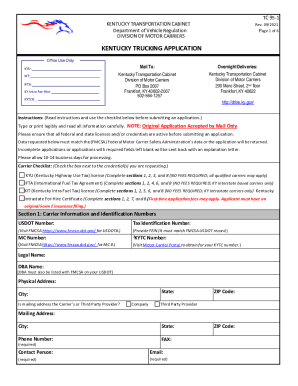
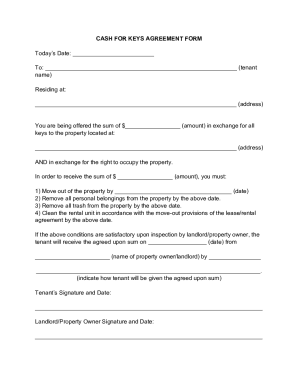
The term "form online" refers to a digital version of any document or application that can be completed and submitted over the internet. These forms are designed to streamline various processes, such as registration, application, data collection, or compliance requirements. By replacing traditional paper forms, online forms allow users to fill, submit, and store information efficiently with just a few clicks. This digital approach offers enhanced convenience and accessibility, especially for users who need to access forms from different locations or devices.
How to Use the Form Online
Using forms online involves a few straightforward steps, which typically include accessing the form, filling in the required information, and submitting it electronically. Here is a general guide on how to use an online form:
- Access the Form: Navigate to the website hosting the form. This could be a government agency, business, or specific service provider like DocHub.
- Complete the Fields: Enter all necessary details into the form's interactive fields. These may include text fields, checkboxes, dropdown menus, or radio buttons.
- Review and Edit: Double-check all entered information for accuracy and completeness. Many platforms allow users to make real-time edits without reloading pages.
- Submit: Once completed, submit the form by clicking the designated button—usually labeled "Submit" or "Send."
- Confirmation: After submission, look for a confirmation message or email, which verifies that your form has been received.
Online forms often include validation features that prompt users to correct errors or complete any missing information before they can be submitted successfully.
How to Obtain the Form Online
Obtaining an online form is a simple process. Most organizations provide access to their forms through their official websites. Here’s how you can typically obtain an online form:
- Visit the Authority's Website: Go to the official website of the institution or business offering the form.
- Search for the Form: Use the site’s search feature to locate the specific form you need. Websites often categorize forms by their purpose or department.
- Download or Access Direct Link: Many forms are directly available for download in formats like PDF, DOC, or as an online interactive form. Click on the link to open or download the form for further use.
Some websites require users to have an account or provide personal details before they can access certain forms, particularly those related to sensitive information.
Steps to Complete the Form Online
Here is a step-by-step guide for completing an online form:
- Read Instructions: Before filling out the form, carefully read any instructions or guidelines provided to ensure you understand the requirements.
- Enter Personal Details: Fill in your personal information, such as name, address, and contact details, in the respective fields.
- Provide Specific Data: Depending on the form's purpose, you may need to supply additional data such as social security numbers, account information, or application-specific details.
- Attach Documents: If necessary, upload any required documents. Forms usually support file formats like PDF, JPEG, or DOC.
- Review Entries: Check all inputs for accuracy and completeness to avoid mistakes that could delay processing.
- Submit and Save: Once all information is entered, submit the form. Ensure to save a copy of the final submission or receive a confirmation for your records.
Why Should You Form Online
Filling forms online offers numerous benefits, such as:
- Efficiency: Digital forms reduce time spent on printing, mailing, or manually completing paperwork.
- Accessibility: With internet access, forms can be completed from anywhere, facilitating remote submissions.
- Real-time Updates: Instant data validation and error-checking features ensure complete and accurate submissions.
- Environmentally Friendly: Reducing paper use aligns with sustainable practices by minimizing physical waste.
These advantages make online forms an ideal choice for both individuals and organizations aiming for efficient and reliable data processing.
Key Elements of the Form Online
Online forms typically consist of several key elements:
- Interactive Fields: Text boxes, dropdowns, and radio buttons that users interact with to input their details.
- Instructions and Guidelines: Sections offering detailed information on how to correctly complete the form.
- Validation Checks: Embedded logic that prompts users to correct errors or complete all necessary fields before submission.
- Confirmation: A message or email confirming successful submission.
These elements work together to ensure that online forms are user-friendly and efficient for both data entry and processing.
Legal Use of the Form Online
The legal use of online forms is governed by various regulations to ensure the security and validity of submitted information:
- Compliance with Acts: Forms, especially those requiring electronic signatures, must comply with laws like the ESIGN Act to ensure legality.
- Privacy Protections: Online forms must adhere to privacy laws that protect submitted personal data from unauthorized access and use.
- Consents and Authorizations: Users may need to consent to terms of service or authorization agreements before submitting sensitive forms.
Adherence to these legal standards is essential to safeguard both the individual's data and the submitting organization's integrity.
State-Specific Rules for the Form Online
When filling out online forms, particularly those related to legal, financial, or governmental purposes, it's crucial to be aware of any state-specific rules that may apply:
- State Variations: Different states may have unique requirements regarding the types of information collected or the processing protocols for certain forms.
- Regulatory Compliance: Forms related to taxes or legal declarations must comply with specific state regulations, which often means accommodating diverse rules and submission formats.
- Notifications: Be aware of local deadlines, fees, and additional documentation required for successful state-specific form submissions.
Understanding and complying with state-specific guidelines ensures that an online form is submitted correctly and accepted by the relevant authorities.