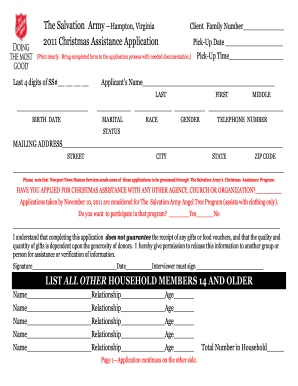
Definition & Meaning
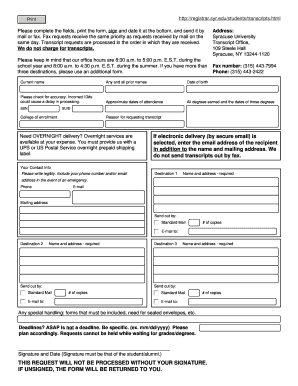
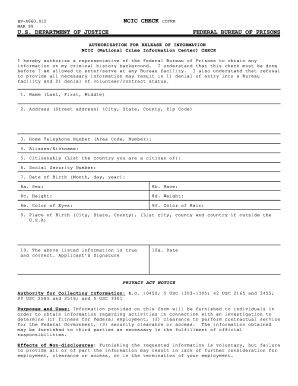
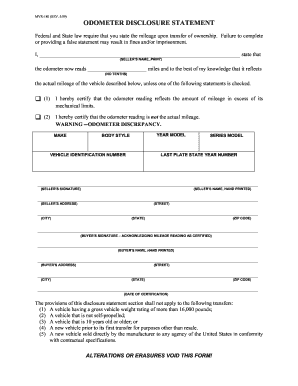
Forms online refer to digital versions of documents that individuals or businesses can access, fill out, and submit through the internet. These forms serve a myriad of purposes, ranging from collecting personal information to handling transactional data. The transition from paper forms to online platforms provides numerous advantages, including increased efficiency and accessibility. Online forms eliminate the need for physical storage and enable users to complete necessary documentation from any location, so long as there is internet access.
Purpose and Usage
Forms online are designed to simplify processes across various domains such as banking, tax filing, applications, and surveys. These forms usually mirror their paper counterparts but offer enhanced features such as automatic data validation, integration with digital signatures, and instant submission. The ability to manage forms digitally reduces the likelihood of errors, as the information can be structured in a manner that guides users throughout the completion process.
How to Use the Form Online
To use forms online effectively, users generally need to follow a straightforward procedure. Here’s a basic step-by-step guide:
-
Access the Form: Visit the hosting website where the form is made available, such as a government portal or a company's webpage. Select the desired form and open it.
-
Review Instructions: Look over any instructions that accompany the form. Understanding the requirements can help in filling out the form accurately.
-
Fill Out the Form: Enter the required information into the designated fields. Many online forms feature editing tools or validations to ensure accuracy, such as tooltip guides or drop-down menus for selecting options.
-
Review for Accuracy: Double-check the inputted data for accuracy and ensure all required fields are completed. This step minimizes the chance of issues after submission.
-
Submit the Form: Follow the website’s submission process, which might involve clicking a 'Submit' button. Some forms offer the option to save and print the form for your records before it's submitted.
How to Obtain the Form Online
Finding and downloading forms online is generally a simple process due to dedicated web portals. Below are the typical ways to obtain them:
-
Government and Institutional Websites: Often, official forms are accessible through government or institution-specific websites, where they can be downloaded or filled out directly.
-
Document Management Services: Platforms like DocHub can host a variety of forms for different purposes, allowing users to edit and manage them effortlessly.
-
Email and Cloud Storage: Sometimes, forms are distributed through email or stored in shared cloud-based drives, making them easier to retrieve.
Best Practices
- Verify Authenticity: Always ensure that the form is obtained from a reputable source to avoid using outdated or incorrect versions.
- Understand Revision History: Forms may have different versions, so it's critical to use the most current version to avoid complications.
Steps to Complete the Form Online
Completing an online form requires attention to detail. Here's a comprehensive guide to executing this task:
-
Log in or Create an Account: Some forms, particularly those from organizational websites, might require a user to sign up for an account before accessing the form.
-
Gather Necessary Information: Before filling out the form, gather all required documents and information, such as identification numbers, addresses, and any accompanying documentation.
-
Fill in Personal Details: Carefully enter personal information in the specified fields. Ensure consistent and accurate data entry to prevent delays or errors.
-
Attach Required Documents: Some forms may necessitate uploading complementary documents. Follow the instructions to attach them, ensuring the files are of acceptable format and size.
-
Final Review: Conduct a final check of all provided information and uploaded documents to catch any errors or omissions.
-
Submit and Save Confirmation: Upon submission, save a copy of the completed form or confirmation page to maintain a record for future reference.
Importance of Using Forms Online
Transitioning from paper to online forms offers several key benefits:
- Efficiency: Automating form processing reduces time and resource expenditure compared to manual handling.
- Accessibility: Users can fill out forms at their convenience, from any device with internet access.
- Accuracy: Built-in validation reduces the risk of errors by guiding user input.
- Security: Online forms often include encryption and secure access measures to protect sensitive data.
Who Typically Uses the Form Online
Online forms are used by a diverse range of individuals and organizations:
- Individuals: For purposes such as job applications, tax filings, and service sign-ups.
- Businesses: For transactions, customer data collection, and compliance reporting.
- Government Entities: For public service applications and data collection.
- Educational Institutions: For admissions, course enrollments, and other administrative tasks.
These digital solutions cater to various sectors, enhancing convenience and efficiency for users worldwide.


Legal Use of the Form Online
Legal compliance is a critical aspect when dealing with forms online. Electronic forms must adhere to regulations that ensure their validity:
- Electronic Signatures: Under laws like the ESIGN Act, electronic signatures on forms are legally binding, provided they adhere to specified standards for authenticity and security.
- Data Protection: Online forms must comply with data protection regulations, ensuring that personal information is handled securely.
- Audit Trails: Online forms generally track changes and submissions to maintain transparency and accountability.
Considerations
- Verification: Ensure that digital forms are from legitimate and authorized sources.
- Timeliness: Some digital forms may have deadlines for submission or validity periods, which must be observed.
Key Elements of the Form Online
The structure and elements of online forms are designed for comprehensive data capture:
- Input Fields: Spaces where users enter data, often with specified formats like numeric or text data fields.
- Validation Checks: Automated processes that ensure entered data meets predefined criteria.
- Attachments: Options to include supplementary documents required as part of the form submission.
- User Interface Elements: These include scrollable fields, drop-down menus, and radio buttons for enhanced interaction.
Understanding these elements helps users complete forms efficiently and accurately.