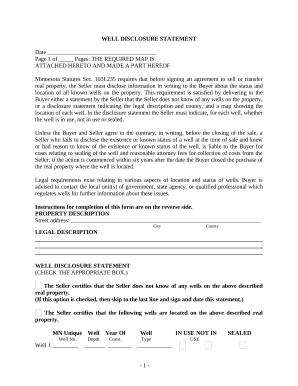
01. Edit your form online
Type text, add images, blackout confidential details, add comments, highlights and more.

Type text, add images, blackout confidential details, add comments, highlights and more.

Draw your signature, type it, upload its image, or use your mobile device as a signature pad.

Send it via email, link, or fax. You can also download it, export it or print it out.
The Whitworth University Weekly Planning Calendar serves as a critical organizational tool specifically designed for students and faculty at Whitworth University. It outlines the academic schedule, including class times, credit hours, and other associated activities like chapel services. This calendar helps students manage their weekly academic commitments effectively, allowing them to balance coursework with extracurricular activities. The calendar's structured format aids students in visualizing their week at a glance, ensuring they allocate sufficient time for study and other responsibilities.
To make the most of the Whitworth University Weekly Planning Calendar, users should begin by familiarizing themselves with the layout. The calendar typically displays days of the week along the top and time slots on the side. Here’s a step-by-step guide for utilizing the calendar efficiently:
Identify Course Schedules: Mark the times for each course, including lecture, lab, and discussion sessions.
Incorporate Extracurriculars: Add other academic responsibilities, such as meetings with advisors or group study sessions.
Allocate Study Time: Reserve specific blocks for studying to ensure academic success.
Note Special Events: Include university events like chapel services or seminars that might interfere with regular schedules.
Regularly reviewing and updating the calendar is crucial for staying on top of tasks and deadlines throughout the semester.
Completing the Whitworth University Weekly Planning Calendar involves several straightforward steps:
Gather Information: Begin by collecting all necessary details about class schedules, including days, times, and locations.
Fill in Classes: Enter each class into the appropriate time slot on the calendar, ensuring there are no conflicts.
Add Obligatory Events: Include any mandatory university events, such as chapel times or departmental meetings.
Plan Study Sessions: Based on your workload, plan steady study blocks throughout the week.
Review and Adjust: As the semester progresses, adjust the calendar to accommodate syllabus changes or newly added commitments.
The Whitworth University Weekly Planning Calendar contains crucial components that ensure comprehensive weekly planning:
The primary users of the Whitworth University Weekly Planning Calendar are students. They rely on this tool to:
Faculty may also use the calendar for planning purposes, although their focus would be more on coordinating with class schedules and meeting students.


Here are some practical scenarios demonstrating the utility of the Whitworth University Weekly Planning Calendar:
While the Whitworth University Weekly Planning Calendar is custom-designed for its students, there are alternative tools available:
Students looking to transition the Whitworth University Weekly Planning Calendar to digital formats will find compatibility with several software solutions:
These digital platforms offer the advantage of syncing across multiple devices, ensuring students can access their schedules anytime and anywhere.
We've got more versions of the Whitworth University Weekly Planning Calendar - whitworth form. Select the right Whitworth University Weekly Planning Calendar - whitworth version from the list and start editing it straight away!
At DocHub, your data security is our priority. We follow HIPAA, SOC2, GDPR, and other standards, so you can work on your documents with confidence.