Definition and Meaning of the Online Form
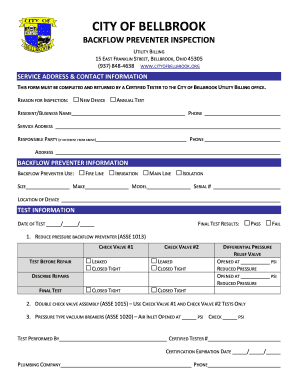
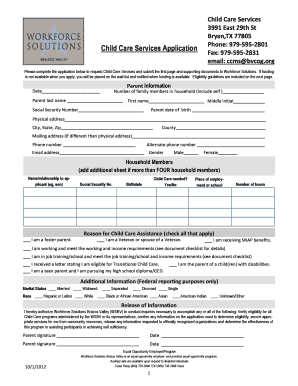
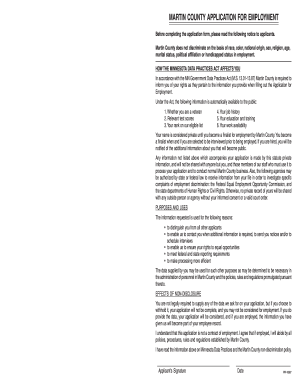
An online form is a digital document that allows users to input data directly into designated fields on a web-based platform. Its main advantage is facilitating data collection and processing without requiring physical paperwork. Online forms can serve various purposes, such as surveys, registrations, applications, and information submissions. They are designed to streamline workflows by enabling users to complete them on computers, tablets, or smartphones. This flexibility not only increases accessibility but also ensures that data is captured in a consistent and organized manner.
How to Use the Form Online
Using an online form typically involves several straightforward steps that can be followed on any internet-enabled device. Users begin by accessing the form through a website link or email invitation. Once the form is open, users fill in the required fields, which may include text boxes, dropdown menus, checkboxes, and signature fields. The form may also include guidance or instructions for each section to help users provide accurate and complete information. After filling out the form, users can review their inputs before submitting it electronically. This process often includes an option to save a copy or receive confirmation via email, ensuring that users have a record of their submission.
Step-by-Step Guidance
- Access the form via the provided link or from the relevant website.
- Follow instructions to complete each section, ensuring all required fields are filled.
- Review your entries to check for accuracy and completeness.
- Submit the form, choosing to save a copy or obtain email confirmation if available.
How to Obtain the Online Form
Obtaining an online form generally involves visiting a specific website or receiving a direct link via email. Organizations often provide access through their portals, allowing users to locate the necessary form quickly. In some cases, users may need to create an account to access proprietary forms, especially for sensitive or secure transactions. Additionally, popular document management platforms often host a wide array of forms, making them readily accessible for users with diverse needs.
Key Elements of the Online Form
The structure of an online form consists of several key elements designed to facilitate data collection and processing. These elements include:
- Form Fields: Text boxes, checkboxes, dropdown menus, and signature fields for user input.
- Instructions: Guidance for completing each section correctly.
- Validation: Features to ensure data entered meets specific criteria (e.g., date formats).
- Security Measures: Protection mechanisms such as SSL encryption to safeguard data.
- Submission Button: An option to finalize and send the form.
Steps to Complete the Form Online
Completing an online form involves a user-friendly interface that guides users through each stage of input. Here is a detailed process:
- Initialization: Open the form using the link provided or from the website.
- Details Entry: Insert required information into the specified fields.
- Accuracy Check: Review entries for typographical errors or omissions.
- Security Features: Utilize password protection and encryption for forms with sensitive data.
- Submission: Finalize the form by clicking the submit button and saving a copy if needed.
Who Typically Uses the Online Form
The use of online forms spans a wide range of users, including:
- Businesses: For collecting client information, feedback, or employee data.
- Educational Institutions: For student applications, surveys, and registrations.
- Government Agencies: For tax submissions, permit applications, and public service interactions.
- Nonprofits: For donor sign-ups, volunteer forms, and events management.


Legal Use of the Online Form
Online forms must comply with legal standards to ensure the validity and security of the data collected. This includes adhering to privacy laws and maintaining transparency in data handling. In the United States, legal frameworks such as the Electronic Signatures in Global and National Commerce (ESIGN) Act support online form use by recognizing electronic signatures as legally binding. Organizations should ensure their forms provide clear terms of use and data protection measures to meet compliance requirements.
Examples of Using the Form Online
Real-world applications of online forms include:
- Job Applications: Companies streamline the hiring process by collecting applicant data electronically.
- Customer Feedback Surveys: Businesses gather consumer insights through web-based questionnaires.
- Event Registrations: Organizers coordinate participant details for events using digital forms.
- Medical Intake Forms: Clinics enhance patient intake efficiency by using secure online forms to gather necessary health information before visits.