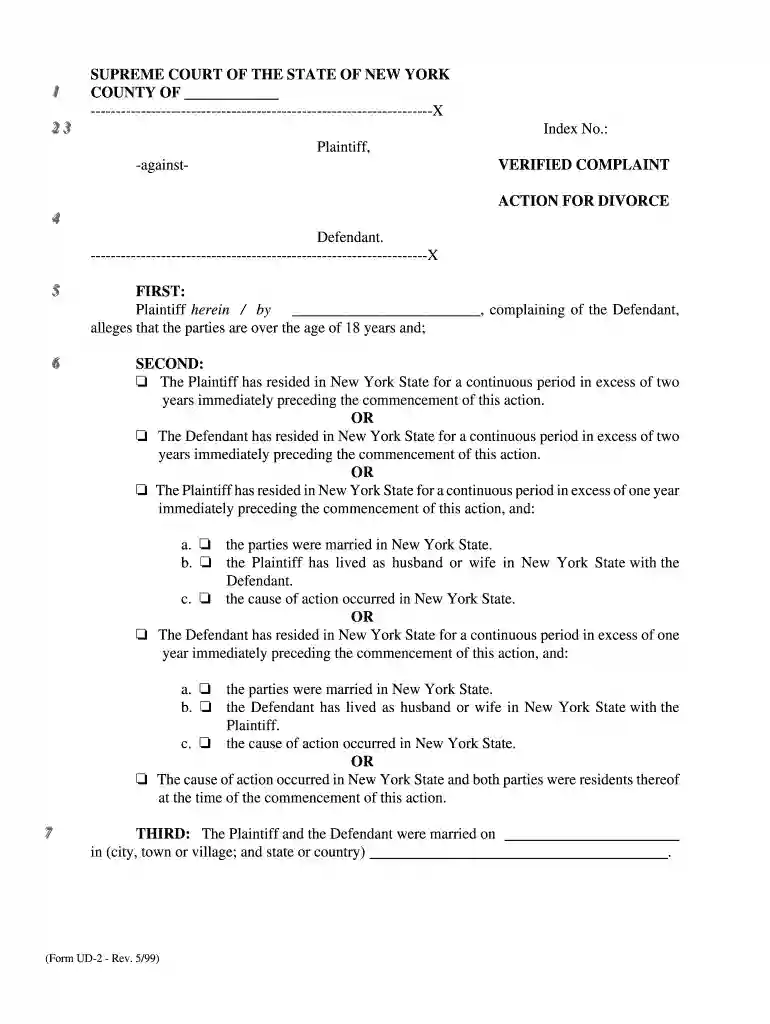
verified complaint Preview on Page 1

Nys verified complaint 1999 form-2026

Here's how it works

  • 01. Edit your verified complaint online

    Type text, add images, blackout confidential details, add comments, highlights and more.

  • 02. Sign it in a few clicks

    Draw your signature, type it, upload its image, or use your mobile device as a signature pad.

  • 03. Share your form with others

    Send what is a verified complaint via email, link, or fax. You can also download it, export it or print it out.

How to use or fill out nys verified complaint 1999 form with our platform

Form edit decoration
9.5
Ease of Setup
DocHub User Ratings on G2
9.0
Ease of Use
DocHub User Ratings on G2
  1. Click ‘Get Form’ to open the NYS Verified Complaint 1999 form in the editor.
  2. Begin by filling in the 'Index No.' and 'County' at the top of the form. This information is crucial for identifying your case.
  3. In the 'Plaintiff' section, enter your name and details. Ensure accuracy as this will be used throughout the legal process.
  4. Proceed to the 'SECOND' section where you must select one of the residency options that apply to either you or the Defendant. Make sure to check only one box.
  5. In 'THIRD', provide details about your marriage, including date and location. If applicable, indicate if it was performed by a clergyman or not.
  6. Fill out any relevant sections regarding children under 'FOURTH'. List their names and dates of birth accurately.
  7. In 'FIFTH', specify grounds for divorce by selecting appropriate options and providing detailed descriptions of incidents as required.
  8. Finally, review all entries for accuracy before signing at the bottom of the form. Use our platform's features to save and share your completed document easily.

Start using our platform today to fill out your NYS Verified Complaint 1999 form online for free!

See more verified complaint versions

We've got more versions of the verified complaint form. Select the right verified complaint version from the list and start editing it straight away!

VersionsForm popularityFillable & printable
20164 Satisfied (59 Votes)
20114.9 Satisfied (420 Votes)
19994 Satisfied (24 Votes)

be ready to get more

Complete this form in 5 minutes or less

Security and compliance

At DocHub, your data security is our priority. We follow HIPAA, SOC2, GDPR, and other standards, so you can work on your documents with confidence.

Related links

CRRA Flood Risk Management Guidance

In 2014, Governor Andrew Cuomo signed the. Community Risk and Resiliency Act (CRRA) to build New Yorks resilience to rising sea levels.Read more

Learn more
supreme court of the state of new york - 2 3

8. 2. On, at a.m./p.m. at. I served the summons with notice OR summons and verified complaint onRead more

Learn more
If you believe that this page should be taken down, please follow our DMCA take down process here