




01. Edit your building permits online
Type text, add images, blackout confidential details, add comments, highlights and more.

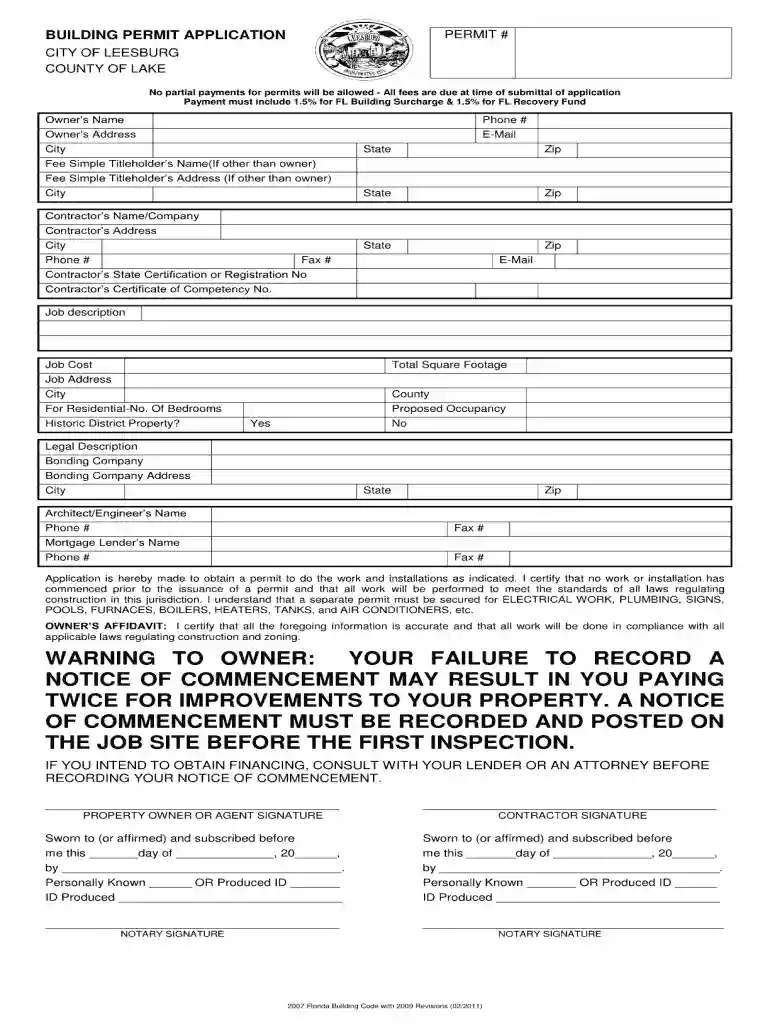
Type text, add images, blackout confidential details, add comments, highlights and more.

Draw your signature, type it, upload its image, or use your mobile device as a signature pad.

Send leesburg building department via email, link, or fax. You can also download it, export it or print it out.

Start using our platform today to streamline your document completion process for free!
We've got more versions of the building permits form. Select the right building permits version from the list and start editing it straight away!
| Versions | Form popularity | Fillable & printable |
|---|---|---|
| 2011 | 4.9 Satisfied (52 Votes) |
Yes, electronically drawing your signature is acceptable, but only if you use a tool that complies with industry laws and regulations. Consider DocHub, which ensures eSignature validity under ESIGN and UETA requirements. All you need to approve your city of leesburg permitting electronically is an account with DocHub and an internet connection. After you open your document in our editor, click Sign and select the Draw option.
If you are looking for a state-specific city of leesburg building department sample, you will find it in our DocHub Forms & Templates catalog. Use the search field, key in your form’s name, and search through the results for your state. You can also filter out irrelevant results while browsing our catalog by categories.
At DocHub, your data security is our priority. We follow HIPAA, SOC2, GDPR, and other standards, so you can work on your documents with confidence.
Leesburg Online Services for Building Permits enables citizens and contractors to apply, view their permit process, upload documents, schedule inspections.Read more
Mar 31, 2023 **Department is cost shared w/ Water Sewer**. 100 100 01100 100 100 01500 00052 522220 BUILDING REPAIR MAINT. 5,290. 5,200. 3,150.Read more
Dec 11, 1997 The Government shall have and exercise full and complete control over granting, denying, withholding, or terminating building access approvalsRead more


