




01. Edit your form online
Type text, add images, blackout confidential details, add comments, highlights and more.

Type text, add images, blackout confidential details, add comments, highlights and more.

Draw your signature, type it, upload its image, or use your mobile device as a signature pad.

Send it via email, link, or fax. You can also download it, export it or print it out.
The term "form online" refers to an electronic document designed for digital interaction rather than traditional paper-based completion. These forms are typically hosted on websites, allowing users to input information through various fields such as text boxes, checkboxes, and dropdown menus. The convenience offered by online forms streamlines processes, making it easier to gather data, submit applications, and perform various transactions without the need for physical paperwork. Advanced functionalities include real-time data validation and instant submission to backend systems for processing, which enhances efficiency and accuracy.
Completing a form online involves several straightforward steps designed to ensure accuracy and completeness:
Access the Form: Navigate to the website hosting the form and locate the specific page where the form is available.
Read Instructions: Carefully review any instructions or guidelines provided to understand the required information and documentation.
Provide Information: Enter the requested information in the appropriate fields. Ensure names, dates, and other critical details are correctly spelled and formatted.
Attach Documents: Upload necessary attachments, such as identification or supporting documents, either by selecting the file from your device or dragging it into the designated area.
Review and Edit: Double-check all entered information for accuracy. Most platforms allow users to edit entries before submission.
Submit the Form: Once satisfied with the information provided, submit the form by clicking the designated button. Some systems may offer a confirmation page or receipt number for your records.
Follow Up: If required, follow up on the status of your submission through the platform's tracking features or by contacting the issuing organization.
Using online forms offers various advantages that enhance both user and organizational experiences:
Efficiency: Digital forms streamline data collection and processing, significantly reducing the time taken compared to manual entry and paper handling.
Accessibility: Forms can be accessed and submitted at any time, eliminating the need for in-person visits or specific business hours.
Cost-Effectiveness: Reduces printing and postage costs while minimizing the physical storage space required for paper documents.
Environmental Impact: By minimizing the reliance on paper, online forms contribute to environmental conservation efforts and promote sustainability.
Instant Updates: Any changes made to the form can be instantly saved and reflected, ensuring all parties are informed with the most current data.
Online forms cater to a wide range of users across various sectors:
Individuals: For tasks like tax filing, job applications, and service requests.
Businesses: To gather customer feedback, process transactions, or manage internal documentation.
Educational Institutions: For student admissions, event registrations, or alumni surveys.
Government Agencies: To handle applications for permits, licenses, and public service inquiries.
These forms ensure that data is managed efficiently, reducing the potential for errors and enhancing user satisfaction.


Several critical elements constitute an effective online form:
Input Fields: Include text boxes for freeform input, checkboxes for selections, radio buttons for single choice options, and dropdown lists for multiple selections.
Navigation Controls: Buttons for proceeding to the next section, saving progress, or returning to a previous section without data loss.
Security Features: Encryption and authentication protocols to safeguard user data and maintain privacy.
Help Sections: Inline help text, tooltips, or links to FAQ sections to assist users in completing the form accurately.
Validation Rules: Systems to ensure data integrity, such as restricting entry types or validating against permissible ranges.
Online forms are subject to various legal considerations essential for compliance:
Data Protection: Following regulations like the General Data Protection Regulation (GDPR) or the California Consumer Privacy Act (CCPA) to manage personal information securely.
Electronic Signatures: Ensuring compliance with the Electronic Signatures in Global and National Commerce Act (ESIGN Act) to make digital signatures legally binding.
Terms and Conditions: Providing clear terms for users to review and agree to, safeguarding against potential legal disputes.
Understanding these aspects is crucial for maintaining trust and ensuring the legal compliance of online operations.
Differences in regulations across states can affect how online forms are utilized:
Tax Filings: Varied state tax laws may influence the submission and documentation requirements for state-specific tax forms.
Licensing and Permits: Each state may have unique criteria and processes for obtaining various legal documents via online forms.
Privacy Laws: Depending on the state, different data protection and privacy laws may apply, impacting how information is collected and managed.
Organizations must align their online form processes with relevant state laws to ensure legality and compliance.
Online forms are often integrated with different software systems to enhance usability:
Compatibility: Ensure forms are compatible with leading software solutions such as TurboTax or QuickBooks for seamless data transfer and analysis.
APIs: Organizations may provide APIs to facilitate integration with external systems for real-time data exchange and updates.
Mobile Accessibility: Forms should be optimized for mobile devices to cater to users who prefer filling forms on smartphones or tablets.
These technological considerations play a significant role in the form's ease of use and overall adoption.
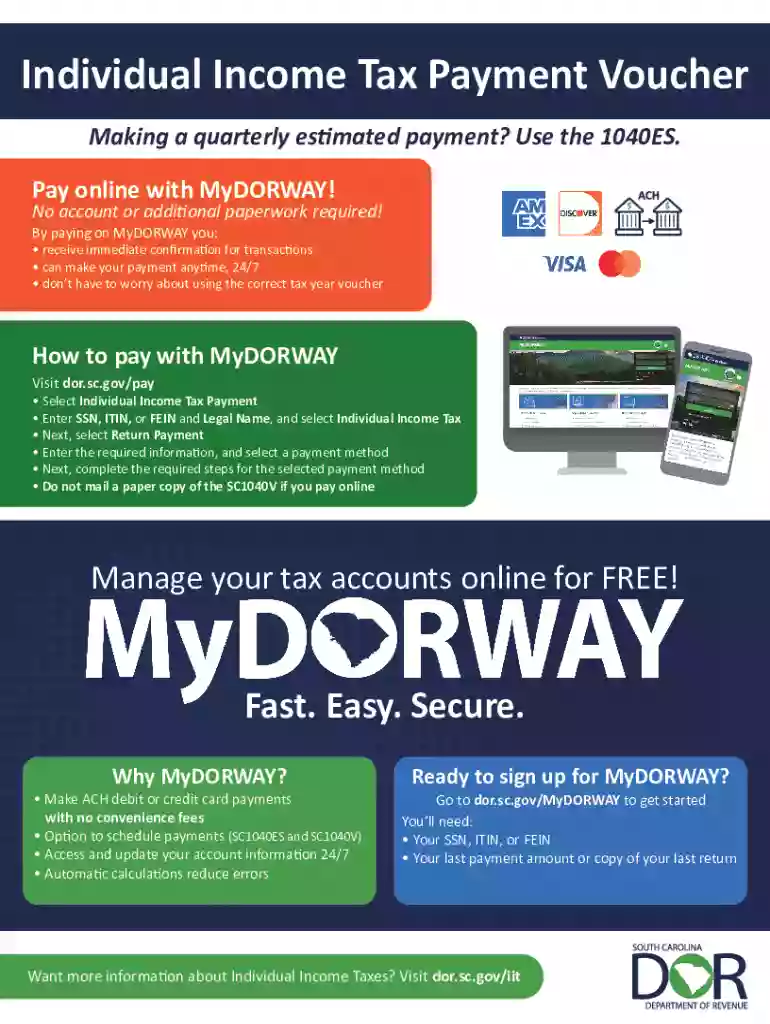
We've got more versions of the SC1040-V Individual Income Tax Payment Voucher form. Select the right SC1040-V Individual Income Tax Payment Voucher version from the list and start editing it straight away!
At DocHub, your data security is our priority. We follow HIPAA, SOC2, GDPR, and other standards, so you can work on your documents with confidence.

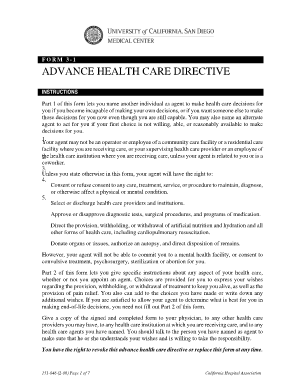


South Carolina Individual Income Tax, Individual Income Tax return (SC1040) Need help? Phone: 1-844-898-8542 Email: IITax@dor.sc.gov. Payment Voucher SC1040V
Individual Income Tax Open. Make and schedule payments ・ yearly Income Tax liability. Need help? Phone: 1-844-89 8-8542 Email: WithholdingTax@dor.sc.gov ・


