




Here's how it works

01. Edit your fas forms online
Type text, add images, blackout confidential details, add comments, highlights and more.

02. Sign it in a few clicks
Draw your signature, type it, upload its image, or use your mobile device as a signature pad.

03. Share your form with others
Send financial assistance scheme form via email, link, or fax. You can also download it, export it or print it out.
How to use or fill out moe fas with our platform

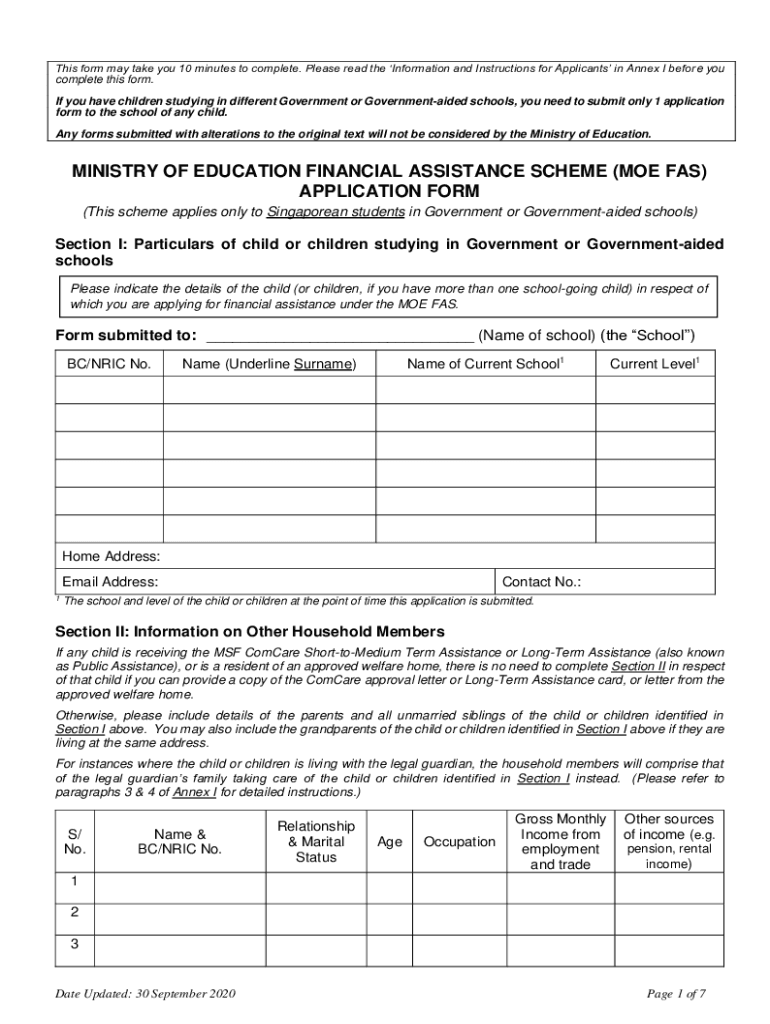
- Click ‘Get Form’ to open the MOE FAS application in the editor.
- In Section I, provide the particulars of your child or children studying in Government or Government-aided schools. Fill in their BC/NRIC No., name, current school, level, home address, email address, and contact number.
- Proceed to Section II to include information on other household members. List details such as name, relationship, age, occupation, and gross monthly income for each member.
- In Section III, indicate if you wish to request free textbooks and school attire by ticking the appropriate boxes.
- For Section IV, select the mode of transport your child will use between home and school by ticking one box.
- In Section V, tick the box if you wish to apply for a subsidised new computer. Ensure you confirm eligibility as per the guidelines.
- Finally, complete Section VI by declaring that all information provided is true and sign where indicated.
Start filling out your MOE FAS application today using our platform for free!
Fill out moe fas online
It's free
It's free
Security and compliance
At DocHub, your data security is our priority. We follow HIPAA, SOC2, GDPR, and other standards, so you can work on your documents with confidence.
Learn more




