




Here's how it works

01. Edit your code postal number online
Type text, add images, blackout confidential details, add comments, highlights and more.

02. Sign it in a few clicks
Draw your signature, type it, upload its image, or use your mobile device as a signature pad.

03. Share your form with others
Send postal number via email, link, or fax. You can also download it, export it or print it out.
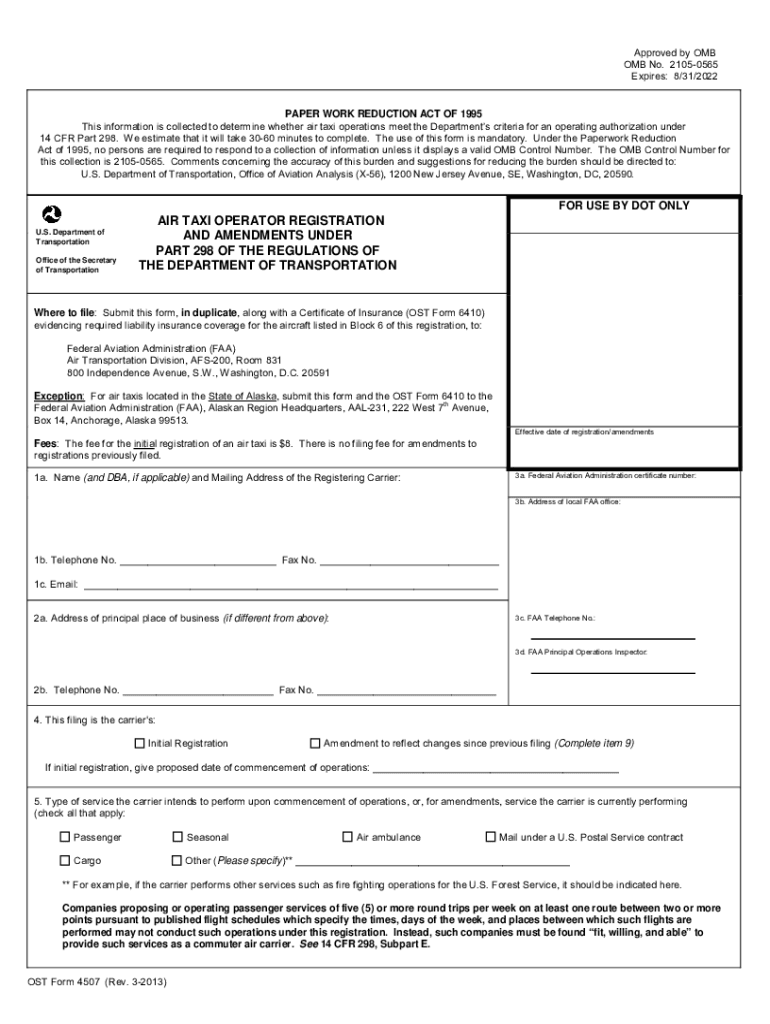
How to use or fill out form states taxi with our platform

- Click ‘Get Form’ to open the form states taxi in the editor.
- Begin by filling in your name and mailing address in Block 1a. If applicable, include your DBA (Doing Business As) name.
- Provide your telephone number, fax number, and email address in Blocks 1b and 1c.
- In Block 2a, enter the address of your principal place of business if it differs from the mailing address.
- Complete Block 3 with your FAA certificate number and local FAA office address. Include contact details for the FAA office in Block 3c and the Principal Operations Inspector in Block 3d.
- Indicate whether this filing is an initial registration or an amendment in Block 4. If it's an initial registration, provide the proposed date of commencement of operations.
- In Block 5, check all types of services you intend to perform upon commencement of operations.
- List aircraft details in Block 6, including make and model, passenger seats installed, and FAA registration numbers.
- Answer questions regarding U.S. citizenship and previous foreign air transportation activities in Blocks 7 and 8.
- If applicable, report any changes or amendments to previously filed information in Block 9.
- Finally, complete the certification section by signing and dating the form. Ensure that a responsible officer signs it as required.
Start using our platform today to streamline your form completion process for free!
Fill out form states taxi online
It's free
It's free
Security and compliance
At DocHub, your data security is our priority. We follow HIPAA, SOC2, GDPR, and other standards, so you can work on your documents with confidence.
Learn more




