




Here's how it works



How to use or fill out Da Form 5893 - Fill Online, Printable, Fillable, Blank ... with our platform

- Click ‘Get Form’ to open it in the editor.
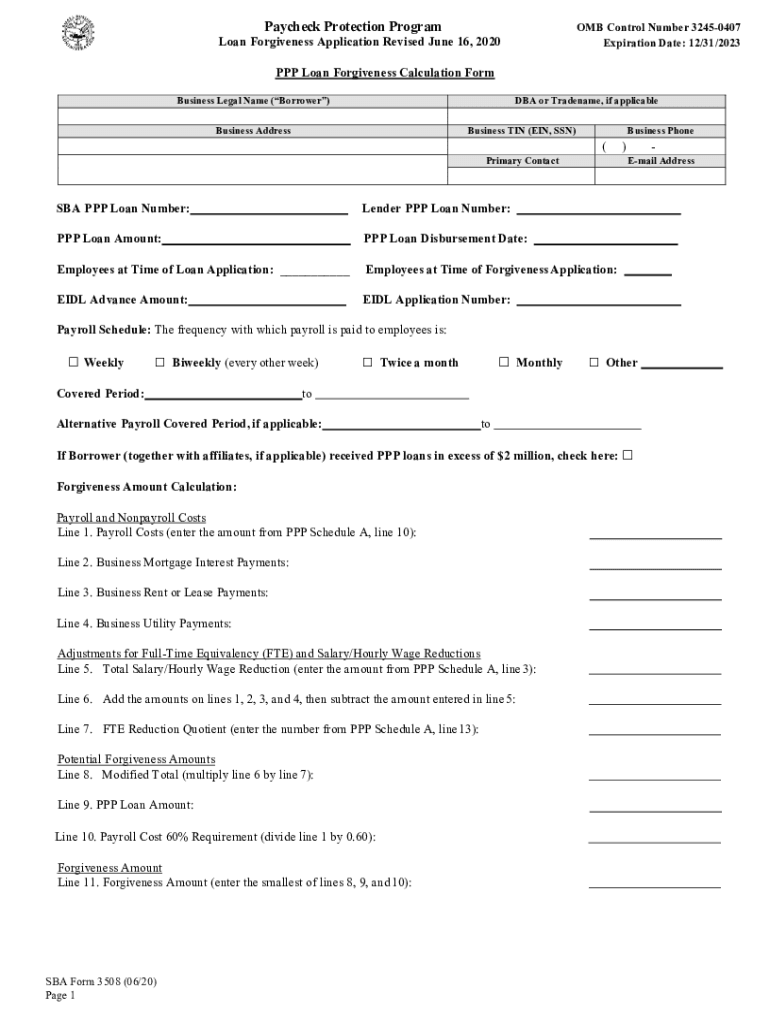
- Begin by entering your Business Legal Name and DBA or Tradename if applicable. Ensure that your Business Address and TIN (EIN, SSN) are accurately filled out.
- Input the SBA PPP Loan Number and Lender PPP Loan Number along with the PPP Loan Amount and Disbursement Date. Record the number of Employees at both the time of loan application and forgiveness application.
- Select your Payroll Schedule from the options provided: Weekly, Biweekly, Twice a month, Monthly, or Other. Specify the Covered Period dates.
- Complete the Forgiveness Amount Calculation section by entering amounts for Payroll Costs, Mortgage Interest Payments, Rent or Lease Payments, and Utility Payments as required.
- Review all entries for accuracy before signing. Ensure you understand the representations and certifications required on behalf of the Borrower.
Start filling out Da Form 5893 today for free using our platform!
It's free
See more Da Form 5893 - Fill Online, Printable, Fillable, Blank ... versions
Got questions?
How do I sign my Da Form 5893 - Fill Online, Printable, Fillable, Blank ... for free?
Most eSignature services require users to have a paid subscription. With DocHub, there are two ways for you to add an electronic signature to your Da Form 5893 - Fill Online, Printable, Fillable, Blank ... free of charge:
- You can do it during a 7-day trial period;
- You can sign up for a free plan.
The second option, however, has limitations on the number of signatures, sign requests, emails, and forms for adjusting available per month. You can check for full information here.
How to manage my Da Form 5893 - Fill Online, Printable, Fillable, Blank ... from Gmail?
In case your go-to electronic mail service is Gmail, it is simple to incorporate your DocHub editor in your work. Modify your Da Form 5893 - Fill Online, Printable, Fillable, Blank ... with DocHub instruments and connect it to your drafts in Gmail. See how straightforward it can be to exchange papers and collaborate having a swift PDF editing solution at hand.
Security and compliance
At DocHub, your data security is our priority. We follow HIPAA, SOC2, GDPR, and other standards, so you can work on your documents with confidence.
Learn more




