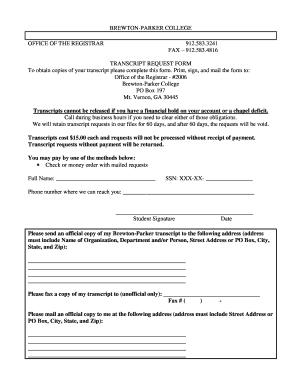
01. Edit your form online
Type text, add images, blackout confidential details, add comments, highlights and more.

Type text, add images, blackout confidential details, add comments, highlights and more.

Draw your signature, type it, upload its image, or use your mobile device as a signature pad.

Send it via email, link, or fax. You can also download it, export it or print it out.
The "Download Multi-Service Timesheet 1-15" from Pathways for People is a detailed employee tracking document. Designed for recording hours worked across various service categories like HCS (Home and Community-based Services), PCS (Personal Care Services), and Respite, this timesheet is crucial for ensuring accurate workplace record-keeping. It encapsulates time in/out, total hours worked, and signature requirements from both the employee and their consumer or guardian. By standardizing time tracking, the form aids organizations in maintaining compliance and transparency in work performed and billed.
To utilize the Multi-Service Timesheet effectively, users can follow these steps:
By adhering to these steps, employees can ensure their hours are accurately submitted for approval.
There are several avenues for obtaining the Multi-Service Timesheet:
These options provide flexibility depending on individual user needs and employer preferences.
Completing the timesheet involves specific structured actions:
By following these guidelines, employees ensure compliance and accuracy in their submissions.
The Multi-Service Timesheet is primarily used by employees at Pathways for People, especially those involved in care services. It is ideal for:
This targeted group ensures the document serves its purpose effectively within its intended framework.


Several essential components define the timesheet’s utility:
These components ensure that the timesheet fulfills its function as a comprehensive time-tracking tool.
Practical usage scenarios can illustrate the timesheet's application:
By implementing these user examples, the timesheet’s flexibility and necessity in service sectors become evident.
Legal compliance in using the timesheet involves:
By following these practices, users maintain adherence to the legal standards governing work time recording.
Modern practices offer both digital and paper versions:
Choosing the version depends on organizational capabilities, environmental policies, and user preferences, allowing a fit-for-purpose approach to timesheet management.
We've got more versions of the Download Multi-Service Timesheet 1-15 - Pathways for People - pathwaysforpeople form. Select the right Download Multi-Service Timesheet 1-15 - Pathways for People - pathwaysforpeople version from the list and start editing it straight away!
| Versions | Form popularity | Fillable & printable |
|---|---|---|
| 2010 | 4.8 Satisfied (41 Votes) |
At DocHub, your data security is our priority. We follow HIPAA, SOC2, GDPR, and other standards, so you can work on your documents with confidence.